
Shopify's Aug 26 Checkout Deadline: 2026 Non-Plus Fixes
Shopify's Aug 26 Checkout Deadline: 2026 Non-Plus Fixes
Shopify's Aug 26 Checkout Deadline: 2026 Non-Plus Fixes

By Shubham Vats, Founder of Revize · Jun 24, 2026
You logged into your admin last week, saw a banner about upgrading your Thank you and Order status pages, and closed it. You're on the Grow plan, not Plus, and "checkout extensibility" has always sounded like a Plus problem. Here's the thing: the Shopify checkout deadline for non-Plus stores is August 26, 2026, and if you let it pass without migrating, the parts of your store that quietly print money (conversion tracking, cash-on-delivery logic, your post-purchase upsell) can stop working overnight.
This is not the 2025 Plus deadline you read about and ignored. This one is yours. And the good news is that the fix is a weekend of focused work, not a replatform.
Quick answer: On August 26, 2026, stores on non-Plus plans (Basic, Grow, Advanced) must move off the legacy Thank you and Order status pages. Any tracking, scripts, or visual customizations that lived on the old pages get replaced. Migrate before the date using app pixels, Web Pixel API events, and checkout blocks, and you keep your attribution and your post-purchase revenue intact.

What is the August 26, 2026 checkout deadline?
August 26, 2026 is the date by which every store on a non-Plus Shopify plan has to upgrade its Thank you and Order status pages to the new checkout and accounts system. Shopify confirms this directly in its non-Plus upgrade guide: when you upgrade, "your existing Thank you and Order status pages and any existing customizations on those pages are replaced with the new versions."
The short version: Shopify is retiring the old, checkout.liquid-era post-purchase pages for everyone, and non-Plus merchants are the last group to make the jump.
If you run a Plus store, your version of this happened on August 28, 2025, when checkout.liquid and the Additional Scripts boxes went view-only. Non-Plus stores got a longer runway. That runway ends in roughly two months. The reality is that most non-Plus teams are lean, the banner is easy to dismiss, and "it still works today" is doing a lot of heavy lifting in everyone's mental backlog.
One detail that raises the stakes this year: as of April 2, 2026, Shopify made native B2B features (company profiles, payment terms, volume pricing) available on Basic, Grow, and Advanced plans. Non-Plus stores are doing more serious commerce than ever, which means there's more riding on the checkout and post-purchase flow than there was the last time you thought about it.
What exactly breaks on August 26?
The things that break are the customizations bolted onto the old pages: third-party tracking pixels, Additional Scripts logic, checkout.liquid visual tweaks, and any post-purchase content on the legacy Order status page. The product still sells. What you lose is the instrumentation and the experience layer you built on top.
Here's what's actually at risk, in plain terms:
What you built | Where it lived | What happens at the deadline |
|---|---|---|
Google Ads / Meta conversion pixels | Additional Scripts box | Stops firing; attribution goes dark |
Cash-on-delivery or custom checkout logic | Additional Scripts / apps | Logic is dropped unless rebuilt as a pixel or app |
Brand styling, custom progress bar |
| Stranded; page reverts to default styling |
Post-purchase upsell / review request | Legacy Order status page | Removed unless rebuilt with a checkout block or app |
Order tracking widget, custom messaging | Legacy Order status page | Replaced by the new Order status page |
Your conversion tracking is the scariest one. A Google Ads or Meta pixel pasted into the Additional Scripts box runs on the legacy Thank you page, so when that page is replaced, the snippet goes with it. Your campaigns keep spending, but the purchase events stop flowing back, and your ad platforms lose the ability to attribute and optimize. You find out two weeks later when ROAS looks wrong and nobody touched the budget.
Additional Scripts has been view-only since August 28, 2025. You can read what's in there, but you cannot edit it, which means the migration is one-directional: you rebuild that logic in the new model, you don't patch the old one.
checkout.liquid customizations are on borrowed time. Any brand color, font, or layout tweak in that file is not coming to the new pages, which are styled through the checkout and accounts editor instead.
How is this different from the 2025 Plus deadline?
The 2025 deadline was about Plus stores losing checkout.liquid editing; the 2026 deadline is about non-Plus stores losing their legacy Thank you and Order status pages, with an automatic upgrade waiting for anyone who misses it. Same migration, different audience, and a harder edge if you do nothing.
Shopify has been rolling auto-upgrades since January 2026, migrating stores without an explicit opt-in. The catch: the auto-upgrade is best-effort. Official Shopify channel integrations tend to carry over; custom pixels, Google Tag Manager containers, and checkout.liquid logic do not. So "I'll just let Shopify auto-upgrade me" isn't a strategy. It's how you end up with a clean new checkout and a two-week attribution gap you didn't plan for.
The difference that matters: a Plus team usually had a developer or agency handle this in 2025. A non-Plus team often doesn't, which is why the deadline is easy to underestimate and the cleanup hurts more when it's reactive.
If you want the full mechanics of how the checkout extensibility migration works end to end, including the Plus side of the story, our checkout extensibility migration guide is the deep reference. This article is the non-Plus, deadline-focused triage version.
The 7-step fix: migrate before August 26 in a weekend
You can complete a clean non-Plus migration in a focused weekend by auditing what's on the old pages, rebuilding tracking as pixels, and re-adding post-purchase content as blocks before you flip the switch. Here's the order of operations that avoids a data gap.
Open your personalized upgrade guide. Go to Settings > Checkout in your admin. Shopify generates a store-specific checklist of what needs attention based on your current customizations. Start here so you're working from your real configuration, not a generic list.
Inventory the Additional Scripts box before you touch anything. Copy out every snippet sitting in Settings > Checkout > Additional Scripts. It's view-only, so paste it into a doc. This is your migration manifest: each script needs a new home or a conscious decision to retire it.
Rebuild conversion tracking as pixels. Move Google Ads and Meta tracking to Shopify's native channels (Google & YouTube, Facebook & Instagram) or to a custom Web Pixel under Settings > Customer events. The Web Pixel API fires on the
checkout_completedevent and passes the data your ad platforms need. Verify each pixel in real time with the platform's tag tester before you trust it.Replace script-based logic with apps or blocks. Cash-on-delivery rules, order notes, custom field capture, and similar logic that lived in Additional Scripts get rebuilt as checkout blocks or handled by an app from the Shopify App Store. If an app you rely on hasn't shipped a compatible version, contact the developer now or find a replacement while you still have runway.
Re-add your post-purchase content to the new Order status page. Upsell offers, review requests, tracking widgets, and policy messaging do not migrate themselves. Add them back through the checkout and accounts editor as blocks so your Order status page keeps doing its job.
Rebuild brand styling in the editor. Anything you styled in
checkout.liquidgets re-created using the new editor's branding controls. Match your colors, logo, and typography so the upgraded pages look like your store, not a default template.Test a real order end to end, then publish. Place a live test order. Confirm the pixel fires, the upsell renders, the styling holds, and the confirmation flow reads correctly. Only then publish, well ahead of August 26 so you have time to catch anything you missed.
Tip: Do the pixel migration first and verify it before you publish anything. Attribution gaps are the most expensive and least visible failure mode, and they're the easiest to catch with a single test purchase.
What this means for your post-purchase experience
The migration is also a forced reset of your Order status page, which is the most-viewed and most-revisited page in your entire post-purchase flow, so treat it as a chance to rebuild it deliberately rather than just restore the old version. Customers come back to that page repeatedly to check shipping, so what sits there matters.
This is where the upgrade quietly becomes an opportunity. The same June 17, 2026 wave that shipped the Summer Edition changes also gave customer accounts a design uplift, with a streamlined single-column layout and mobile-first navigation. The post-purchase surface is getting cleaner and more capable at the same moment you're being forced to rebuild on it.
Since this is the Revize blog, here's the honest product context: when the legacy Order status page is replaced, the self-service order editing, post-purchase upsells, and address-change options many merchants had stitched together with scripts and checkout.liquid need a new home. That's the gap Revize is built to fill on the new pages, letting customers fix an address, swap a variant, or add to an order from the upgraded Order status page without a support ticket. Brands like Nude Project and AYBL lean on that post-purchase self-service layer to keep their ops teams out of the inbox. The point isn't to sell you an app mid-migration; it's that "rebuild post-purchase" should be on your migration checklist, not an afterthought you handle in September.
If you're rebuilding the page anyway, rebuild it so customers can solve their own problems instead of emailing support. Our guide on letting customers cancel their own orders covers why self-service post-purchase beats the support queue, and a "sorry, we can't change that now" email is a retention killer for any DTC brand.
Before and after: what the upgrade actually changes
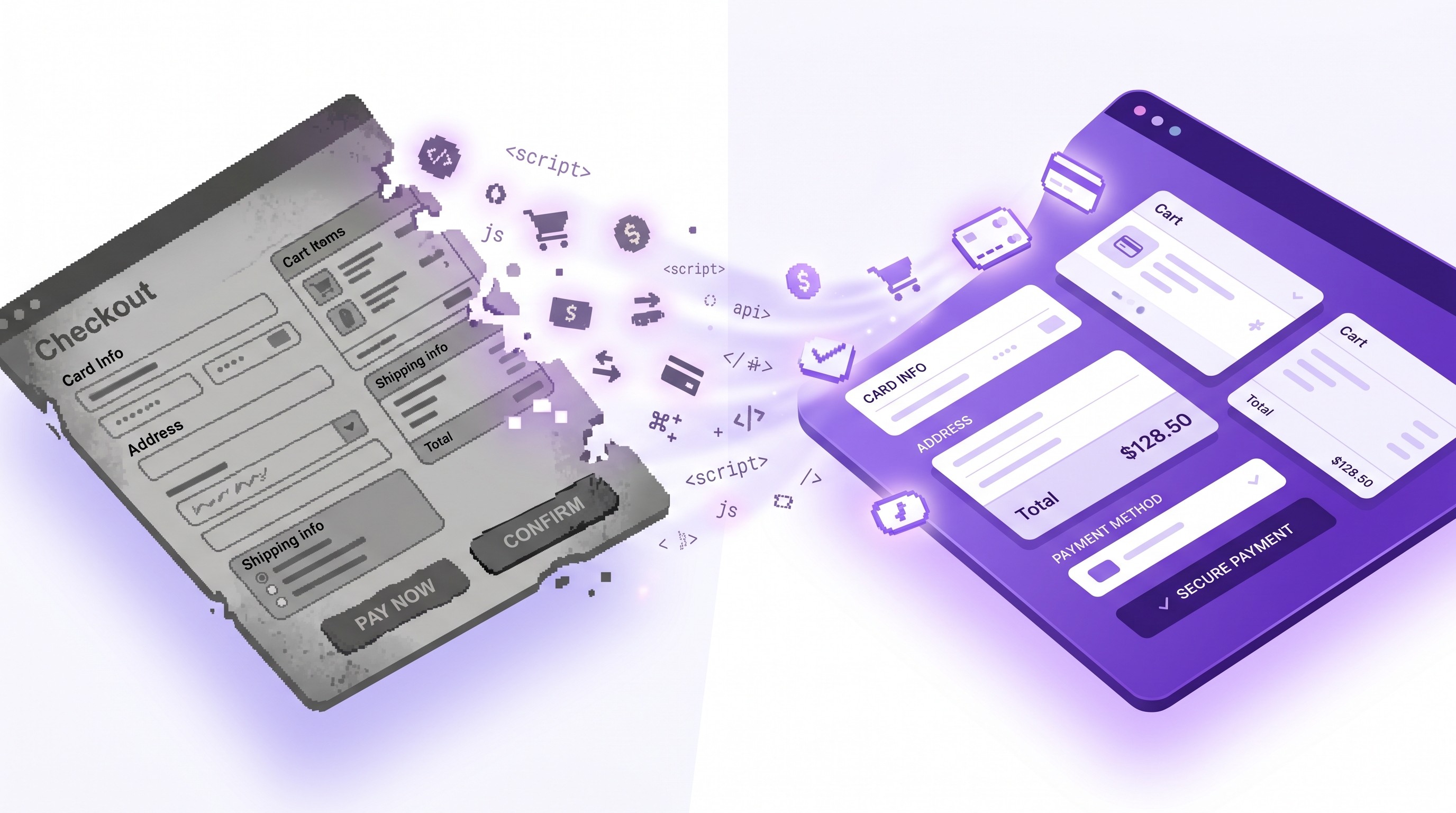
The new pages are more secure and upgrade-safe, but they trade the old free-for-all of pasted scripts for a structured model of pixels and blocks, which is better long-term and slightly more work upfront. Here's the side-by-side.
Capability | Legacy pages (pre-upgrade) | New pages (post-upgrade) |
|---|---|---|
Tracking method | Pasted scripts in Additional Scripts | App pixels + Web Pixel API events |
Visual customization |
| Checkout and accounts editor |
Post-purchase content | Custom code on Order status page | Checkout blocks and apps |
PII access for pixels | Removed after legacy cutover | Passed through Web Pixel API |
Upgrade safety | Breaks on platform changes | Upgrade-safe by design |
Who can edit checkout steps | Plus historically | Plus (non-Plus gets Thank you / Order status) |
One nuance worth stating plainly: this deadline is specifically about the Thank you and Order status pages for non-Plus stores. Deep editing of the checkout steps themselves remains a Plus capability. So your non-Plus migration is scoped to those two post-purchase pages plus your tracking, which is a much smaller job than a full checkout rebuild. That scoping is the reason a weekend is realistic.
If part of your old logic ran through Shopify Scripts (discount, shipping, or payment customizations), note the adjacent deadline: legacy Scripts are fully retired on June 30, 2026. That logic moves to Shopify Functions, which we cover step by step in our Scripts to Functions migration tutorial.

Frequently asked questions
What happens if I miss the August 26, 2026 deadline?
Your store gets auto-upgraded to the new pages, and any customizations Shopify can't carry over are dropped. Shopify has been rolling these auto-upgrades since January 2026. The migration is best-effort: official channel integrations usually survive, but custom pixels, Tag Manager containers, and checkout.liquid logic typically don't. Missing the date doesn't break your store, but it can silently break your tracking and your post-purchase content.
Does this deadline apply to my plan?
Yes, if you're on Basic, Grow, or Advanced, this August 26, 2026 deadline is specifically for you. Plus stores already went through their version in 2025. The non-Plus timeline is the one still open, and it closes in 2026. If you're unsure which pages are affected, your Settings > Checkout upgrade guide will tell you based on your actual configuration.
Will my Google Ads and Meta tracking really stop working?
Only if it lives in the Additional Scripts box and you don't migrate it first. Conversion snippets pasted into Additional Scripts run on the legacy Thank you page, so they disappear when that page is replaced. Rebuild them as native channel pixels or a custom Web Pixel before the deadline and your attribution continues without a gap. Test with each platform's tag tester to confirm.
Can I just let Shopify auto-upgrade me?
You can, but it's the riskiest path for any store with custom tracking or post-purchase content. Auto-upgrade is designed to keep your store selling, not to preserve every customization. For a plain store with no pasted scripts, it's fine. For a store running ad pixels, COD logic, or upsells, a planned migration is the difference between a smooth switch and a two-week attribution hole.
How long does the non-Plus migration take?
A focused weekend for most non-Plus stores, sometimes a single afternoon. The job is scoped to your Thank you and Order status pages plus tracking, not a full checkout rebuild. The variable is how many scripts and customizations you accumulated. A store with one Google pixel and a tracking widget is quick; a store with a dozen pasted scripts and heavy checkout.liquid styling needs more care.
What is the difference between the checkout page and the Order status page?
The checkout page is where customers pay; the Order status page is what they see after, and revisit to track their order. Non-Plus stores can customize the Thank you and Order status pages through the checkout and accounts editor. Deep customization of the checkout steps themselves remains a Plus feature. This deadline is about those two post-purchase pages, which is why it's a contained migration for non-Plus merchants.
Do I need a developer to do this?
Most non-Plus stores can do it without one, using native channels, apps, and the visual editor. Migrating pixels to Shopify's Google and Meta channels is point-and-click. Re-adding post-purchase content is done with blocks in the editor. You'd only need a developer for unusual custom logic that can't be reproduced with an app or a standard Web Pixel.
What replaces the Additional Scripts box?
App pixels and the Web Pixel API replace tracking scripts, while checkout blocks and apps replace logic and content. Shopify split the old catch-all box into purpose-built tools: Customer events for pixels, the checkout and accounts editor for content and styling, and App Store apps for functionality. It's more structured than pasting code, and it survives future platform upgrades.
Will my post-purchase upsells survive the migration?
Not on their own; upsells built on the legacy Order status page have to be rebuilt as blocks or through an app. If a meaningful share of your revenue comes from post-purchase offers, put this near the top of your migration list. Rebuilding through a post-purchase app on the new pages keeps the revenue stream alive and makes it upgrade-safe going forward.
Does the upgrade affect my customer accounts?
Indirectly, yes, because the same platform shift modernized customer accounts with a cleaner layout as of June 17, 2026. The new accounts and Order status experience share the upgraded foundation. If you previously customized legacy customer accounts, review our legacy customer accounts upgrade guide alongside this migration so the two efforts line up.
Is checkout.liquid completely gone?
For practical purposes, yes; it's deprecated and its customizations don't carry to the new pages. Plus stores lost editing in August 2025, and the non-Plus legacy pages that relied on it are being retired on August 26, 2026. Any styling or logic you built there needs to be recreated in the editor or as an app. There's no path that keeps checkout.liquid alive long-term.
What's the single most important thing to migrate first?
Conversion tracking, because it's the most expensive failure and the least visible. A broken upsell is obvious the moment you look at the page. A broken pixel is invisible until your ad reporting quietly goes wrong and you're optimizing campaigns on bad data. Migrate and verify tracking before anything else.
Can customers still edit or cancel orders after the upgrade?
Only if you rebuild that capability on the new Order status page, which the upgrade is a natural moment to do. Self-service editing and cancellation reduce support load and protect the customer experience. Since you're rebuilding the page anyway, adding a post-purchase editing layer is a small extra step with an outsized payoff for retention and ticket deflection.
Your migration plan for this week
The Shopify checkout deadline of August 26, 2026 is close enough to act on and far enough to do it calmly. Don't wait for the auto-upgrade to make the decision for you.
Here's what to do this week:
Audit today. Open Settings > Checkout, read your personalized upgrade guide, and copy everything out of the Additional Scripts box into a doc.
Migrate tracking this weekend. Rebuild Google and Meta pixels as native channels or Web Pixels, then verify each one with a test purchase.
Rebuild and publish before the end of the month. Re-add your post-purchase content and styling in the editor, test a real order end to end, and publish with weeks to spare.
For merchants, the takeaway is that this is a contained two-page migration, not a replatform, and the cost of ignoring it is paid in lost attribution and broken upsells. For agencies, it's the moment to sweep every non-Plus client through a checklist before the August 26 wave. The stores that treat the Shopify checkout deadline as a rebuild opportunity, not just a compliance chore, come out the other side with a post-purchase experience that's faster, cleaner, and ready for whatever Shopify ships next.

Related articles
Updated August 2026. Revize is a Shopify app for customer self-serve post-purchase order editing, letting shoppers change the shipping address, swap a variant or product, cancel, and get a refund or store credit before fulfillment, without a support ticket. Learn more about letting customers edit their own Shopify orders, or find Revize on the Shopify App Store.
By Shubham Vats, Founder of Revize · Jun 24, 2026
You logged into your admin last week, saw a banner about upgrading your Thank you and Order status pages, and closed it. You're on the Grow plan, not Plus, and "checkout extensibility" has always sounded like a Plus problem. Here's the thing: the Shopify checkout deadline for non-Plus stores is August 26, 2026, and if you let it pass without migrating, the parts of your store that quietly print money (conversion tracking, cash-on-delivery logic, your post-purchase upsell) can stop working overnight.
This is not the 2025 Plus deadline you read about and ignored. This one is yours. And the good news is that the fix is a weekend of focused work, not a replatform.
Quick answer: On August 26, 2026, stores on non-Plus plans (Basic, Grow, Advanced) must move off the legacy Thank you and Order status pages. Any tracking, scripts, or visual customizations that lived on the old pages get replaced. Migrate before the date using app pixels, Web Pixel API events, and checkout blocks, and you keep your attribution and your post-purchase revenue intact.
What is the August 26, 2026 checkout deadline?
August 26, 2026 is the date by which every store on a non-Plus Shopify plan has to upgrade its Thank you and Order status pages to the new checkout and accounts system. Shopify confirms this directly in its non-Plus upgrade guide: when you upgrade, "your existing Thank you and Order status pages and any existing customizations on those pages are replaced with the new versions."
The short version: Shopify is retiring the old, checkout.liquid-era post-purchase pages for everyone, and non-Plus merchants are the last group to make the jump.
If you run a Plus store, your version of this happened on August 28, 2025, when checkout.liquid and the Additional Scripts boxes went view-only. Non-Plus stores got a longer runway. That runway ends in roughly two months. The reality is that most non-Plus teams are lean, the banner is easy to dismiss, and "it still works today" is doing a lot of heavy lifting in everyone's mental backlog.
One detail that raises the stakes this year: as of April 2, 2026, Shopify made native B2B features (company profiles, payment terms, volume pricing) available on Basic, Grow, and Advanced plans. Non-Plus stores are doing more serious commerce than ever, which means there's more riding on the checkout and post-purchase flow than there was the last time you thought about it.
What exactly breaks on August 26?
The things that break are the customizations bolted onto the old pages: third-party tracking pixels, Additional Scripts logic, checkout.liquid visual tweaks, and any post-purchase content on the legacy Order status page. The product still sells. What you lose is the instrumentation and the experience layer you built on top.
Here's what's actually at risk, in plain terms:
What you built | Where it lived | What happens at the deadline |
|---|---|---|
Google Ads / Meta conversion pixels | Additional Scripts box | Stops firing; attribution goes dark |
Cash-on-delivery or custom checkout logic | Additional Scripts / apps | Logic is dropped unless rebuilt as a pixel or app |
Brand styling, custom progress bar |
| Stranded; page reverts to default styling |
Post-purchase upsell / review request | Legacy Order status page | Removed unless rebuilt with a checkout block or app |
Order tracking widget, custom messaging | Legacy Order status page | Replaced by the new Order status page |
Your conversion tracking is the scariest one. A Google Ads or Meta pixel pasted into the Additional Scripts box runs on the legacy Thank you page, so when that page is replaced, the snippet goes with it. Your campaigns keep spending, but the purchase events stop flowing back, and your ad platforms lose the ability to attribute and optimize. You find out two weeks later when ROAS looks wrong and nobody touched the budget.
Additional Scripts has been view-only since August 28, 2025. You can read what's in there, but you cannot edit it, which means the migration is one-directional: you rebuild that logic in the new model, you don't patch the old one.
checkout.liquid customizations are on borrowed time. Any brand color, font, or layout tweak in that file is not coming to the new pages, which are styled through the checkout and accounts editor instead.
How is this different from the 2025 Plus deadline?
The 2025 deadline was about Plus stores losing checkout.liquid editing; the 2026 deadline is about non-Plus stores losing their legacy Thank you and Order status pages, with an automatic upgrade waiting for anyone who misses it. Same migration, different audience, and a harder edge if you do nothing.
Shopify has been rolling auto-upgrades since January 2026, migrating stores without an explicit opt-in. The catch: the auto-upgrade is best-effort. Official Shopify channel integrations tend to carry over; custom pixels, Google Tag Manager containers, and checkout.liquid logic do not. So "I'll just let Shopify auto-upgrade me" isn't a strategy. It's how you end up with a clean new checkout and a two-week attribution gap you didn't plan for.
The difference that matters: a Plus team usually had a developer or agency handle this in 2025. A non-Plus team often doesn't, which is why the deadline is easy to underestimate and the cleanup hurts more when it's reactive.
If you want the full mechanics of how the checkout extensibility migration works end to end, including the Plus side of the story, our checkout extensibility migration guide is the deep reference. This article is the non-Plus, deadline-focused triage version.
The 7-step fix: migrate before August 26 in a weekend
You can complete a clean non-Plus migration in a focused weekend by auditing what's on the old pages, rebuilding tracking as pixels, and re-adding post-purchase content as blocks before you flip the switch. Here's the order of operations that avoids a data gap.
Open your personalized upgrade guide. Go to Settings > Checkout in your admin. Shopify generates a store-specific checklist of what needs attention based on your current customizations. Start here so you're working from your real configuration, not a generic list.
Inventory the Additional Scripts box before you touch anything. Copy out every snippet sitting in Settings > Checkout > Additional Scripts. It's view-only, so paste it into a doc. This is your migration manifest: each script needs a new home or a conscious decision to retire it.
Rebuild conversion tracking as pixels. Move Google Ads and Meta tracking to Shopify's native channels (Google & YouTube, Facebook & Instagram) or to a custom Web Pixel under Settings > Customer events. The Web Pixel API fires on the
checkout_completedevent and passes the data your ad platforms need. Verify each pixel in real time with the platform's tag tester before you trust it.Replace script-based logic with apps or blocks. Cash-on-delivery rules, order notes, custom field capture, and similar logic that lived in Additional Scripts get rebuilt as checkout blocks or handled by an app from the Shopify App Store. If an app you rely on hasn't shipped a compatible version, contact the developer now or find a replacement while you still have runway.
Re-add your post-purchase content to the new Order status page. Upsell offers, review requests, tracking widgets, and policy messaging do not migrate themselves. Add them back through the checkout and accounts editor as blocks so your Order status page keeps doing its job.
Rebuild brand styling in the editor. Anything you styled in
checkout.liquidgets re-created using the new editor's branding controls. Match your colors, logo, and typography so the upgraded pages look like your store, not a default template.Test a real order end to end, then publish. Place a live test order. Confirm the pixel fires, the upsell renders, the styling holds, and the confirmation flow reads correctly. Only then publish, well ahead of August 26 so you have time to catch anything you missed.
Tip: Do the pixel migration first and verify it before you publish anything. Attribution gaps are the most expensive and least visible failure mode, and they're the easiest to catch with a single test purchase.
What this means for your post-purchase experience
The migration is also a forced reset of your Order status page, which is the most-viewed and most-revisited page in your entire post-purchase flow, so treat it as a chance to rebuild it deliberately rather than just restore the old version. Customers come back to that page repeatedly to check shipping, so what sits there matters.
This is where the upgrade quietly becomes an opportunity. The same June 17, 2026 wave that shipped the Summer Edition changes also gave customer accounts a design uplift, with a streamlined single-column layout and mobile-first navigation. The post-purchase surface is getting cleaner and more capable at the same moment you're being forced to rebuild on it.
Since this is the Revize blog, here's the honest product context: when the legacy Order status page is replaced, the self-service order editing, post-purchase upsells, and address-change options many merchants had stitched together with scripts and checkout.liquid need a new home. That's the gap Revize is built to fill on the new pages, letting customers fix an address, swap a variant, or add to an order from the upgraded Order status page without a support ticket. Brands like Nude Project and AYBL lean on that post-purchase self-service layer to keep their ops teams out of the inbox. The point isn't to sell you an app mid-migration; it's that "rebuild post-purchase" should be on your migration checklist, not an afterthought you handle in September.
If you're rebuilding the page anyway, rebuild it so customers can solve their own problems instead of emailing support. Our guide on letting customers cancel their own orders covers why self-service post-purchase beats the support queue, and a "sorry, we can't change that now" email is a retention killer for any DTC brand.
Before and after: what the upgrade actually changes
The new pages are more secure and upgrade-safe, but they trade the old free-for-all of pasted scripts for a structured model of pixels and blocks, which is better long-term and slightly more work upfront. Here's the side-by-side.
Capability | Legacy pages (pre-upgrade) | New pages (post-upgrade) |
|---|---|---|
Tracking method | Pasted scripts in Additional Scripts | App pixels + Web Pixel API events |
Visual customization |
| Checkout and accounts editor |
Post-purchase content | Custom code on Order status page | Checkout blocks and apps |
PII access for pixels | Removed after legacy cutover | Passed through Web Pixel API |
Upgrade safety | Breaks on platform changes | Upgrade-safe by design |
Who can edit checkout steps | Plus historically | Plus (non-Plus gets Thank you / Order status) |
One nuance worth stating plainly: this deadline is specifically about the Thank you and Order status pages for non-Plus stores. Deep editing of the checkout steps themselves remains a Plus capability. So your non-Plus migration is scoped to those two post-purchase pages plus your tracking, which is a much smaller job than a full checkout rebuild. That scoping is the reason a weekend is realistic.
If part of your old logic ran through Shopify Scripts (discount, shipping, or payment customizations), note the adjacent deadline: legacy Scripts are fully retired on June 30, 2026. That logic moves to Shopify Functions, which we cover step by step in our Scripts to Functions migration tutorial.
Frequently asked questions
What happens if I miss the August 26, 2026 deadline?
Your store gets auto-upgraded to the new pages, and any customizations Shopify can't carry over are dropped. Shopify has been rolling these auto-upgrades since January 2026. The migration is best-effort: official channel integrations usually survive, but custom pixels, Tag Manager containers, and checkout.liquid logic typically don't. Missing the date doesn't break your store, but it can silently break your tracking and your post-purchase content.
Does this deadline apply to my plan?
Yes, if you're on Basic, Grow, or Advanced, this August 26, 2026 deadline is specifically for you. Plus stores already went through their version in 2025. The non-Plus timeline is the one still open, and it closes in 2026. If you're unsure which pages are affected, your Settings > Checkout upgrade guide will tell you based on your actual configuration.
Will my Google Ads and Meta tracking really stop working?
Only if it lives in the Additional Scripts box and you don't migrate it first. Conversion snippets pasted into Additional Scripts run on the legacy Thank you page, so they disappear when that page is replaced. Rebuild them as native channel pixels or a custom Web Pixel before the deadline and your attribution continues without a gap. Test with each platform's tag tester to confirm.
Can I just let Shopify auto-upgrade me?
You can, but it's the riskiest path for any store with custom tracking or post-purchase content. Auto-upgrade is designed to keep your store selling, not to preserve every customization. For a plain store with no pasted scripts, it's fine. For a store running ad pixels, COD logic, or upsells, a planned migration is the difference between a smooth switch and a two-week attribution hole.
How long does the non-Plus migration take?
A focused weekend for most non-Plus stores, sometimes a single afternoon. The job is scoped to your Thank you and Order status pages plus tracking, not a full checkout rebuild. The variable is how many scripts and customizations you accumulated. A store with one Google pixel and a tracking widget is quick; a store with a dozen pasted scripts and heavy checkout.liquid styling needs more care.
What is the difference between the checkout page and the Order status page?
The checkout page is where customers pay; the Order status page is what they see after, and revisit to track their order. Non-Plus stores can customize the Thank you and Order status pages through the checkout and accounts editor. Deep customization of the checkout steps themselves remains a Plus feature. This deadline is about those two post-purchase pages, which is why it's a contained migration for non-Plus merchants.
Do I need a developer to do this?
Most non-Plus stores can do it without one, using native channels, apps, and the visual editor. Migrating pixels to Shopify's Google and Meta channels is point-and-click. Re-adding post-purchase content is done with blocks in the editor. You'd only need a developer for unusual custom logic that can't be reproduced with an app or a standard Web Pixel.
What replaces the Additional Scripts box?
App pixels and the Web Pixel API replace tracking scripts, while checkout blocks and apps replace logic and content. Shopify split the old catch-all box into purpose-built tools: Customer events for pixels, the checkout and accounts editor for content and styling, and App Store apps for functionality. It's more structured than pasting code, and it survives future platform upgrades.
Will my post-purchase upsells survive the migration?
Not on their own; upsells built on the legacy Order status page have to be rebuilt as blocks or through an app. If a meaningful share of your revenue comes from post-purchase offers, put this near the top of your migration list. Rebuilding through a post-purchase app on the new pages keeps the revenue stream alive and makes it upgrade-safe going forward.
Does the upgrade affect my customer accounts?
Indirectly, yes, because the same platform shift modernized customer accounts with a cleaner layout as of June 17, 2026. The new accounts and Order status experience share the upgraded foundation. If you previously customized legacy customer accounts, review our legacy customer accounts upgrade guide alongside this migration so the two efforts line up.
Is checkout.liquid completely gone?
For practical purposes, yes; it's deprecated and its customizations don't carry to the new pages. Plus stores lost editing in August 2025, and the non-Plus legacy pages that relied on it are being retired on August 26, 2026. Any styling or logic you built there needs to be recreated in the editor or as an app. There's no path that keeps checkout.liquid alive long-term.
What's the single most important thing to migrate first?
Conversion tracking, because it's the most expensive failure and the least visible. A broken upsell is obvious the moment you look at the page. A broken pixel is invisible until your ad reporting quietly goes wrong and you're optimizing campaigns on bad data. Migrate and verify tracking before anything else.
Can customers still edit or cancel orders after the upgrade?
Only if you rebuild that capability on the new Order status page, which the upgrade is a natural moment to do. Self-service editing and cancellation reduce support load and protect the customer experience. Since you're rebuilding the page anyway, adding a post-purchase editing layer is a small extra step with an outsized payoff for retention and ticket deflection.
Your migration plan for this week
The Shopify checkout deadline of August 26, 2026 is close enough to act on and far enough to do it calmly. Don't wait for the auto-upgrade to make the decision for you.
Here's what to do this week:
Audit today. Open Settings > Checkout, read your personalized upgrade guide, and copy everything out of the Additional Scripts box into a doc.
Migrate tracking this weekend. Rebuild Google and Meta pixels as native channels or Web Pixels, then verify each one with a test purchase.
Rebuild and publish before the end of the month. Re-add your post-purchase content and styling in the editor, test a real order end to end, and publish with weeks to spare.
For merchants, the takeaway is that this is a contained two-page migration, not a replatform, and the cost of ignoring it is paid in lost attribution and broken upsells. For agencies, it's the moment to sweep every non-Plus client through a checklist before the August 26 wave. The stores that treat the Shopify checkout deadline as a rebuild opportunity, not just a compliance chore, come out the other side with a post-purchase experience that's faster, cleaner, and ready for whatever Shopify ships next.
Related articles
Updated August 2026. Revize is a Shopify app for customer self-serve post-purchase order editing, letting shoppers change the shipping address, swap a variant or product, cancel, and get a refund or store credit before fulfillment, without a support ticket. Learn more about letting customers edit their own Shopify orders, or find Revize on the Shopify App Store.


Revize your Shopify store. Lead with customer experience.

© Copyright 2026, All Rights Reserved
Revize your Shopify store. Lead with customer experience.
© Copyright 2026, All Rights Reserved
Revize your Shopify store. Lead with customer experience.
© Copyright 2026, All Rights Reserved
Revize your Shopify store. Lead with customer experience.
© Copyright 2026, All Rights Reserved