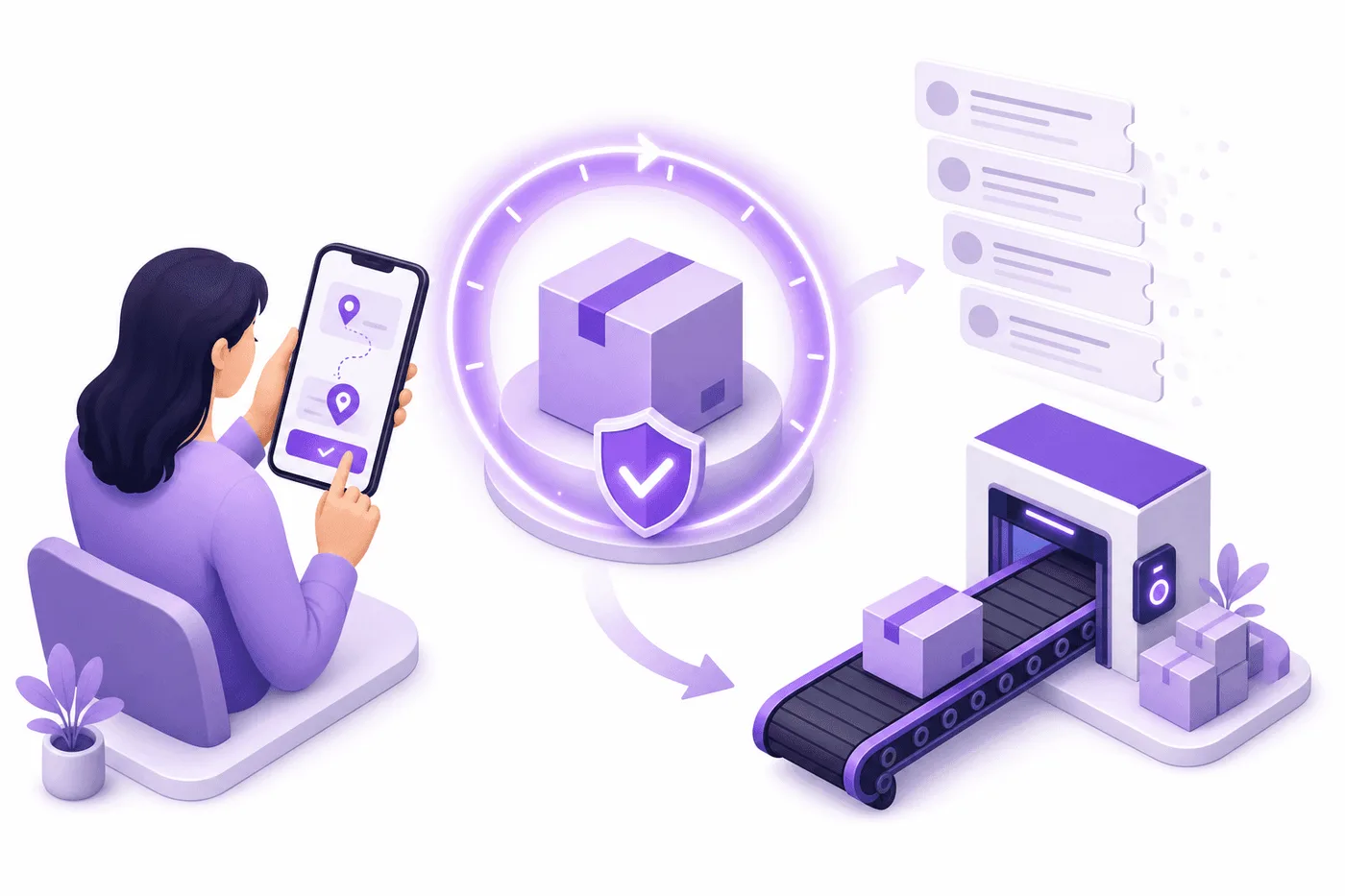
Shopify 주문에서 고객이 주소를 잘못 입력했나요? 해결 방법 (2026)

Shopify 주문에서 고객이 주소를 잘못 입력했나요? 해결 방법 (2026)

Shopify 주문에서 고객이 주소를 잘못 입력했나요? 해결 방법 (2026)

Shopify 주문에서 잘못된 배송지 주소 수정하기

If a customer entered the wrong address on a Shopify order, edit the order's shipping address in Admin before fulfillment, then void and repurchase any label. Act immediately: shipping-address changes are the #1 post-purchase edit, 30.2% of all edited orders (Revize, 2026).

It's 10:07 p.m. on Tuesday. Maya, the support lead for a 4,000-order-a-month apparel brand, gets an email titled "WRONG ADDRESS." The customer checked out with an old apartment saved in Shop Pay. The warehouse's automated batch starts at 10:30.

Maya has 23 minutes, but the problem isn't simply changing a field in Shopify. She has to stop fulfillment, confirm the request is genuine, update the order, replace any shipping label, and make sure the warehouse management system (WMS, the software controlling warehouse work) receives the new destination.

Miss any one of those steps and the Shopify order can show the right address while the physical box travels to the wrong one. This playbook covers the native fix, the developer workflow, the carrier options after dispatch, and the self-service setup that prevents the ticket entirely.


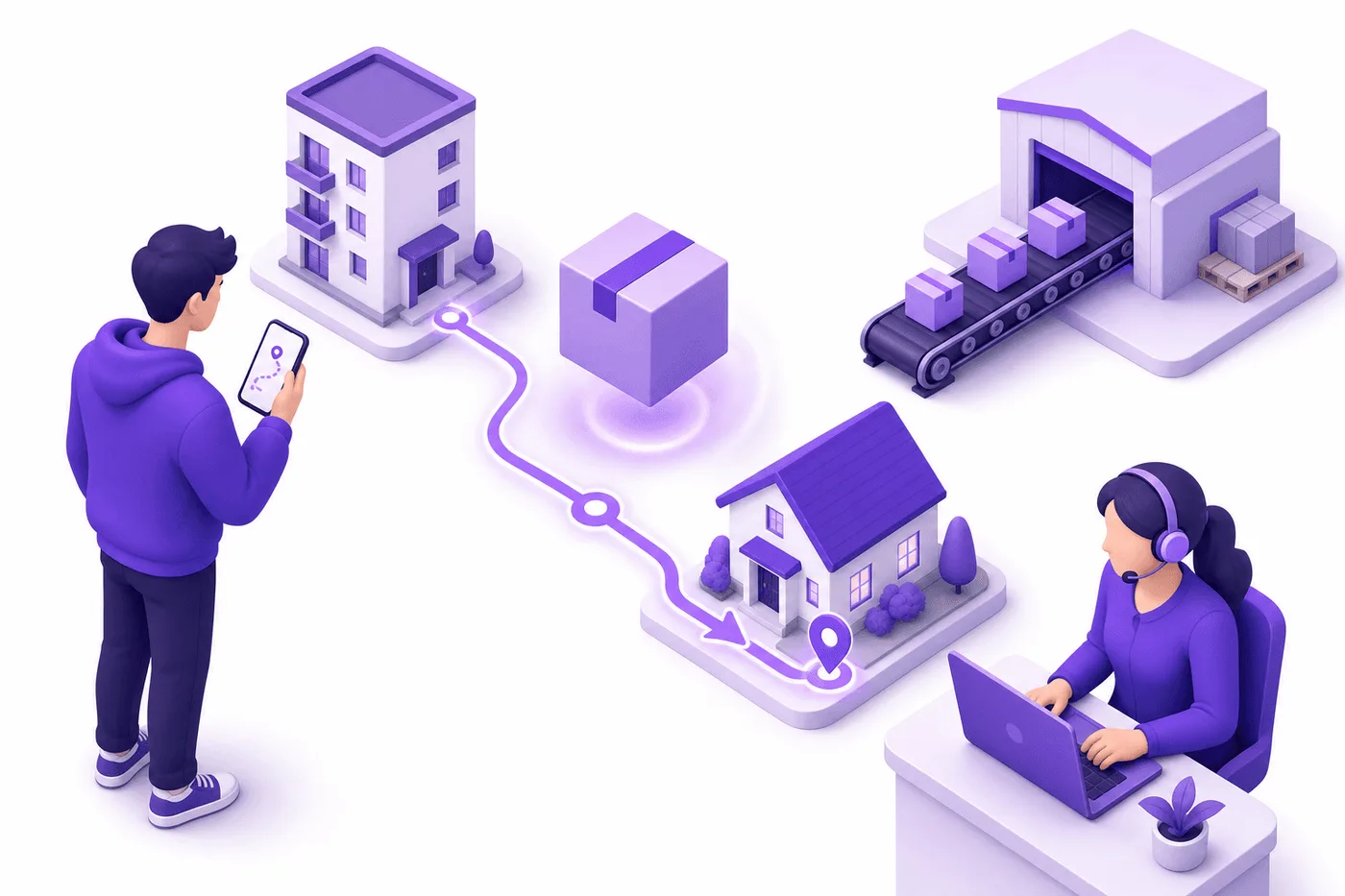
Customer correcting wrong Shopify shipping address minutes after checkout

Quick answer: Stop the order before editing it. If it is unfulfilled, correct the shipping address in Shopify Admin and replace any existing label; if a third-party logistics provider already has the order, pause or cancel its fulfillment request too. Once the carrier has the package, changing Shopify no longer changes the delivery destination.

Customer Entered Wrong Address on Shopify: What Now?

Use a 3-state decision: not released, released but not shipped, or already in transit. Your action depends on where the physical package is, not whether Shopify's order page still displays "Unfulfilled."

Here's the thing: Shopify is only one copy of the address. Your shipping app, label, enterprise resource planning system (ERP, the system holding operational records), WMS, third-party logistics provider (3PL), and carrier can each hold another copy. Editing Shopify does not pull a label off a box or delete a warehouse pick task.

Order state

Correct response

Main risk

Unfulfilled, no label

Hold fulfillment and edit the address in Admin

Warehouse automation may export the old address during the edit

Label purchased, not scanned

Void the label, edit the order, then buy a new label

Reprinting the old label preserves the wrong destination

Sent to a 3PL

Pause or cancel the fulfillment request, update both systems, then confirm acceptance

The 3PL may have already copied the original address

Carrier has the parcel

Request an intercept or return-to-sender immediately

Carrier restrictions, fees, and failed interception

Delivered

Open a carrier trace and apply your published resolution policy

Refund or reship fraud, missing proof, unrecoverable inventory

Treat "label created" as fulfillment in motion, even when the package has not been scanned. If your operation processes hundreds of orders per hour, a five-minute delay can put the old address into a pick list, packing slip, or carrier manifest.

For a broader view of these dependencies, the Shopify order management playbook explains how orders move between payment, inventory, fulfillment, and support systems.


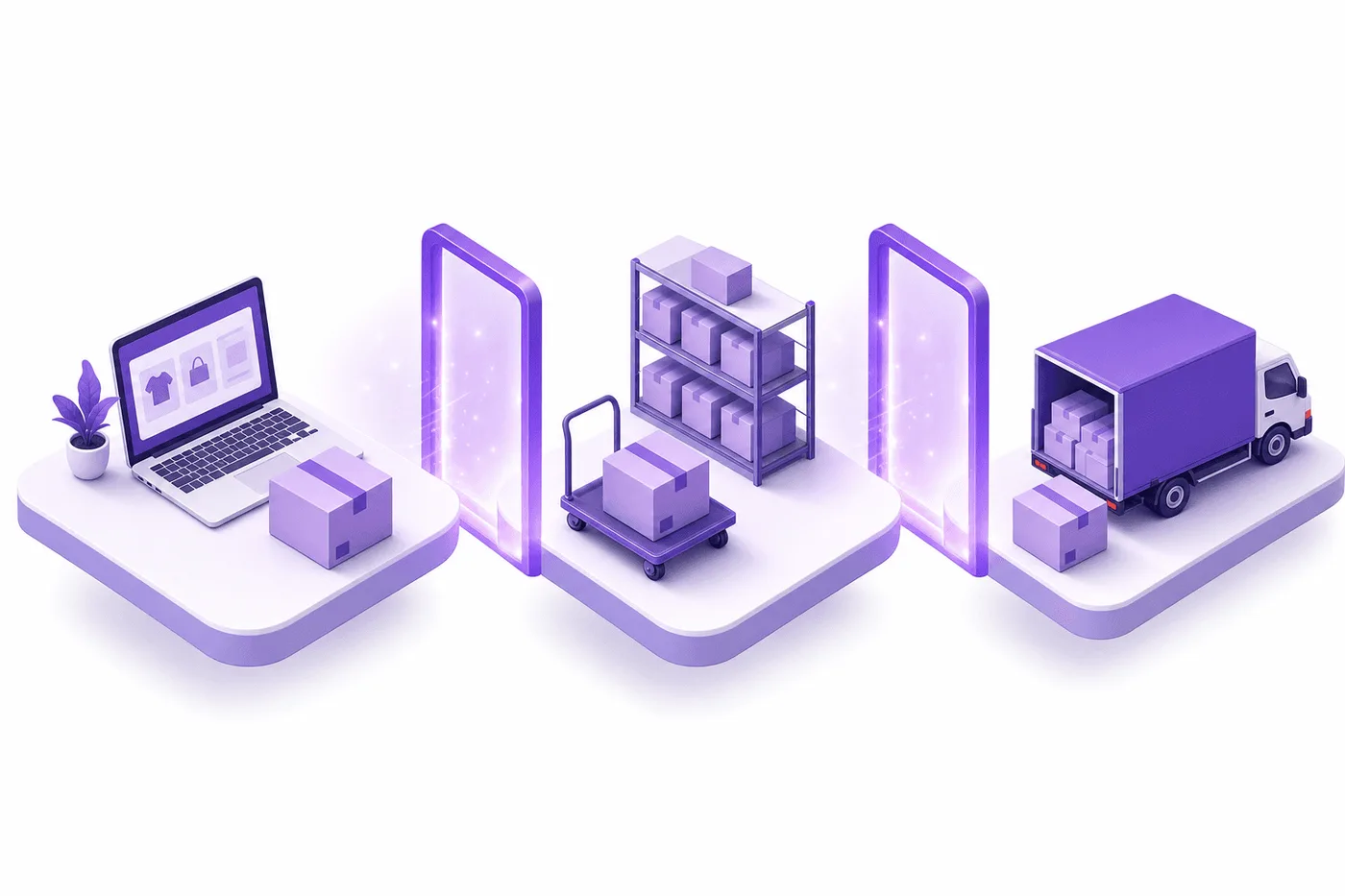
Shopify order address decision before and after fulfillment

How to Fix a Wrong Shipping Address on Shopify

Fix a wrong shipping address on a Shopify order with this 6-step sequence: authenticate, hold, inspect, edit, replace, and verify. Do not release the order until every system shows the corrected destination.

  1. Authenticate the customer's request. Ask the customer to reply from the email attached to the order or use an authenticated customer-account flow. For high-value orders, compare the requested destination with the fraud analysis, billing country, prior orders, and account history. An email containing an order number alone is not strong proof.

  2. Stop fulfillment everywhere. Pause the order in Shopify, your WMS, shipping app, and 3PL. A fulfillment hold works like putting a red tray around a restaurant order: the ticket still exists, but nobody should prepare it until the issue is cleared.

  3. Confirm the package has not moved. Check the fulfillment status, label status, tracking events, warehouse task, and 3PL request status. "Unfulfilled" in Shopify is not enough if a warehouse already downloaded the order five minutes ago.


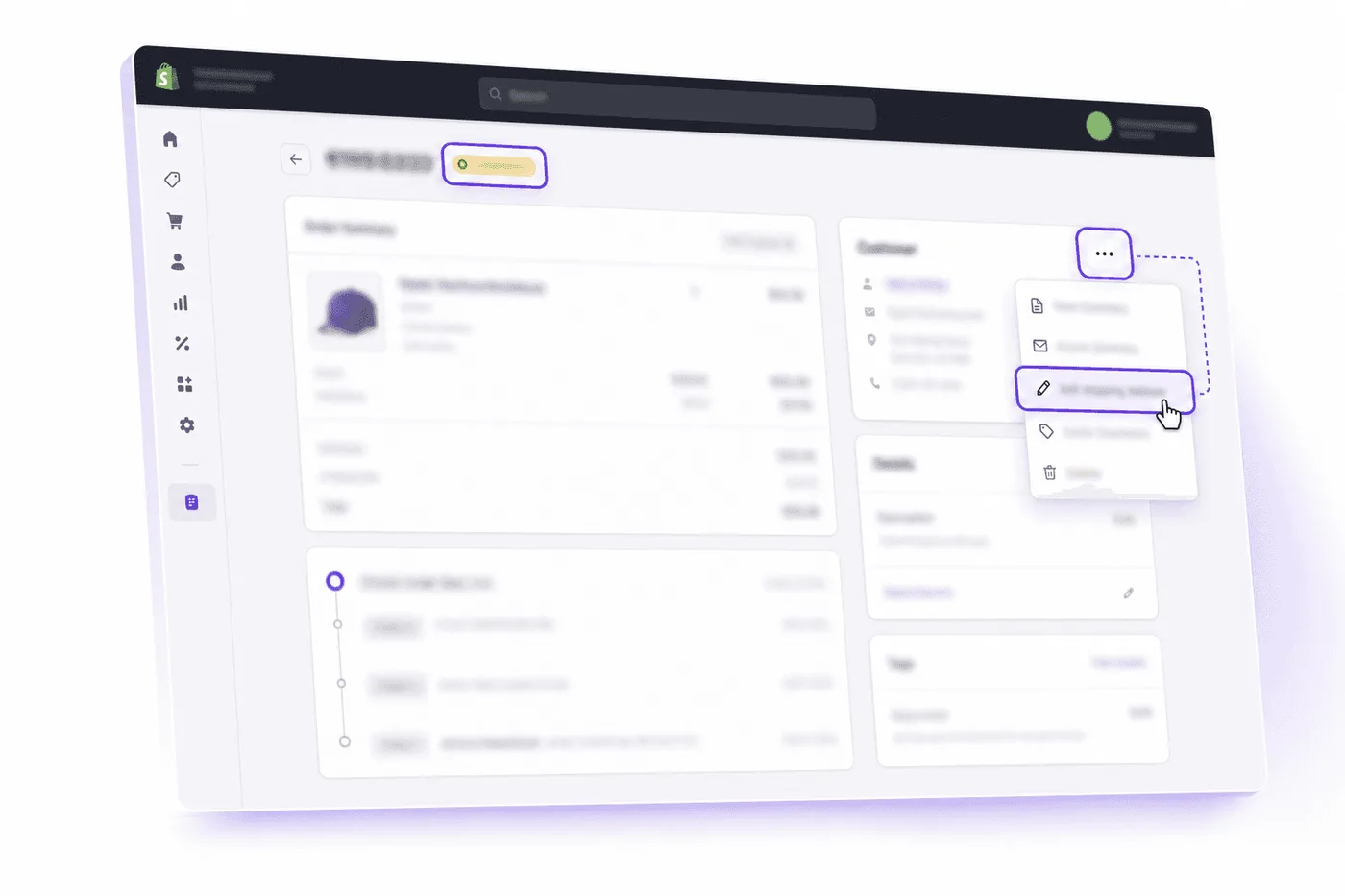
Shopify admin shipping address editor before fulfillment
  1. Edit the order address. In Shopify Admin, go to Orders, open the order, select the three-dot menu in the Customer section, choose Edit shipping address, correct every field, and save. Shopify's current Admin instructions also let staff optionally update the customer profile.

  2. Replace stale shipping artifacts. If a label was purchased, void it rather than reprinting it. Then purchase a new label from the corrected order and regenerate the packing slip, customs documents, commercial invoice, or delivery note.

  3. Verify the downstream copy. Reopen the order in the WMS or 3PL portal and compare the recipient, street, unit, city, province or state, postal code, country, and phone number. Add a timeline note recording who requested the change, how it was authenticated, and when fulfillment resumed.

Warning: Updating the customer profile is not the same as updating the placed order. Correct the order first; otherwise, the customer's next purchase may be right while today's package still goes to the old address.

A change across countries or shipping zones needs extra review. Shopify states that shipping methods and rates are not recalculated automatically when an order is edited. If the new destination changes shipping cost, tax, duties, product eligibility, or delivery promise, canceling and asking the customer to reorder may produce a cleaner financial and customs record. The customer cancellation guide covers that alternative.

How Should Developers Update the Address?

For API version 2026-07, use orderUpdate with shippingAddress; do not open an order-edit session for an address-only correction. Put the associated fulfillment order on hold before the write, confirm downstream synchronization, and release only the hold your app created.

An application programming interface (API, a controlled way for software systems to exchange requests) is like a service counter: your app submits a precise request, Shopify validates it, and Shopify returns either the updated order or field-level errors.

Update the shipping address

The GraphQL Admin API's orderUpdate mutation is the correct primitive for an order-level shipping address. It requires write_orders or another applicable write scope. Shopify's official orderUpdate reference provides the current schema and response fields.

Code: Shopify Admin GraphQL API 2026-07

mutation UpdateOrderAddress($input: OrderInput!) {

orderUpdate(input: $input) {

order {

id

shippingAddress {

address1

address2

city

province

zip

country

}

}

userErrors {

field

message

}

}

}


Variables:

{

"input": {

"id": "gid://shopify/Order/148977776",

"shippingAddress": {

"address1": "190 MacLaren Street",

"address2": "Unit 4",

"city": "Sudbury",

"province": "Ontario",

"zip": "P3E 1C7",

"country": "Canada"

}

}

}


Validate userErrors, then read the order back before releasing fulfillment. Do not treat an HTTP 200 response as proof that the mutation succeeded, because GraphQL can return application errors inside a successful HTTP response.

Hold fulfillment during the change

Use fulfillmentOrderHold with the INCORRECT_ADDRESS reason before updating the order. Shopify's fulfillment-hold documentation requires the appropriate merchant-managed or third-party fulfillment-order scope plus the staff permission to fulfill and ship orders.

Assign a unique handle, such as address-correction-148977776, and store the returned hold ID. Release that specific ID through fulfillmentOrderReleaseHold; omitting holdIds can release every hold, including a fraud or inventory hold created by another system.


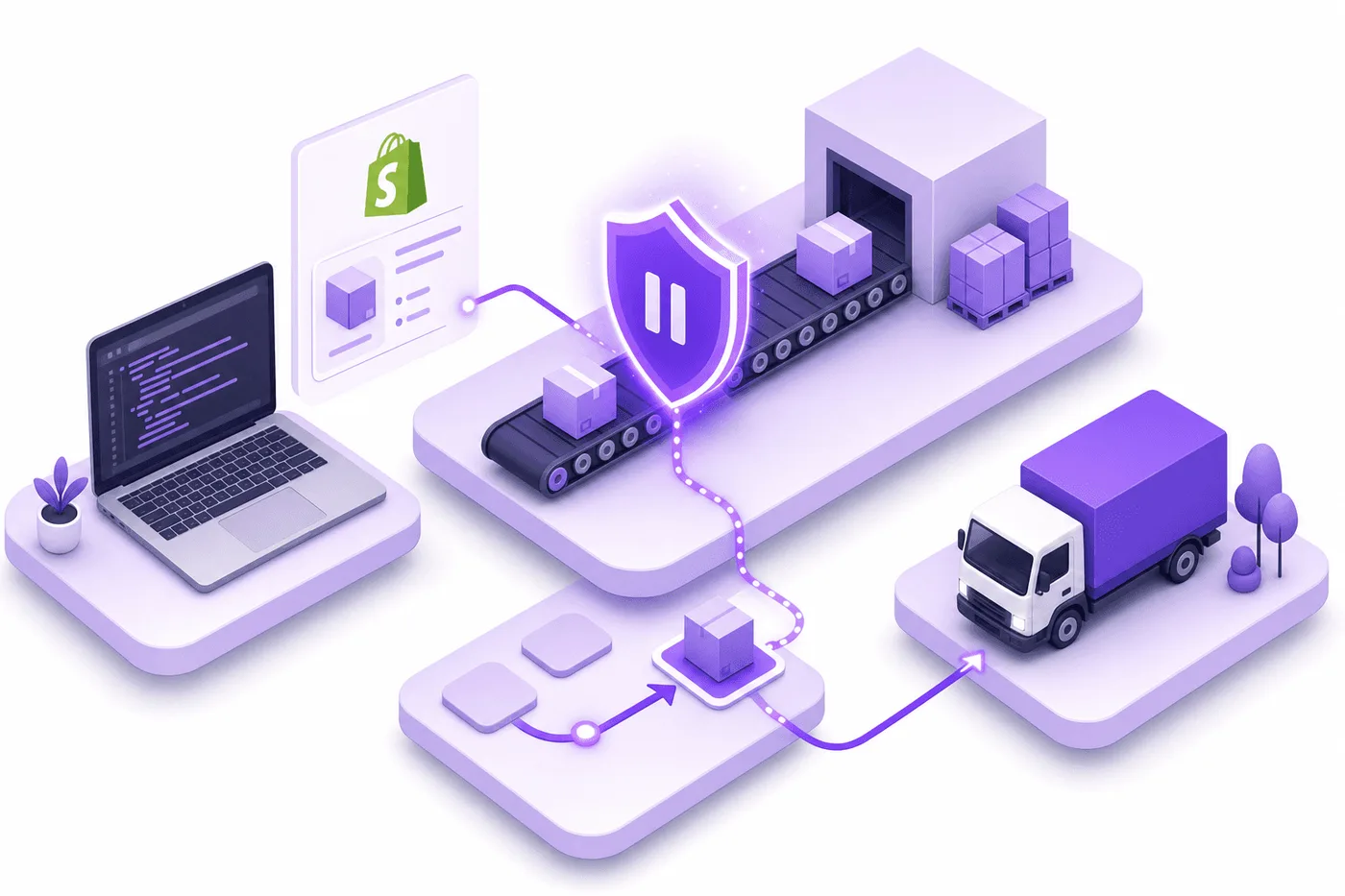
Developer protecting Shopify address changes with fulfillment holds

Subscribe to orders/updated so your ERP and 3PL receive the new shipping_address. Also monitor fulfillment_holds/added, fulfillment_holds/released, and fulfillment-request events when external services are involved.

Example: relevant orders/updated fields

{

"id": 148977776,

"admin_graphql_api_id": "gid://shopify/Order/148977776",

"updated_at": "2026-07-15T22:12:00+05:30",

"shipping_address": {

"address1": "190 MacLaren Street",

"address2": "Unit 4",

"city": "Sudbury",

"province": "Ontario",

"zip": "P3E 1C7",

"country": "Canada"

}

}


orderEditBegin, orderEditSetQuantity, and orderEditCommit are for staged line-item changes, not a simple address write. If a new destination requires a different shipping fee, the transaction becomes a financial edit: an increase can require additional payment after the original authorization is no longer capturable, while a decrease can require a partial refund. Keep that path agent-reviewed.

This is where self-service becomes critical. A custom build must authenticate the buyer, set rules, manage holds, process webhooks, and protect against stale labels. Since this is our own blog: Revize packages those controls into a customer-facing address-editing flow, including configurable windows and fulfillment protection. That approach supports enterprise operations such as Square Enix and Venchi without making a support agent the synchronization layer.

What If the Order Already Shipped?

Once the carrier has scanned the parcel, editing Shopify cannot redirect it. As of July 15, 2026, the remaining options are carrier interception, hold-for-pickup, return-to-sender, or recovery after delivery, and none should be promised before the carrier confirms acceptance.

If a label exists but has no tracking event, act before calling the carrier. Shopify lets eligible labels be voided when they are less than 30 days old, have no tracking events, and meet carrier-specific conditions. Follow Shopify's label-voiding process, update the order, then buy a replacement.

Shipment position

Best available action

What to tell the customer

Label created, not scanned

Void and replace the label

The correction is pending warehouse verification

In carrier network

Request interception or delivery change

The request is not guaranteed

Out for delivery

Ask about hold-for-pickup immediately

Redirection may no longer be available

Delivered to old address

Open a trace and document delivery proof

Resolution follows the store's published policy

Returning to sender

Wait for a confirmed return scan before reshipping

A new shipment starts after recovery

UPS Delivery Intercept must be requested before delivery and can carry fees. USPS Package Intercept is fee-based and limited by shipment type and progress; retail and commercial senders also receive different redirection choices.

Do not promise an instant refund or reship while recovery is unresolved. Preserve the original order, customer request, tracking history, address-change audit trail, and carrier response. Your policy should distinguish an address reported before fulfillment from one reported after confirmed delivery, without making unsupported claims about legal responsibility.

Changing an address can also void fraud safeguards. Shopify says changing the shipping address after checkout voids Shopify Protect coverage for that order. For expensive or high-risk purchases, cancellation and a new authenticated checkout may be safer than redirecting the original shipment.

The true cost of Shopify returns explains why interception, reverse logistics, and reshipping are much more expensive than correcting the order before the first warehouse scan.

How Do You Prevent Wrong-Address Tickets?

Give customers a controlled 60-minute correction window, hold fulfillment during that window, and close editing when warehouse work begins. In the 7.6-million-order dataset, 80.6% of edits happened within the first hour and 92.2% were completed without an agent (Revize, 2026).

The real issue is response speed. A support promise of "within 24 hours" is respectable for a normal ticket and useless for an address mistake entering a same-day fulfillment queue. The customer is already present when the error is cheapest to fix, usually on the confirmation page or email.

A safe self-service policy should include:

  • Authenticated access through the order-status page or customer account, not an editable form that accepts only an order number.

  • A fulfillment hold that begins with checkout and ends when the edit window closes.

  • A clear time limit based on the first warehouse export, carrier cutoff, or 3PL batch.

  • Address validation before the edited destination is saved.

  • Manual review rules for country changes, high-value orders, fraud flags, and protected Shop Pay orders.

  • Immediate synchronization to every warehouse and shipping system, followed by a confirmation message showing the corrected address.

Approach

Customer effort

Operations effort

Best fit

Native staff edit

Send a ticket and wait

Authenticate, edit, replace label, reply

Low-volume exceptions

Cancel and reorder

Repeat checkout

Cancel, refund, restock, reconcile

Cross-border or high-risk changes

Controlled self-service

Authenticate and correct once

Configure rules and monitor exceptions

High-volume and CX-led stores


Self-service Shopify address correction protecting warehouse operations

Frequently Asked Questions

These 10 answers cover the implementation and edge cases Shopify operators encounter most often in 2026, from customer profiles and partial fulfillment to labels, webhooks, and fraud protection.

Can customers change a Shopify shipping address themselves?

Shopify does not provide native self-service address editing for a placed order. Staff can edit the shipping address from Shopify Admin, but a customer needs a post-purchase editing app or a merchant-built authenticated workflow. The customer's ability to update an address in their profile only affects future checkouts, not the order already moving through fulfillment.

Can I change the address after marking an order fulfilled?

Changing the Shopify record after fulfillment does not redirect the physical shipment. If the parcel has not left your facility, cancel the fulfillment or void the unused label where possible, correct the order, and create a new fulfillment. If the carrier has scanned it, contact the carrier and treat the Shopify update as recordkeeping, not delivery control.

Does editing the order update the customer's saved address?

Not automatically unless you also choose to update the customer profile. Shopify separates the order's shipping address from the profile used for future purchases. That separation protects historical order records, but it also creates a common failure: an agent fixes the customer profile while leaving the active order unchanged. Always confirm which record you are editing.

What if the shipping label has already been printed?

Void the unused label, correct the order, and purchase a new label. Reprinting does not pull fresh address data into a label that was already generated. If the label has tracking events, is part of a carrier manifest, or fails Shopify's voiding requirements, contact the carrier or purchase a replacement through the appropriate shipping account.

Can I fix a partially fulfilled Shopify order?

You can correct the remaining work only after identifying which items have already left. Changing the order address cannot redirect fulfilled items. Pause the open fulfillment orders, contact the carrier for shipped items, update the unfulfilled destination, and confirm the 3PL accepted it. Split shipments may therefore require two different resolutions for one customer request.

Will Shopify recalculate shipping and tax after the change?

Do not assume an address update recalculates the order's shipping rate, tax, or duties. Shopify explicitly states that shipping methods and rates are not automatically recalculated during an order edit. Review cross-state, cross-province, and cross-country changes manually. If the financial or customs result materially changes, canceling and recreating the order is often cleaner.

Does orderUpdate require orderEditBegin first?

No, an address-only orderUpdate does not require an order-edit session. orderEditBegin, calculated-order mutations such as orderEditSetQuantity, and orderEditCommit are intended for staged changes to line items, quantities, discounts, and related totals. Use the smallest mutation that matches the job, then validate userErrors and read back the saved address.

Which webhook should an integration monitor?

Monitor orders/updated for the changed shipping address and fulfillment events for warehouse state. A reliable integration compares the new shipping_address, updates the ERP or 3PL, and records an idempotency key so duplicate deliveries do not create duplicate work. Fulfillment-hold and fulfillment-request webhooks tell you whether the physical workflow is actually paused.

Does changing the address affect Shopify Protect?

Yes, Shopify says a post-checkout shipping-address change voids Shopify Protect coverage for that order. That makes authentication especially important for protected, expensive, or fraud-flagged purchases. Consider canceling and asking the customer to complete a new checkout when the requested destination differs substantially from the original billing, device, or account history.

Should I refund an order delivered to the wrong address?

Follow your published policy after reviewing the order, request timing, carrier proof, and recovery options. Do not automatically refund or deny the claim based on one field. Document whether the customer contacted you before fulfillment, whether your team confirmed the correction, what address appeared on the label, and whether the carrier delivered to that labelled destination.

The Bottom Line

A wrong Shopify address is a synchronization race, not a data-entry task. The winning 2026 playbook is to stop fulfillment, authenticate the request, update every operational copy, replace stale labels, and verify before release.

Here's what to do this week:

  1. Audit one recent incident from customer email through warehouse scan and identify every system that stored the address.

  2. Document the 6-step response in your support macros and assign clear ownership for carrier interception.

  3. Open a controlled edit window that closes before your first fulfillment export, with manual review for high-risk changes.

The goal is not to make your team faster at copying addresses. It is to let a customer fix a safe mistake before it becomes warehouse work.

Related Articles

These 4 resources cover the adjacent cancellation, fulfillment, returns, and address-change decisions a Shopify operator needs in 2026.

A customer entered the wrong address on a Shopify order; your system gave them a safe way to fix it before the box moved.

If a customer entered the wrong address on a Shopify order, edit the order's shipping address in Admin before fulfillment, then void and repurchase any label. Act immediately: shipping-address changes are the #1 post-purchase edit, 30.2% of all edited orders (Revize, 2026).

It's 10:07 p.m. on Tuesday. Maya, the support lead for a 4,000-order-a-month apparel brand, gets an email titled "WRONG ADDRESS." The customer checked out with an old apartment saved in Shop Pay. The warehouse's automated batch starts at 10:30.

Maya has 23 minutes, but the problem isn't simply changing a field in Shopify. She has to stop fulfillment, confirm the request is genuine, update the order, replace any shipping label, and make sure the warehouse management system (WMS, the software controlling warehouse work) receives the new destination.

Miss any one of those steps and the Shopify order can show the right address while the physical box travels to the wrong one. This playbook covers the native fix, the developer workflow, the carrier options after dispatch, and the self-service setup that prevents the ticket entirely.


Customer correcting wrong Shopify shipping address minutes after checkout

Quick answer: Stop the order before editing it. If it is unfulfilled, correct the shipping address in Shopify Admin and replace any existing label; if a third-party logistics provider already has the order, pause or cancel its fulfillment request too. Once the carrier has the package, changing Shopify no longer changes the delivery destination.

Customer Entered Wrong Address on Shopify: What Now?

Use a 3-state decision: not released, released but not shipped, or already in transit. Your action depends on where the physical package is, not whether Shopify's order page still displays "Unfulfilled."

Here's the thing: Shopify is only one copy of the address. Your shipping app, label, enterprise resource planning system (ERP, the system holding operational records), WMS, third-party logistics provider (3PL), and carrier can each hold another copy. Editing Shopify does not pull a label off a box or delete a warehouse pick task.

Order state

Correct response

Main risk

Unfulfilled, no label

Hold fulfillment and edit the address in Admin

Warehouse automation may export the old address during the edit

Label purchased, not scanned

Void the label, edit the order, then buy a new label

Reprinting the old label preserves the wrong destination

Sent to a 3PL

Pause or cancel the fulfillment request, update both systems, then confirm acceptance

The 3PL may have already copied the original address

Carrier has the parcel

Request an intercept or return-to-sender immediately

Carrier restrictions, fees, and failed interception

Delivered

Open a carrier trace and apply your published resolution policy

Refund or reship fraud, missing proof, unrecoverable inventory

Treat "label created" as fulfillment in motion, even when the package has not been scanned. If your operation processes hundreds of orders per hour, a five-minute delay can put the old address into a pick list, packing slip, or carrier manifest.

For a broader view of these dependencies, the Shopify order management playbook explains how orders move between payment, inventory, fulfillment, and support systems.


Shopify order address decision before and after fulfillment

How to Fix a Wrong Shipping Address on Shopify

Fix a wrong shipping address on a Shopify order with this 6-step sequence: authenticate, hold, inspect, edit, replace, and verify. Do not release the order until every system shows the corrected destination.

  1. Authenticate the customer's request. Ask the customer to reply from the email attached to the order or use an authenticated customer-account flow. For high-value orders, compare the requested destination with the fraud analysis, billing country, prior orders, and account history. An email containing an order number alone is not strong proof.

  2. Stop fulfillment everywhere. Pause the order in Shopify, your WMS, shipping app, and 3PL. A fulfillment hold works like putting a red tray around a restaurant order: the ticket still exists, but nobody should prepare it until the issue is cleared.

  3. Confirm the package has not moved. Check the fulfillment status, label status, tracking events, warehouse task, and 3PL request status. "Unfulfilled" in Shopify is not enough if a warehouse already downloaded the order five minutes ago.


Shopify admin shipping address editor before fulfillment
  1. Edit the order address. In Shopify Admin, go to Orders, open the order, select the three-dot menu in the Customer section, choose Edit shipping address, correct every field, and save. Shopify's current Admin instructions also let staff optionally update the customer profile.

  2. Replace stale shipping artifacts. If a label was purchased, void it rather than reprinting it. Then purchase a new label from the corrected order and regenerate the packing slip, customs documents, commercial invoice, or delivery note.

  3. Verify the downstream copy. Reopen the order in the WMS or 3PL portal and compare the recipient, street, unit, city, province or state, postal code, country, and phone number. Add a timeline note recording who requested the change, how it was authenticated, and when fulfillment resumed.

Warning: Updating the customer profile is not the same as updating the placed order. Correct the order first; otherwise, the customer's next purchase may be right while today's package still goes to the old address.

A change across countries or shipping zones needs extra review. Shopify states that shipping methods and rates are not recalculated automatically when an order is edited. If the new destination changes shipping cost, tax, duties, product eligibility, or delivery promise, canceling and asking the customer to reorder may produce a cleaner financial and customs record. The customer cancellation guide covers that alternative.

How Should Developers Update the Address?

For API version 2026-07, use orderUpdate with shippingAddress; do not open an order-edit session for an address-only correction. Put the associated fulfillment order on hold before the write, confirm downstream synchronization, and release only the hold your app created.

An application programming interface (API, a controlled way for software systems to exchange requests) is like a service counter: your app submits a precise request, Shopify validates it, and Shopify returns either the updated order or field-level errors.

Update the shipping address

The GraphQL Admin API's orderUpdate mutation is the correct primitive for an order-level shipping address. It requires write_orders or another applicable write scope. Shopify's official orderUpdate reference provides the current schema and response fields.

Code: Shopify Admin GraphQL API 2026-07

mutation UpdateOrderAddress($input: OrderInput!) {

orderUpdate(input: $input) {

order {

id

shippingAddress {

address1

address2

city

province

zip

country

}

}

userErrors {

field

message

}

}

}


Variables:

{

"input": {

"id": "gid://shopify/Order/148977776",

"shippingAddress": {

"address1": "190 MacLaren Street",

"address2": "Unit 4",

"city": "Sudbury",

"province": "Ontario",

"zip": "P3E 1C7",

"country": "Canada"

}

}

}


Validate userErrors, then read the order back before releasing fulfillment. Do not treat an HTTP 200 response as proof that the mutation succeeded, because GraphQL can return application errors inside a successful HTTP response.

Hold fulfillment during the change

Use fulfillmentOrderHold with the INCORRECT_ADDRESS reason before updating the order. Shopify's fulfillment-hold documentation requires the appropriate merchant-managed or third-party fulfillment-order scope plus the staff permission to fulfill and ship orders.

Assign a unique handle, such as address-correction-148977776, and store the returned hold ID. Release that specific ID through fulfillmentOrderReleaseHold; omitting holdIds can release every hold, including a fraud or inventory hold created by another system.


Developer protecting Shopify address changes with fulfillment holds

Subscribe to orders/updated so your ERP and 3PL receive the new shipping_address. Also monitor fulfillment_holds/added, fulfillment_holds/released, and fulfillment-request events when external services are involved.

Example: relevant orders/updated fields

{

"id": 148977776,

"admin_graphql_api_id": "gid://shopify/Order/148977776",

"updated_at": "2026-07-15T22:12:00+05:30",

"shipping_address": {

"address1": "190 MacLaren Street",

"address2": "Unit 4",

"city": "Sudbury",

"province": "Ontario",

"zip": "P3E 1C7",

"country": "Canada"

}

}


orderEditBegin, orderEditSetQuantity, and orderEditCommit are for staged line-item changes, not a simple address write. If a new destination requires a different shipping fee, the transaction becomes a financial edit: an increase can require additional payment after the original authorization is no longer capturable, while a decrease can require a partial refund. Keep that path agent-reviewed.

This is where self-service becomes critical. A custom build must authenticate the buyer, set rules, manage holds, process webhooks, and protect against stale labels. Since this is our own blog: Revize packages those controls into a customer-facing address-editing flow, including configurable windows and fulfillment protection. That approach supports enterprise operations such as Square Enix and Venchi without making a support agent the synchronization layer.

What If the Order Already Shipped?

Once the carrier has scanned the parcel, editing Shopify cannot redirect it. As of July 15, 2026, the remaining options are carrier interception, hold-for-pickup, return-to-sender, or recovery after delivery, and none should be promised before the carrier confirms acceptance.

If a label exists but has no tracking event, act before calling the carrier. Shopify lets eligible labels be voided when they are less than 30 days old, have no tracking events, and meet carrier-specific conditions. Follow Shopify's label-voiding process, update the order, then buy a replacement.

Shipment position

Best available action

What to tell the customer

Label created, not scanned

Void and replace the label

The correction is pending warehouse verification

In carrier network

Request interception or delivery change

The request is not guaranteed

Out for delivery

Ask about hold-for-pickup immediately

Redirection may no longer be available

Delivered to old address

Open a trace and document delivery proof

Resolution follows the store's published policy

Returning to sender

Wait for a confirmed return scan before reshipping

A new shipment starts after recovery

UPS Delivery Intercept must be requested before delivery and can carry fees. USPS Package Intercept is fee-based and limited by shipment type and progress; retail and commercial senders also receive different redirection choices.

Do not promise an instant refund or reship while recovery is unresolved. Preserve the original order, customer request, tracking history, address-change audit trail, and carrier response. Your policy should distinguish an address reported before fulfillment from one reported after confirmed delivery, without making unsupported claims about legal responsibility.

Changing an address can also void fraud safeguards. Shopify says changing the shipping address after checkout voids Shopify Protect coverage for that order. For expensive or high-risk purchases, cancellation and a new authenticated checkout may be safer than redirecting the original shipment.

The true cost of Shopify returns explains why interception, reverse logistics, and reshipping are much more expensive than correcting the order before the first warehouse scan.

How Do You Prevent Wrong-Address Tickets?

Give customers a controlled 60-minute correction window, hold fulfillment during that window, and close editing when warehouse work begins. In the 7.6-million-order dataset, 80.6% of edits happened within the first hour and 92.2% were completed without an agent (Revize, 2026).

The real issue is response speed. A support promise of "within 24 hours" is respectable for a normal ticket and useless for an address mistake entering a same-day fulfillment queue. The customer is already present when the error is cheapest to fix, usually on the confirmation page or email.

A safe self-service policy should include:

  • Authenticated access through the order-status page or customer account, not an editable form that accepts only an order number.

  • A fulfillment hold that begins with checkout and ends when the edit window closes.

  • A clear time limit based on the first warehouse export, carrier cutoff, or 3PL batch.

  • Address validation before the edited destination is saved.

  • Manual review rules for country changes, high-value orders, fraud flags, and protected Shop Pay orders.

  • Immediate synchronization to every warehouse and shipping system, followed by a confirmation message showing the corrected address.

Approach

Customer effort

Operations effort

Best fit

Native staff edit

Send a ticket and wait

Authenticate, edit, replace label, reply

Low-volume exceptions

Cancel and reorder

Repeat checkout

Cancel, refund, restock, reconcile

Cross-border or high-risk changes

Controlled self-service

Authenticate and correct once

Configure rules and monitor exceptions

High-volume and CX-led stores


Self-service Shopify address correction protecting warehouse operations

Frequently Asked Questions

These 10 answers cover the implementation and edge cases Shopify operators encounter most often in 2026, from customer profiles and partial fulfillment to labels, webhooks, and fraud protection.

Can customers change a Shopify shipping address themselves?

Shopify does not provide native self-service address editing for a placed order. Staff can edit the shipping address from Shopify Admin, but a customer needs a post-purchase editing app or a merchant-built authenticated workflow. The customer's ability to update an address in their profile only affects future checkouts, not the order already moving through fulfillment.

Can I change the address after marking an order fulfilled?

Changing the Shopify record after fulfillment does not redirect the physical shipment. If the parcel has not left your facility, cancel the fulfillment or void the unused label where possible, correct the order, and create a new fulfillment. If the carrier has scanned it, contact the carrier and treat the Shopify update as recordkeeping, not delivery control.

Does editing the order update the customer's saved address?

Not automatically unless you also choose to update the customer profile. Shopify separates the order's shipping address from the profile used for future purchases. That separation protects historical order records, but it also creates a common failure: an agent fixes the customer profile while leaving the active order unchanged. Always confirm which record you are editing.

What if the shipping label has already been printed?

Void the unused label, correct the order, and purchase a new label. Reprinting does not pull fresh address data into a label that was already generated. If the label has tracking events, is part of a carrier manifest, or fails Shopify's voiding requirements, contact the carrier or purchase a replacement through the appropriate shipping account.

Can I fix a partially fulfilled Shopify order?

You can correct the remaining work only after identifying which items have already left. Changing the order address cannot redirect fulfilled items. Pause the open fulfillment orders, contact the carrier for shipped items, update the unfulfilled destination, and confirm the 3PL accepted it. Split shipments may therefore require two different resolutions for one customer request.

Will Shopify recalculate shipping and tax after the change?

Do not assume an address update recalculates the order's shipping rate, tax, or duties. Shopify explicitly states that shipping methods and rates are not automatically recalculated during an order edit. Review cross-state, cross-province, and cross-country changes manually. If the financial or customs result materially changes, canceling and recreating the order is often cleaner.

Does orderUpdate require orderEditBegin first?

No, an address-only orderUpdate does not require an order-edit session. orderEditBegin, calculated-order mutations such as orderEditSetQuantity, and orderEditCommit are intended for staged changes to line items, quantities, discounts, and related totals. Use the smallest mutation that matches the job, then validate userErrors and read back the saved address.

Which webhook should an integration monitor?

Monitor orders/updated for the changed shipping address and fulfillment events for warehouse state. A reliable integration compares the new shipping_address, updates the ERP or 3PL, and records an idempotency key so duplicate deliveries do not create duplicate work. Fulfillment-hold and fulfillment-request webhooks tell you whether the physical workflow is actually paused.

Does changing the address affect Shopify Protect?

Yes, Shopify says a post-checkout shipping-address change voids Shopify Protect coverage for that order. That makes authentication especially important for protected, expensive, or fraud-flagged purchases. Consider canceling and asking the customer to complete a new checkout when the requested destination differs substantially from the original billing, device, or account history.

Should I refund an order delivered to the wrong address?

Follow your published policy after reviewing the order, request timing, carrier proof, and recovery options. Do not automatically refund or deny the claim based on one field. Document whether the customer contacted you before fulfillment, whether your team confirmed the correction, what address appeared on the label, and whether the carrier delivered to that labelled destination.

The Bottom Line

A wrong Shopify address is a synchronization race, not a data-entry task. The winning 2026 playbook is to stop fulfillment, authenticate the request, update every operational copy, replace stale labels, and verify before release.

Here's what to do this week:

  1. Audit one recent incident from customer email through warehouse scan and identify every system that stored the address.

  2. Document the 6-step response in your support macros and assign clear ownership for carrier interception.

  3. Open a controlled edit window that closes before your first fulfillment export, with manual review for high-risk changes.

The goal is not to make your team faster at copying addresses. It is to let a customer fix a safe mistake before it becomes warehouse work.

Related Articles

These 4 resources cover the adjacent cancellation, fulfillment, returns, and address-change decisions a Shopify operator needs in 2026.

A customer entered the wrong address on a Shopify order; your system gave them a safe way to fix it before the box moved.

Shopify 스토어를 개선하십시오. 고객 경험이 최우선입니다.

© Copyright 2024, All Rights Reserved

Shopify 스토어를 개선하십시오. 고객 경험이 최우선입니다.

© Copyright 2024, All Rights Reserved

Shopify 스토어를 개선하십시오. 고객 경험이 최우선입니다.

© Copyright 2024, All Rights Reserved

Shopify 스토어를 개선하십시오. 고객 경험이 최우선입니다.

© Copyright 2024, All Rights Reserved