Shopify Catalog MCP: 7 Things AI Agents Can Do With Your Store Data (2026)

Shopify Catalog MCP: 7 Things AI Agents Can Do With Your Store Data (2026)

Shopify Catalog MCP: 7 Things AI Agents Can Do With Your Store Data (2026)

Shopify Catalog MCP: 7 Things AI Agents Can Do With Your Store Data (2026) | Revize blog

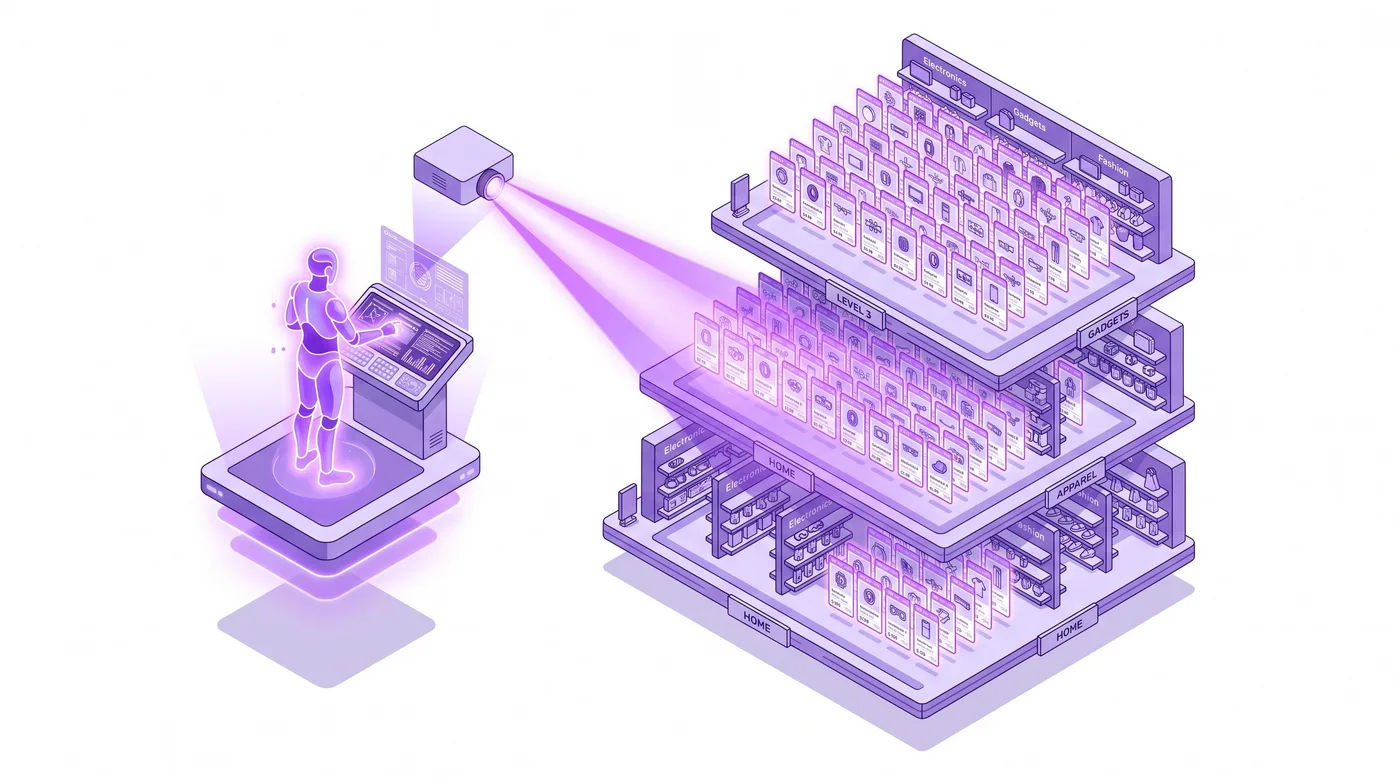
Here's what Shopify catalog MCP functionality looks like in practice: a merchant asks an AI assistant which products in their summer collection have fewer than 10 units left in the Chicago warehouse. The AI queries the store catalog, cross-references inventory by location, and returns a filtered list in about four seconds. No pivot tables. No admin screen exports. No human manually joining datasets.

That's not a demo scenario. Plus operators are running this in production today.

But here's what most explainers skip: "Catalog MCP" is not a distinct, shipping Shopify product. It's a capability you assemble, and two plain-language definitions make the rest of this article easy to follow. An API is the doorway one piece of software uses to ask another for data, the way a cashier scans an item to pull its price from the system. MCP (Model Context Protocol) is a shared language, released by Anthropic in November 2024, that lets an AI assistant use those doorways without custom wiring cut for each one. "Catalog MCP" is simply pointing an AI at your store's product data through that shared language.

That distinction, what Shopify ships natively versus what you assemble from its API surface, is the entire game. Get it wrong and you build on assumptions that break in production. This guide covers how it actually works, what it genuinely supports in mid-2026, how the permissions hold up under real conditions, and what it means for operators running post-purchase workflows at scale.


AI agent querying a Shopify product catalog and returning inventory results

Quick answer: Shopify catalog MCP functionality refers to what an AI agent can do with your store's product data, inventory, collections, and pricing via the Model Context Protocol. It works through Shopify's Admin API or Storefront API, connected to an MCP server you configure or build. As of mid-2026, read operations (search, filter, inventory check, metafield access) are well-supported and production-ready. Write operations (price updates, product edits, variant changes) work with the right API scopes but require careful setup. This is not a turnkey Shopify feature. It's a wiring job, and a worthwhile one.

What Is Shopify Catalog MCP Functionality?

Shopify catalog MCP functionality is the set of operations an AI agent can perform on your store's product data once you connect an MCP server to Shopify's APIs. The underlying protocol, Model Context Protocol, was open-sourced by Anthropic in November 2024 and has since become the industry-standard interface between AI assistants and external data sources.

The architecture is straightforward. MCP sits between the AI (Claude, GitHub Copilot, GPT-4o) and the Shopify API (Admin or Storefront). The AI sends a plain-English request to the MCP server. The server translates it into a structured GraphQL call (GraphQL is just the precise query format Shopify's systems accept). Shopify returns the data. The AI presents it. In plain terms: you ask in everyday language, a middle layer converts it into the store's language and back, and no one writes code to get the answer.

Shopify ships one official MCP server: @shopify/dev-mcp, available on npm since early 2025. It targets developer tooling, giving AI assistants access to Shopify's documentation, component libraries, and development utilities. It is not what merchants mean when they search for catalog MCP functionality.

Catalog operations, things like "show me all out-of-stock SKUs" or "update prices on 40 variants at once," come from community-built or custom MCP servers that wrap Shopify's Admin API (GraphQL) or the Storefront API. Both APIs are mature and well-documented. The MCP layer adds the natural-language interface and the tool registry an AI agent needs to call them.

The Universal Commerce Protocol guide covers how this protocol-layer standardization is reshaping what AI agents can do across the commerce stack.


Three-layer MCP architecture connecting AI assistant to Shopify Admin API

How Shopify MCP Catalog Access Actually Works

Shopify MCP catalog access runs through a three-layer stack: an AI client, an MCP server, and a Shopify API. Each layer has a distinct job, and each can be swapped independently without rewriting the others. This modularity is what makes MCP valuable across different AI tools and store configurations.

The Protocol Layer: What MCP Actually Does

MCP defines a schema of "tools" (callable functions) and "resources" (readable data objects). When an AI agent needs catalog data, it calls an MCP tool like get_products or search_catalog. The MCP server registers these tools, handles authentication, and routes the underlying API call to Shopify.

The API Layer: Admin vs Storefront

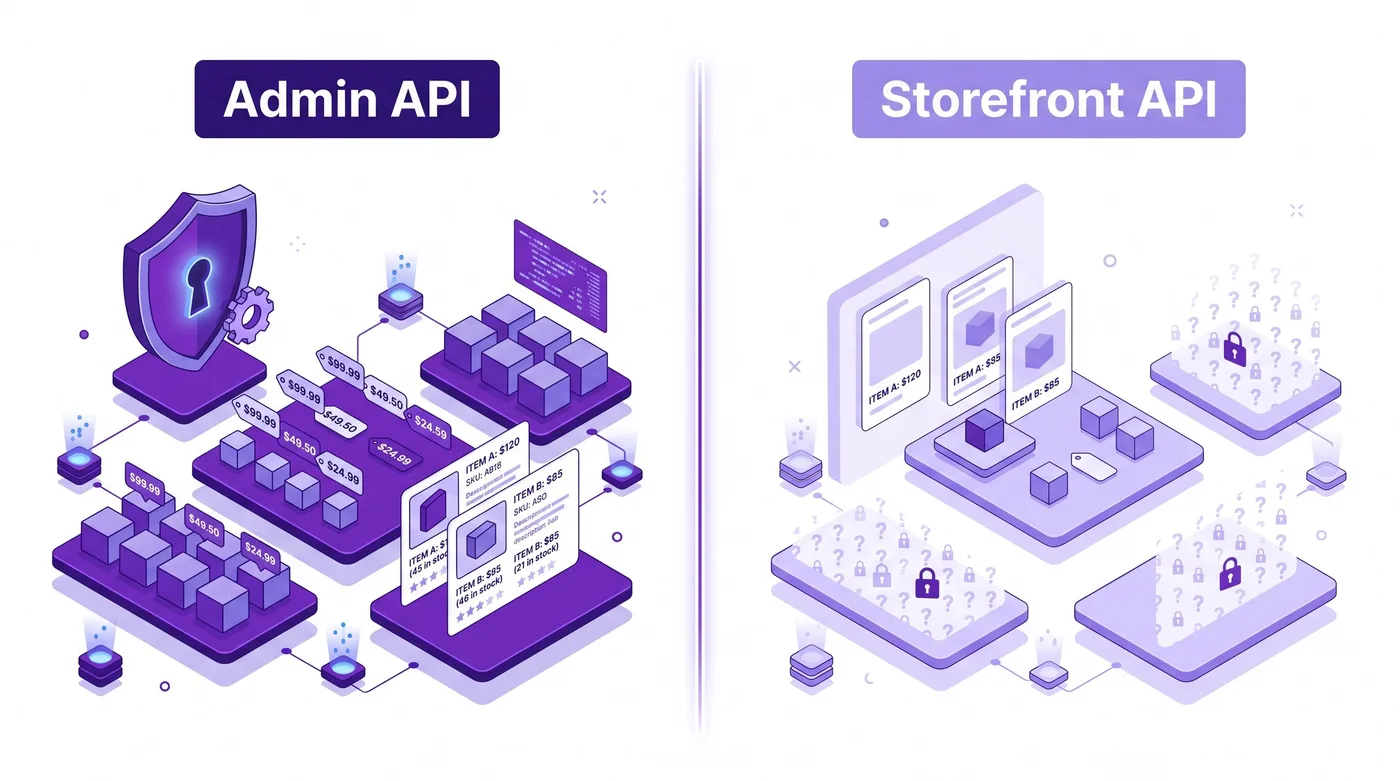
The plain-language version: the Admin API is the staff entrance to your store, full access, able to change prices, inventory, and orders, while the Storefront API is the public shop window, read-only and limited to what a shopper is allowed to see. For catalog work you almost always want the staff entrance. In technical terms, Shopify's Admin API is GraphQL-based, supports write operations, and handles inventory updates, product edits, metafield writes (metafields are custom data fields you attach to products, such as a sizing guide or a supplier code), and collection management. The Storefront API is public-facing and read-only by design: fine for AI agents powering shopping experiences, insufficient for operational catalog management.

Capability

Admin API via MCP

Storefront API via MCP

Read full product data

Yes

Public fields only

Read inventory by location

Yes

Availability status only

Read and write metafields

Yes

Public metafields read only

Update product pricing

Yes (with scopes)

No

Manage collections

Yes

Read only

Access draft products

Yes

No

Access order data

Yes

No

B2B catalogs and pricing

Yes (Plus only)

No

Bulk product operations

Yes

No


Admin API versus Storefront API data access layers in Shopify MCP setup

Authentication runs through a standard OAuth flow or via private app tokens. Most MCP server implementations for Shopify catalog access use private app tokens scoped to the minimum required permissions. The Admin API token lives in the MCP server's environment configuration, never in the AI client itself.

What Shopify Catalog MCP Functionality Actually Supports

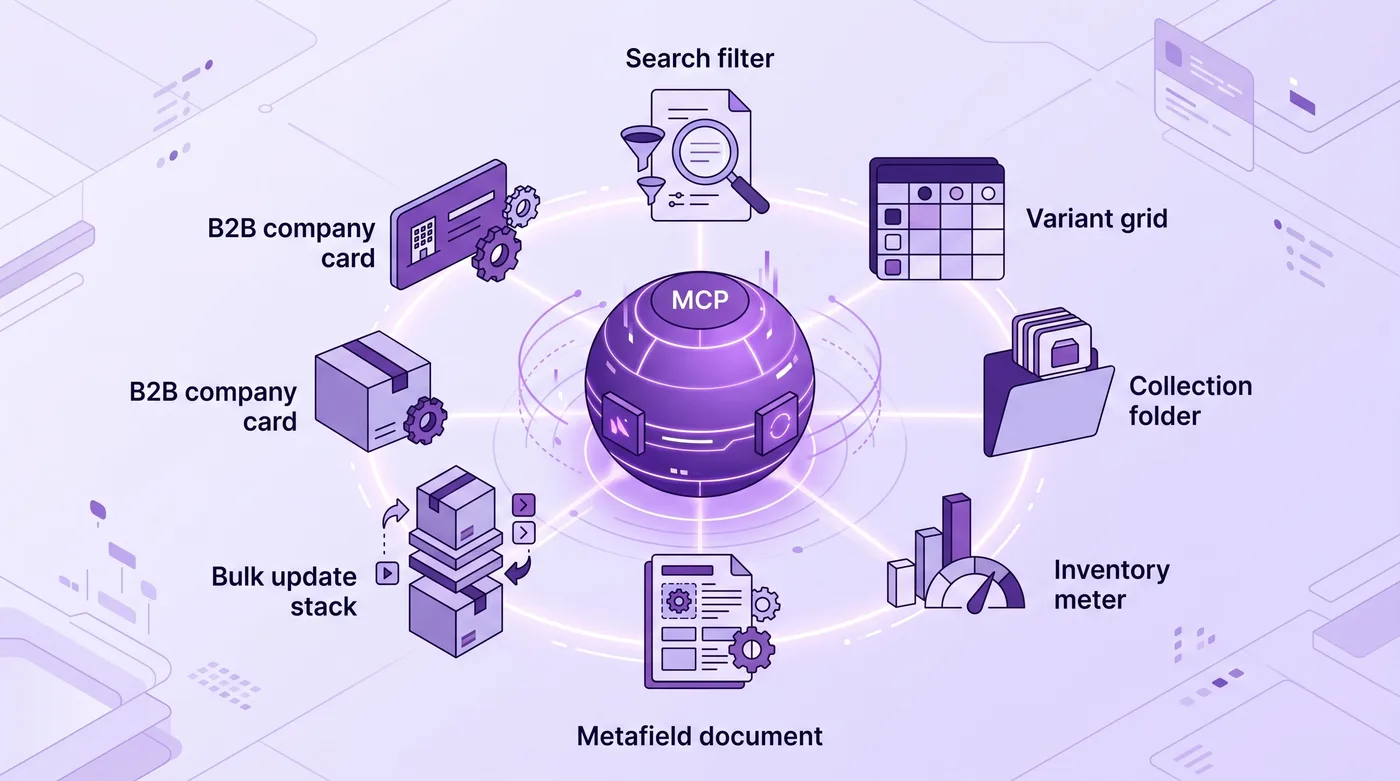
Shopify catalog MCP functionality, in production implementations as of mid-2026, supports seven distinct categories of catalog operations. These aren't theoretical. Operators at Plus-tier stores are running them today.

  1. Product search and filtering. Query by title, vendor, product type, tag, price range, or publication status. This is the most commonly implemented tool and works reliably across all current API versions.

  2. Variant and option queries. Retrieve all variants for a product with SKUs, prices, inventory quantities, and option combinations (size, color, material). This is where AI agents prove their value at scale: pulling this for 200 products would take a human 10 minutes; an agent does it in seconds.

  3. Collection membership. Check which collections a product belongs to, or retrieve all products in a given collection. Useful for catalog audits, seasonal promotions, and channel management.

  4. Real-time inventory by location. Pull inventory across multiple warehouses via Shopify's inventoryLevel objects. Location-aware inventory queries are one of the highest-value catalog MCP use cases for multi-warehouse operators running 500 or more orders per month.

  5. Metafield reads and writes. Custom product data stored in metafields (sizing guides, certifications, supplier codes, cross-sell metadata) is fully readable and, with write scopes, updatable via MCP. This unlocks catalog enrichment workflows that previously required manual admin work or custom scripts.

  6. Bulk product updates. Admin API's bulk operation support carries through to MCP implementations. AI agents can update prices, descriptions, or publication status across large product catalogs in a single workflow, with changes logged for review before commit.

  7. B2B catalog access (Plus). Company-specific price lists and B2B catalog assignments (product and pricing subsets for wholesale accounts) are accessible via the Admin API on Shopify Plus. An MCP server can query which products are in a company's assigned catalog and check B2B pricing. This is the highest-ceiling catalog MCP use case for Plus operators with a meaningful wholesale channel.


Seven catalog operation categories accessible to AI agents via Shopify MCP

What Catalog MCP Means for Post-Purchase Operations

MCP's scope doesn't stop at the catalog. When an AI agent can read product data and order data through the same interface, post-purchase workflows change significantly. And this is where catalog access and ops teams start to overlap in genuinely useful ways.

Consider a return request. An MCP-connected agent can, in a single workflow: read the original order, check the current product availability for an exchange, verify pricing hasn't changed, and surface a recommended resolution. Without MCP, that's three separate admin screens and a human manually connecting the dots between them.

Brands like Square Enix and Nude Project, which run high-volume post-purchase operations, face exactly this friction: the gap between what customers request after checkout and what the ops team can actually action without toggling between tools. For a full picture of how order management works at scale, MCP-connected catalog access closes the data-retrieval gap before a human ever gets involved.

The specific moment where catalog MCP and post-purchase editing intersect: when a customer wants to swap a variant after checkout, an MCP-enabled agent can confirm the replacement variant is in stock before the swap is offered. That real-time inventory check is the difference between a clean edit and an edit that creates a fulfillment exception downstream.

For the actual order mutation (changing line items, adjusting pricing, updating fulfillment instructions), tools like Revize handle the Shopify-side writes. The architecture is clean: catalog read via MCP, order edit via a purpose-built post-purchase app. If you're mapping out how customers can self-serve changes after checkout, the Shopify cancel order guide covers the full mechanics of what's possible.

Agentic Commerce and Catalog MCP: What's Real Today vs What's Coming

As of mid-2026, live Shopify catalog MCP capability is narrower than the hype suggests but more capable than most merchants realize. Here's the honest breakdown.

What's live and production-ready today:

  • Read-heavy catalog workflows: search, filter, audit, export to downstream tools

  • Inventory monitoring and location-aware availability checks

  • Metafield reads and writes for catalog enrichment

  • Admin API write operations (pricing, descriptions, status) with appropriate scopes

  • Integration with MCP-compatible AI clients including Claude Desktop and GitHub Copilot

What's still maturing:

  • Native Shopify-managed MCP hosting (most implementations are self-hosted or deployed on platforms like Railway or Fly.io)

  • Standardized catalog MCP tool schemas (every team currently defines their own tool signatures, which creates integration friction when switching AI clients)

  • Consumer-facing AI shopping agents using catalog MCP for real-time personalized recommendations at scale

  • Shopify's own managed agentic product layer, which appears on their roadmap but hasn't shipped as a merchant-facing product

The direction is clear. Shopify has invested heavily in AI tooling throughout 2025 and 2026, and MCP has become the industry handshake for AI-to-API communication. The merchants who understand the architecture now, before a turnkey product ships, will have a meaningful head start when that product lands.

This connects directly to what the guide to selling on ChatGPT with Shopify agentic storefronts covers: AI is becoming a purchase path that interacts with your catalog in real time, and MCP is how that interaction is plumbed.


Shopify merchant confidently reviewing AI-powered catalog and order insights at a workstation

Frequently Asked Questions

Is Catalog MCP a specific Shopify product?

No, "Catalog MCP" is not a distinct named Shopify product or feature. It's shorthand for using the Model Context Protocol to connect AI agents to Shopify's catalog data: products, variants, collections, inventory. You build this capability by connecting an MCP server to Shopify's Admin API or Storefront API. Shopify's official MCP server (@shopify/dev-mcp) targets developer tooling, not merchant catalog operations. Everything you'd call "catalog MCP" is either community-built or custom-implemented.

What is the Model Context Protocol, exactly?

MCP is an open protocol, released by Anthropic in November 2024, that standardizes how AI models communicate with external tools and data sources. Think of it as a universal adapter: instead of each AI integration requiring custom code to talk to each API, MCP provides a shared interface. Shopify's APIs can be wrapped in an MCP server so any compatible AI client can call them without bespoke integration work for each AI tool you want to use.

Do I need a developer to set up Shopify catalog MCP?

Yes, in mid-2026, setting up Shopify catalog MCP access requires developer involvement. You need to create a custom Shopify app with the right API scopes, deploy or connect an MCP server, and configure the catalog tools you want to expose. Open-source packages on npm (search shopify-mcp-server) accelerate setup, but they still require hosting and environment configuration. Turnkey no-code MCP options for Shopify are emerging but not yet mainstream.

Which Shopify plans support catalog MCP?

Catalog MCP via the Admin API is available on all plans that support private app creation, including Plus, Advanced, and Grow. The Admin API itself has no plan-tier restrictions beyond custom app creation requirements. That said, the highest-value catalog MCP use cases (B2B pricing, multi-location inventory, bulk operations at scale) align most naturally with Plus and Advanced stores processing 500 or more orders per month.

Can MCP write to my Shopify catalog, or is it read-only?

MCP can write to your Shopify catalog, but only if the underlying API token has write scopes and the MCP server exposes write tools. This is a deliberate design decision made at the MCP server layer, not the protocol layer. Many teams start read-only as a safety measure and add write capability after validating read workflows thoroughly. Common write operations include product title and description updates, price changes, inventory adjustments, and metafield writes. Deletes are typically excluded from production MCP servers intentionally.

How does catalog MCP differ from Shopify Flow?

Shopify Flow is event-driven automation: "when X happens, do Y." Catalog MCP is on-demand agent access: "here's a question, go figure out the answer using live store data." They solve different problems. Flow is excellent for rule-based automation (when inventory drops below 5, email purchasing). MCP is better for dynamic, context-aware operations (review 80 flagged products and identify which need price updates based on current margin rules). They're complementary, not competing. The Shopify Functions migration tutorial gives useful context on how automation layers fit together on the platform.

What Admin API scopes does catalog MCP require?

The minimum scopes for read-only catalog MCP are read_products, read_inventory, and read_product_listings. For write operations: write_products and write_inventory. If your catalog MCP implementation also touches orders, you need read_orders and write_orders for order editing. Always scope to the minimum required, especially when running AI-driven automations. Over-scoped tokens with AI agents acting on them create unnecessary security exposure that's hard to audit after the fact.

Can catalog MCP handle Shopify B2B scenarios?

Yes, but B2B catalog MCP requires Shopify Plus. Company-specific price lists, B2B catalog assignments, and wholesale-only product subsets are accessible via the Plus-tier Admin API. An MCP server built on Plus credentials can query which products are in a company's assigned catalog, check B2B pricing, and support AI agents serving wholesale buyers directly. This is the highest-ceiling catalog MCP use case for Plus operators running a meaningful wholesale channel alongside their DTC store.

What AI clients work with Shopify catalog MCP?

Any AI assistant that supports the MCP standard can connect to a Shopify catalog MCP server. As of mid-2026, this includes Claude Desktop (Anthropic), GitHub Copilot in VS Code, and enterprise GPT-4o deployments configured with MCP client support. Configuration is straightforward: point the AI client at your MCP server's endpoint. The catalog tools your server exposes become callable functions in the AI's context. No custom AI integration code is required on the client side once the server is deployed.

Is there a performance cost to querying catalog data via MCP?

Yes, there is latency overhead compared to direct API calls, typically under two seconds for standard catalog queries. The MCP protocol adds a round trip between the AI client, the MCP server, and the Shopify API. For real-time storefront applications where sub-second response is critical, direct Storefront API calls remain the better choice. For operational workflows where an AI is doing multi-step reasoning across catalog data (auditing, repricing, enrichment), that latency is negligible relative to the value delivered. Design catalog MCP for ops workflows, not storefront page-load performance.

How do I handle security for my Shopify catalog MCP server?

Treat your MCP server exactly like any service holding Admin API credentials. Use private app tokens scoped to the minimum necessary permissions, rotate credentials on a regular schedule, log all MCP tool calls for auditability, and never expose the MCP server endpoint without authentication. The MCP protocol adds no encryption beyond HTTPS. Your server's access controls are the security perimeter. For Plus operators with sensitive B2B pricing or draft product data flowing through MCP, treating this as a firm requirement rather than optional hardening is the right call.

Can I use catalog MCP for real-time storefront product recommendations?

You can, but the Storefront API is a better fit for that specific use case. Storefront API is read-only, lower-latency for public data, and doesn't require Admin-level credentials. An MCP server wrapping the Storefront API works well for AI agents that answer "do you have this in my size?" questions or power conversational shopping. Admin API-based catalog MCP is better for ops-side workflows where write access, draft-product visibility, or B2B pricing data matters. Match the API to the use case.

Here's what to do this week if Shopify catalog MCP functionality is on your roadmap:

  1. Audit your current API access. If you have a Shopify private app with Admin API credentials, you already have the foundation. Check what scopes it carries and what write access it holds.

  2. Start read-only. Search npm for shopify-mcp-server packages with active maintenance. Get product and inventory queries working reliably before adding write operations. Read-only catalog MCP has enormous operational value on its own.

  3. Define your tool schema precisely. The tools your MCP server exposes should match the operations your team actually needs, not every possible API call. Precision prevents scope creep and reduces your security surface.

  4. Test with real catalog data before connecting any AI agent with write scopes. Validate that queries return what you expect, that inventory locations resolve correctly, and that metafield reads cover your custom data structure.

  5. If post-purchase operations are part of your AI workflow, confirm whether your MCP implementation handles order data in addition to catalog data. Catalog reads and order edits frequently need to work together.

Related Articles

Here's what Shopify catalog MCP functionality looks like in practice: a merchant asks an AI assistant which products in their summer collection have fewer than 10 units left in the Chicago warehouse. The AI queries the store catalog, cross-references inventory by location, and returns a filtered list in about four seconds. No pivot tables. No admin screen exports. No human manually joining datasets.

That's not a demo scenario. Plus operators are running this in production today.

But here's what most explainers skip: "Catalog MCP" is not a distinct, shipping Shopify product. It's a capability you assemble, and two plain-language definitions make the rest of this article easy to follow. An API is the doorway one piece of software uses to ask another for data, the way a cashier scans an item to pull its price from the system. MCP (Model Context Protocol) is a shared language, released by Anthropic in November 2024, that lets an AI assistant use those doorways without custom wiring cut for each one. "Catalog MCP" is simply pointing an AI at your store's product data through that shared language.

That distinction, what Shopify ships natively versus what you assemble from its API surface, is the entire game. Get it wrong and you build on assumptions that break in production. This guide covers how it actually works, what it genuinely supports in mid-2026, how the permissions hold up under real conditions, and what it means for operators running post-purchase workflows at scale.


AI agent querying a Shopify product catalog and returning inventory results

Quick answer: Shopify catalog MCP functionality refers to what an AI agent can do with your store's product data, inventory, collections, and pricing via the Model Context Protocol. It works through Shopify's Admin API or Storefront API, connected to an MCP server you configure or build. As of mid-2026, read operations (search, filter, inventory check, metafield access) are well-supported and production-ready. Write operations (price updates, product edits, variant changes) work with the right API scopes but require careful setup. This is not a turnkey Shopify feature. It's a wiring job, and a worthwhile one.

What Is Shopify Catalog MCP Functionality?

Shopify catalog MCP functionality is the set of operations an AI agent can perform on your store's product data once you connect an MCP server to Shopify's APIs. The underlying protocol, Model Context Protocol, was open-sourced by Anthropic in November 2024 and has since become the industry-standard interface between AI assistants and external data sources.

The architecture is straightforward. MCP sits between the AI (Claude, GitHub Copilot, GPT-4o) and the Shopify API (Admin or Storefront). The AI sends a plain-English request to the MCP server. The server translates it into a structured GraphQL call (GraphQL is just the precise query format Shopify's systems accept). Shopify returns the data. The AI presents it. In plain terms: you ask in everyday language, a middle layer converts it into the store's language and back, and no one writes code to get the answer.

Shopify ships one official MCP server: @shopify/dev-mcp, available on npm since early 2025. It targets developer tooling, giving AI assistants access to Shopify's documentation, component libraries, and development utilities. It is not what merchants mean when they search for catalog MCP functionality.

Catalog operations, things like "show me all out-of-stock SKUs" or "update prices on 40 variants at once," come from community-built or custom MCP servers that wrap Shopify's Admin API (GraphQL) or the Storefront API. Both APIs are mature and well-documented. The MCP layer adds the natural-language interface and the tool registry an AI agent needs to call them.

The Universal Commerce Protocol guide covers how this protocol-layer standardization is reshaping what AI agents can do across the commerce stack.


Three-layer MCP architecture connecting AI assistant to Shopify Admin API

How Shopify MCP Catalog Access Actually Works

Shopify MCP catalog access runs through a three-layer stack: an AI client, an MCP server, and a Shopify API. Each layer has a distinct job, and each can be swapped independently without rewriting the others. This modularity is what makes MCP valuable across different AI tools and store configurations.

The Protocol Layer: What MCP Actually Does

MCP defines a schema of "tools" (callable functions) and "resources" (readable data objects). When an AI agent needs catalog data, it calls an MCP tool like get_products or search_catalog. The MCP server registers these tools, handles authentication, and routes the underlying API call to Shopify.

The API Layer: Admin vs Storefront

The plain-language version: the Admin API is the staff entrance to your store, full access, able to change prices, inventory, and orders, while the Storefront API is the public shop window, read-only and limited to what a shopper is allowed to see. For catalog work you almost always want the staff entrance. In technical terms, Shopify's Admin API is GraphQL-based, supports write operations, and handles inventory updates, product edits, metafield writes (metafields are custom data fields you attach to products, such as a sizing guide or a supplier code), and collection management. The Storefront API is public-facing and read-only by design: fine for AI agents powering shopping experiences, insufficient for operational catalog management.

Capability

Admin API via MCP

Storefront API via MCP

Read full product data

Yes

Public fields only

Read inventory by location

Yes

Availability status only

Read and write metafields

Yes

Public metafields read only

Update product pricing

Yes (with scopes)

No

Manage collections

Yes

Read only

Access draft products

Yes

No

Access order data

Yes

No

B2B catalogs and pricing

Yes (Plus only)

No

Bulk product operations

Yes

No


Admin API versus Storefront API data access layers in Shopify MCP setup

Authentication runs through a standard OAuth flow or via private app tokens. Most MCP server implementations for Shopify catalog access use private app tokens scoped to the minimum required permissions. The Admin API token lives in the MCP server's environment configuration, never in the AI client itself.

What Shopify Catalog MCP Functionality Actually Supports

Shopify catalog MCP functionality, in production implementations as of mid-2026, supports seven distinct categories of catalog operations. These aren't theoretical. Operators at Plus-tier stores are running them today.

  1. Product search and filtering. Query by title, vendor, product type, tag, price range, or publication status. This is the most commonly implemented tool and works reliably across all current API versions.

  2. Variant and option queries. Retrieve all variants for a product with SKUs, prices, inventory quantities, and option combinations (size, color, material). This is where AI agents prove their value at scale: pulling this for 200 products would take a human 10 minutes; an agent does it in seconds.

  3. Collection membership. Check which collections a product belongs to, or retrieve all products in a given collection. Useful for catalog audits, seasonal promotions, and channel management.

  4. Real-time inventory by location. Pull inventory across multiple warehouses via Shopify's inventoryLevel objects. Location-aware inventory queries are one of the highest-value catalog MCP use cases for multi-warehouse operators running 500 or more orders per month.

  5. Metafield reads and writes. Custom product data stored in metafields (sizing guides, certifications, supplier codes, cross-sell metadata) is fully readable and, with write scopes, updatable via MCP. This unlocks catalog enrichment workflows that previously required manual admin work or custom scripts.

  6. Bulk product updates. Admin API's bulk operation support carries through to MCP implementations. AI agents can update prices, descriptions, or publication status across large product catalogs in a single workflow, with changes logged for review before commit.

  7. B2B catalog access (Plus). Company-specific price lists and B2B catalog assignments (product and pricing subsets for wholesale accounts) are accessible via the Admin API on Shopify Plus. An MCP server can query which products are in a company's assigned catalog and check B2B pricing. This is the highest-ceiling catalog MCP use case for Plus operators with a meaningful wholesale channel.


Seven catalog operation categories accessible to AI agents via Shopify MCP

What Catalog MCP Means for Post-Purchase Operations

MCP's scope doesn't stop at the catalog. When an AI agent can read product data and order data through the same interface, post-purchase workflows change significantly. And this is where catalog access and ops teams start to overlap in genuinely useful ways.

Consider a return request. An MCP-connected agent can, in a single workflow: read the original order, check the current product availability for an exchange, verify pricing hasn't changed, and surface a recommended resolution. Without MCP, that's three separate admin screens and a human manually connecting the dots between them.

Brands like Square Enix and Nude Project, which run high-volume post-purchase operations, face exactly this friction: the gap between what customers request after checkout and what the ops team can actually action without toggling between tools. For a full picture of how order management works at scale, MCP-connected catalog access closes the data-retrieval gap before a human ever gets involved.

The specific moment where catalog MCP and post-purchase editing intersect: when a customer wants to swap a variant after checkout, an MCP-enabled agent can confirm the replacement variant is in stock before the swap is offered. That real-time inventory check is the difference between a clean edit and an edit that creates a fulfillment exception downstream.

For the actual order mutation (changing line items, adjusting pricing, updating fulfillment instructions), tools like Revize handle the Shopify-side writes. The architecture is clean: catalog read via MCP, order edit via a purpose-built post-purchase app. If you're mapping out how customers can self-serve changes after checkout, the Shopify cancel order guide covers the full mechanics of what's possible.

Agentic Commerce and Catalog MCP: What's Real Today vs What's Coming

As of mid-2026, live Shopify catalog MCP capability is narrower than the hype suggests but more capable than most merchants realize. Here's the honest breakdown.

What's live and production-ready today:

  • Read-heavy catalog workflows: search, filter, audit, export to downstream tools

  • Inventory monitoring and location-aware availability checks

  • Metafield reads and writes for catalog enrichment

  • Admin API write operations (pricing, descriptions, status) with appropriate scopes

  • Integration with MCP-compatible AI clients including Claude Desktop and GitHub Copilot

What's still maturing:

  • Native Shopify-managed MCP hosting (most implementations are self-hosted or deployed on platforms like Railway or Fly.io)

  • Standardized catalog MCP tool schemas (every team currently defines their own tool signatures, which creates integration friction when switching AI clients)

  • Consumer-facing AI shopping agents using catalog MCP for real-time personalized recommendations at scale

  • Shopify's own managed agentic product layer, which appears on their roadmap but hasn't shipped as a merchant-facing product

The direction is clear. Shopify has invested heavily in AI tooling throughout 2025 and 2026, and MCP has become the industry handshake for AI-to-API communication. The merchants who understand the architecture now, before a turnkey product ships, will have a meaningful head start when that product lands.

This connects directly to what the guide to selling on ChatGPT with Shopify agentic storefronts covers: AI is becoming a purchase path that interacts with your catalog in real time, and MCP is how that interaction is plumbed.


Shopify merchant confidently reviewing AI-powered catalog and order insights at a workstation

Frequently Asked Questions

Is Catalog MCP a specific Shopify product?

No, "Catalog MCP" is not a distinct named Shopify product or feature. It's shorthand for using the Model Context Protocol to connect AI agents to Shopify's catalog data: products, variants, collections, inventory. You build this capability by connecting an MCP server to Shopify's Admin API or Storefront API. Shopify's official MCP server (@shopify/dev-mcp) targets developer tooling, not merchant catalog operations. Everything you'd call "catalog MCP" is either community-built or custom-implemented.

What is the Model Context Protocol, exactly?

MCP is an open protocol, released by Anthropic in November 2024, that standardizes how AI models communicate with external tools and data sources. Think of it as a universal adapter: instead of each AI integration requiring custom code to talk to each API, MCP provides a shared interface. Shopify's APIs can be wrapped in an MCP server so any compatible AI client can call them without bespoke integration work for each AI tool you want to use.

Do I need a developer to set up Shopify catalog MCP?

Yes, in mid-2026, setting up Shopify catalog MCP access requires developer involvement. You need to create a custom Shopify app with the right API scopes, deploy or connect an MCP server, and configure the catalog tools you want to expose. Open-source packages on npm (search shopify-mcp-server) accelerate setup, but they still require hosting and environment configuration. Turnkey no-code MCP options for Shopify are emerging but not yet mainstream.

Which Shopify plans support catalog MCP?

Catalog MCP via the Admin API is available on all plans that support private app creation, including Plus, Advanced, and Grow. The Admin API itself has no plan-tier restrictions beyond custom app creation requirements. That said, the highest-value catalog MCP use cases (B2B pricing, multi-location inventory, bulk operations at scale) align most naturally with Plus and Advanced stores processing 500 or more orders per month.

Can MCP write to my Shopify catalog, or is it read-only?

MCP can write to your Shopify catalog, but only if the underlying API token has write scopes and the MCP server exposes write tools. This is a deliberate design decision made at the MCP server layer, not the protocol layer. Many teams start read-only as a safety measure and add write capability after validating read workflows thoroughly. Common write operations include product title and description updates, price changes, inventory adjustments, and metafield writes. Deletes are typically excluded from production MCP servers intentionally.

How does catalog MCP differ from Shopify Flow?

Shopify Flow is event-driven automation: "when X happens, do Y." Catalog MCP is on-demand agent access: "here's a question, go figure out the answer using live store data." They solve different problems. Flow is excellent for rule-based automation (when inventory drops below 5, email purchasing). MCP is better for dynamic, context-aware operations (review 80 flagged products and identify which need price updates based on current margin rules). They're complementary, not competing. The Shopify Functions migration tutorial gives useful context on how automation layers fit together on the platform.

What Admin API scopes does catalog MCP require?

The minimum scopes for read-only catalog MCP are read_products, read_inventory, and read_product_listings. For write operations: write_products and write_inventory. If your catalog MCP implementation also touches orders, you need read_orders and write_orders for order editing. Always scope to the minimum required, especially when running AI-driven automations. Over-scoped tokens with AI agents acting on them create unnecessary security exposure that's hard to audit after the fact.

Can catalog MCP handle Shopify B2B scenarios?

Yes, but B2B catalog MCP requires Shopify Plus. Company-specific price lists, B2B catalog assignments, and wholesale-only product subsets are accessible via the Plus-tier Admin API. An MCP server built on Plus credentials can query which products are in a company's assigned catalog, check B2B pricing, and support AI agents serving wholesale buyers directly. This is the highest-ceiling catalog MCP use case for Plus operators running a meaningful wholesale channel alongside their DTC store.

What AI clients work with Shopify catalog MCP?

Any AI assistant that supports the MCP standard can connect to a Shopify catalog MCP server. As of mid-2026, this includes Claude Desktop (Anthropic), GitHub Copilot in VS Code, and enterprise GPT-4o deployments configured with MCP client support. Configuration is straightforward: point the AI client at your MCP server's endpoint. The catalog tools your server exposes become callable functions in the AI's context. No custom AI integration code is required on the client side once the server is deployed.

Is there a performance cost to querying catalog data via MCP?

Yes, there is latency overhead compared to direct API calls, typically under two seconds for standard catalog queries. The MCP protocol adds a round trip between the AI client, the MCP server, and the Shopify API. For real-time storefront applications where sub-second response is critical, direct Storefront API calls remain the better choice. For operational workflows where an AI is doing multi-step reasoning across catalog data (auditing, repricing, enrichment), that latency is negligible relative to the value delivered. Design catalog MCP for ops workflows, not storefront page-load performance.

How do I handle security for my Shopify catalog MCP server?

Treat your MCP server exactly like any service holding Admin API credentials. Use private app tokens scoped to the minimum necessary permissions, rotate credentials on a regular schedule, log all MCP tool calls for auditability, and never expose the MCP server endpoint without authentication. The MCP protocol adds no encryption beyond HTTPS. Your server's access controls are the security perimeter. For Plus operators with sensitive B2B pricing or draft product data flowing through MCP, treating this as a firm requirement rather than optional hardening is the right call.

Can I use catalog MCP for real-time storefront product recommendations?

You can, but the Storefront API is a better fit for that specific use case. Storefront API is read-only, lower-latency for public data, and doesn't require Admin-level credentials. An MCP server wrapping the Storefront API works well for AI agents that answer "do you have this in my size?" questions or power conversational shopping. Admin API-based catalog MCP is better for ops-side workflows where write access, draft-product visibility, or B2B pricing data matters. Match the API to the use case.

Here's what to do this week if Shopify catalog MCP functionality is on your roadmap:

  1. Audit your current API access. If you have a Shopify private app with Admin API credentials, you already have the foundation. Check what scopes it carries and what write access it holds.

  2. Start read-only. Search npm for shopify-mcp-server packages with active maintenance. Get product and inventory queries working reliably before adding write operations. Read-only catalog MCP has enormous operational value on its own.

  3. Define your tool schema precisely. The tools your MCP server exposes should match the operations your team actually needs, not every possible API call. Precision prevents scope creep and reduces your security surface.

  4. Test with real catalog data before connecting any AI agent with write scopes. Validate that queries return what you expect, that inventory locations resolve correctly, and that metafield reads cover your custom data structure.

  5. If post-purchase operations are part of your AI workflow, confirm whether your MCP implementation handles order data in addition to catalog data. Catalog reads and order edits frequently need to work together.

Related Articles

Revize your Shopify store. Lead with customer experience.

© Copyright 2026, All Rights Reserved

Revize your Shopify store. Lead with customer experience.

© Copyright 2026, All Rights Reserved

Revize your Shopify store. Lead with customer experience.

© Copyright 2026, All Rights Reserved

Revize your Shopify store. Lead with customer experience.

© Copyright 2026, All Rights Reserved