Shopify B2B Order Editing: How to Fix Wholesale Orders After Checkout (2026)

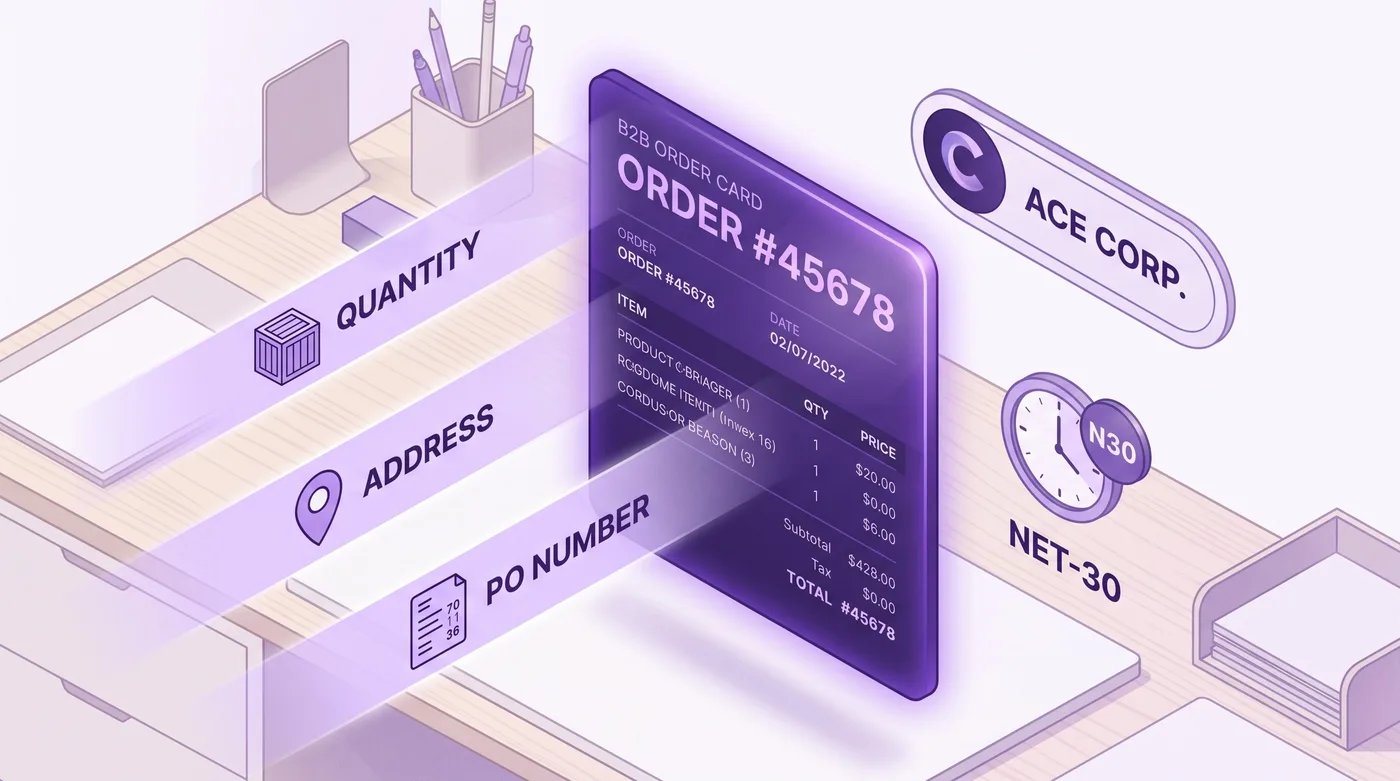
A wholesale buyer places a $28,000 order on net-30 terms at 9 a.m. By 11, they email: add 200 more units, split the shipment so half routes to the Austin distribution center, and fix the PO number because procurement handed them the wrong one. On a direct-to-consumer order, those are minor edits. On a B2B order carrying payment terms, a vaulted credit card, tiered pricing, and a purchase-order reference that the buyer's accounts-payable team will reconcile against an invoice, each change can break something downstream. That gap is the part of Shopify B2B order editing the setup guides never mention.
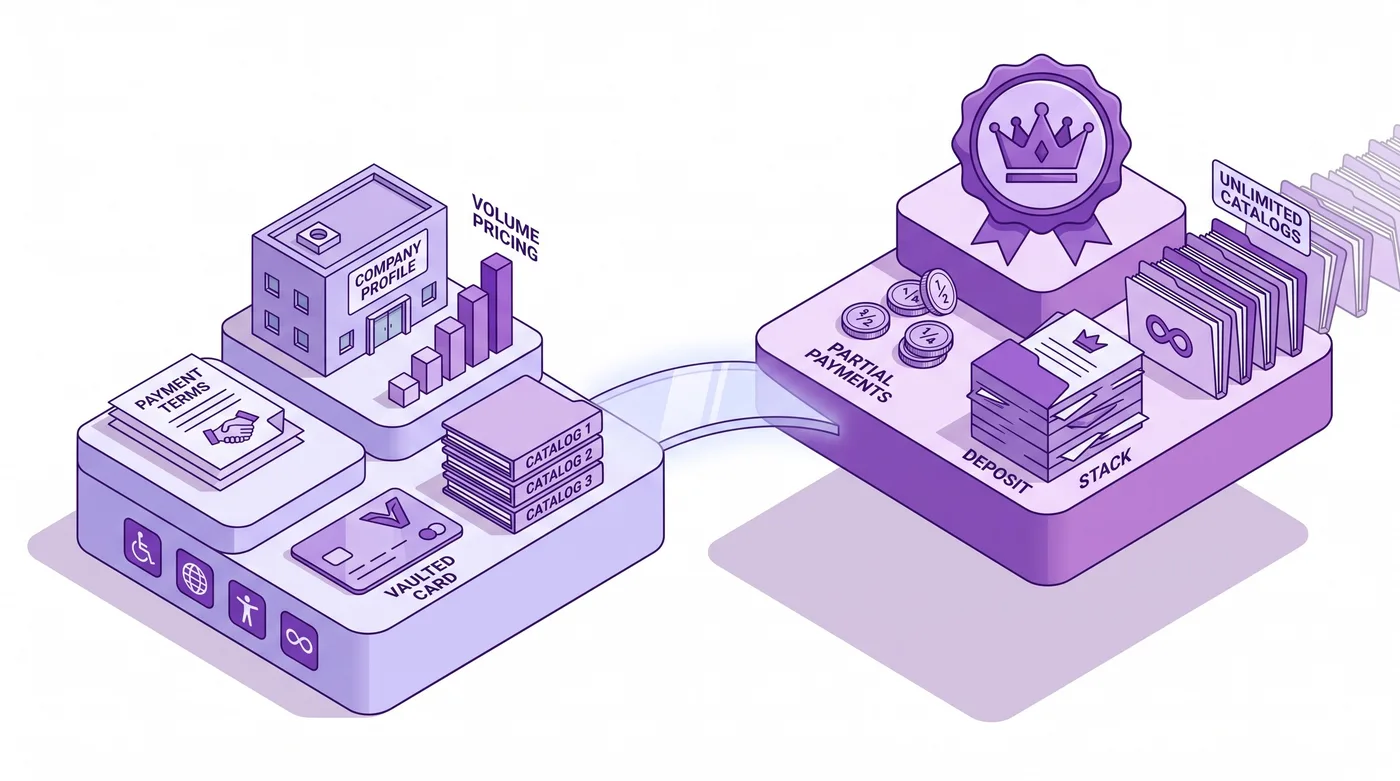
And it just stopped being a niche concern. On April 2, 2026, Shopify moved its core B2B features off the Plus-only tier. Merchants on Basic, Grow, and Advanced can now sell wholesale with company profiles, payment terms, volume pricing, ACH, and vaulted credit cards at no extra cost. That means thousands more stores are about to take their first payment-terms order, and then hit the first request to change one.
Quick answer: Shopify B2B order editing means changing a wholesale order after it is placed: quantities, line items, ship-to location, PO number, or price. Native Shopify lets you edit line items and quantities on a placed order through the admin, but the moment an order carries payment terms and a vaulted card, edits ripple into the invoice total, the charge schedule, and the buyer's AP records. The common workaround, canceling and rebuilding the order as a draft, breaks the payment-terms clock, the vaulted charge, and the PO trail. Editing the original order in place, either in the admin or through a post-purchase app, is the safer path. As of April 2026, native B2B is available on all plans; partial payments and deposits remain Plus-only.

What Shopify B2B order editing actually involves
Shopify B2B order editing is the process of changing a wholesale order after checkout, where the order carries attributes a normal consumer order never has. Here is a quick plain-language tour of those attributes, because they drive everything below. A B2B order belongs to a company (a business account, often with more than one delivery location) rather than a single shopper. It usually runs on payment terms, which means the buyer pays later against an invoice ("net-30" is simply "due in 30 days") instead of paying on the spot. It often carries a PO number (purchase order: the buyer's own internal reference that their finance team uses to approve the spend and match your bill to it). And its prices come from a B2B catalog, a wholesale-only price list with volume discounts, not the retail price everyone else sees.
Every one of those attributes changes what an edit means. Change a quantity on a consumer order and you adjust a charge on a card that already ran. Change a quantity on a net-60 B2B order and you adjust an invoice total that has not been charged yet, that a vaulted card will be debited for later, and that the buyer's finance team has possibly already entered into their own system against the original PO.
Native Shopify does support editing placed orders. From the order detail page in the admin, you can add products, remove products, adjust quantities, and apply or remove discounts, and the system recalculates totals and tax. That capability applies to B2B orders too. What it does not do is shield you from the second-order effects on terms, vaulted charges, and buyer records, and it does not give the buyer any way to request or make the change themselves. For the mechanics of the underlying edit surface, our Shopify order management guide walks through how the placed-order model works across order types.
The distinction that matters: editing a consumer order is mostly a customer-service task, while editing a B2B order is a finance task wearing a customer-service costume.
Why B2B order editing is now every merchant's problem
The April 2, 2026 change put native B2B on Basic, Grow, and Advanced, so the pool of merchants taking editable wholesale orders just expanded well beyond Plus. Before that date, if you wanted company accounts, net terms, and wholesale catalogs inside Shopify, you needed Plus. Now those features ship on the standard plans at no additional cost.
Available on all plans as of April 2026: up to three active B2B catalogs assigned through Markets, company profiles, payment terms, volume pricing, ACH payments in the U.S., and vaulted credit cards. Still exclusive to Plus: unlimited catalogs for customer-specific pricing, direct catalog assignment to companies and locations, partial payments, and deposits.
That last group matters for editing. If a buyer pays a deposit and you later increase the order, the deposit math has to be reworked, and deposits only exist on Plus. If you take partial payments across a large wholesale order and then adjust the total, you are reconciling against a payment schedule that, again, only Plus supports. So the editing problem exists on every plan now, but the hardest editing problems, the ones tied to staged money, concentrate in the highest-GMV Plus accounts. If your B2B volume is pushing you toward those features, our Advanced to Plus migration playbook covers when the jump pays for itself.
Shopify also shipped a related change on June 17, 2026. Two quick terms first: a vaulted card is a card the buyer has securely stored on file so you can charge it later, and a Flow action is an automated "if this, then that" step Shopify runs for you without anyone clicking a button. The new Flow action, "Charge vaulted payment for B2B order," automatically charges that stored card (or debits a stored bank account) when payment on a terms order comes due. Automated charging is genuinely useful, and it raises the stakes on editing. If a workflow is set to auto-charge the vaulted card for the order total when net-30 elapses, then any edit that changes that total has to land before the charge fires, and it has to update the amount the automation reads. Edit late, or edit in a way that forks the record, and you can charge the wrong number.

The five B2B order changes that break things after checkout
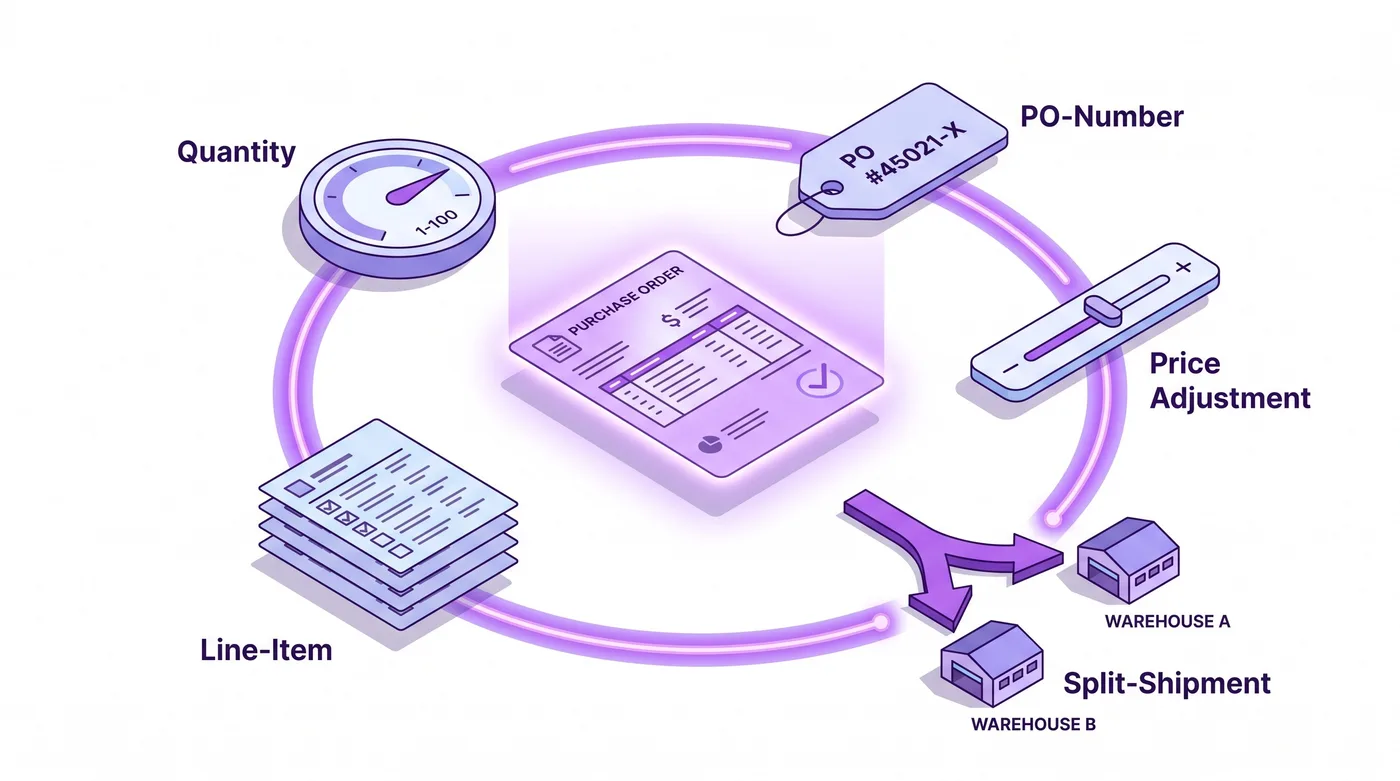
Most post-purchase B2B edits fall into five buckets, and each one touches a system beyond the line items. Knowing which bucket a request lands in tells you what you are about to disturb.
1. Quantity changes. A buyer orders 500 units and needs 750, or trims to 300 after a budget review. The line edits cleanly in the admin, but on a terms order the invoice total moves, volume-pricing tiers may recalculate if the new quantity crosses a break, and any vaulted-charge automation now points at a different number.
2. Adding or removing line items. Procurement forgot a SKU, or wants to drop one that is back-ordered. Adding a product to a placed B2B order pulls pricing from the assigned B2B catalog, not the retail price, and if the catalog assignment is ambiguous, the added line can price incorrectly.
3. Ship-to and location splits. A buyer with several company locations needs part of the order routed to a different distribution center. Consumer orders have one address. B2B orders map to a company location, and splitting fulfillment across locations post-purchase is one of the messiest native operations, often pushing merchants toward creating a second order entirely.
4. Purchase-order number corrections. The buyer's AP team supplied the wrong PO reference, or supplied it after placing the order. The PO number is not decoration. It is the key their finance system uses to match your invoice to their approved spend, and a mismatch can stall payment for weeks.
5. Price and terms adjustments. A negotiated price correction, a terms change from net-30 to net-60, or a manual discount applied after the fact. These are the edits most likely to require a manager and most likely to be redone incorrectly if the order is rebuilt from scratch.
None of these are exotic. In a wholesale operation they arrive weekly, and the frequency is exactly why the workaround most merchants reach for causes so much quiet damage.

Why "cancel and recreate as a draft order" is the wrong fix
The instinct when a B2B order needs changes is to cancel it and rebuild it as a draft order, and for wholesale that instinct quietly destroys continuity. Draft orders are a legitimate tool for building a quote before a buyer commits. They are the wrong tool for fixing an order that has already been placed on terms, because canceling the original throws away everything attached to it.
Here is what the cancel-and-recreate path costs on a B2B order, compared with editing the order that already exists.
What is at stake | Cancel and recreate as a draft | Edit the original order in place |
|---|---|---|
PO number continuity | New order, new order number; the buyer's AP match to the original PO breaks | Original order and PO reference preserved |
Payment-terms clock | Net-30 timer resets from the recreate date, extending your DSO | Terms and due date stay anchored to the original placement |
Vaulted charge automation | Flow action keyed to the original order will not fire; charge must be rebuilt | Automation still points at the same order, updated total |
Company credit ledger | Two orders muddy the company's outstanding balance and credit usage | One clean record against the company account |
Buyer notification | Cancellation email plus a new order can alarm procurement | A single edit confirmation, no false cancellation |
Tax and volume pricing | Recalculated on the new order, risk of drift from the agreed figures | Recalculated in context on the known order |
Audit trail | Split across a dead order and a live one | Single continuous history on one order |
The pattern is consistent. Editing in place preserves the identity of the order, and identity is what every downstream system, yours and the buyer's, relies on. The moment you spawn a replacement order, you have asked the buyer's finance team to reconcile a ghost, extended your own days-sales-outstanding (the time you wait to actually get paid) by resetting the terms clock, and orphaned any automation that referenced the original. In plain terms: rebuilding the order looks like a fix, but it quietly makes you look disorganized to the buyer's accountants and makes you wait longer for your money. For a $50 consumer order none of this registers. For a $28,000 wholesale order it is the difference between a two-minute fix and a two-week payment delay. This is the through-line in our best Shopify order editing apps comparison as well: the tools that hold up are the ones that edit rather than replace.
How to edit a B2B order the right way
The right approach edits the order that exists, keeps the buyer in the loop, and lands before any vaulted charge fires. There are two paths, and mature wholesale operations usually run both.
The first is the native admin edit. Open the order, use Edit order to adjust quantities, add or remove products, and apply discounts, then review the recalculated total and tax before saving. For a straightforward quantity bump or a single added SKU on a terms order that has not yet been charged, this is often enough. Its limits show up with location splits, with PO corrections that need to propagate to the buyer's records, and with any change that a non-admin staff member should be able to handle without full store access.
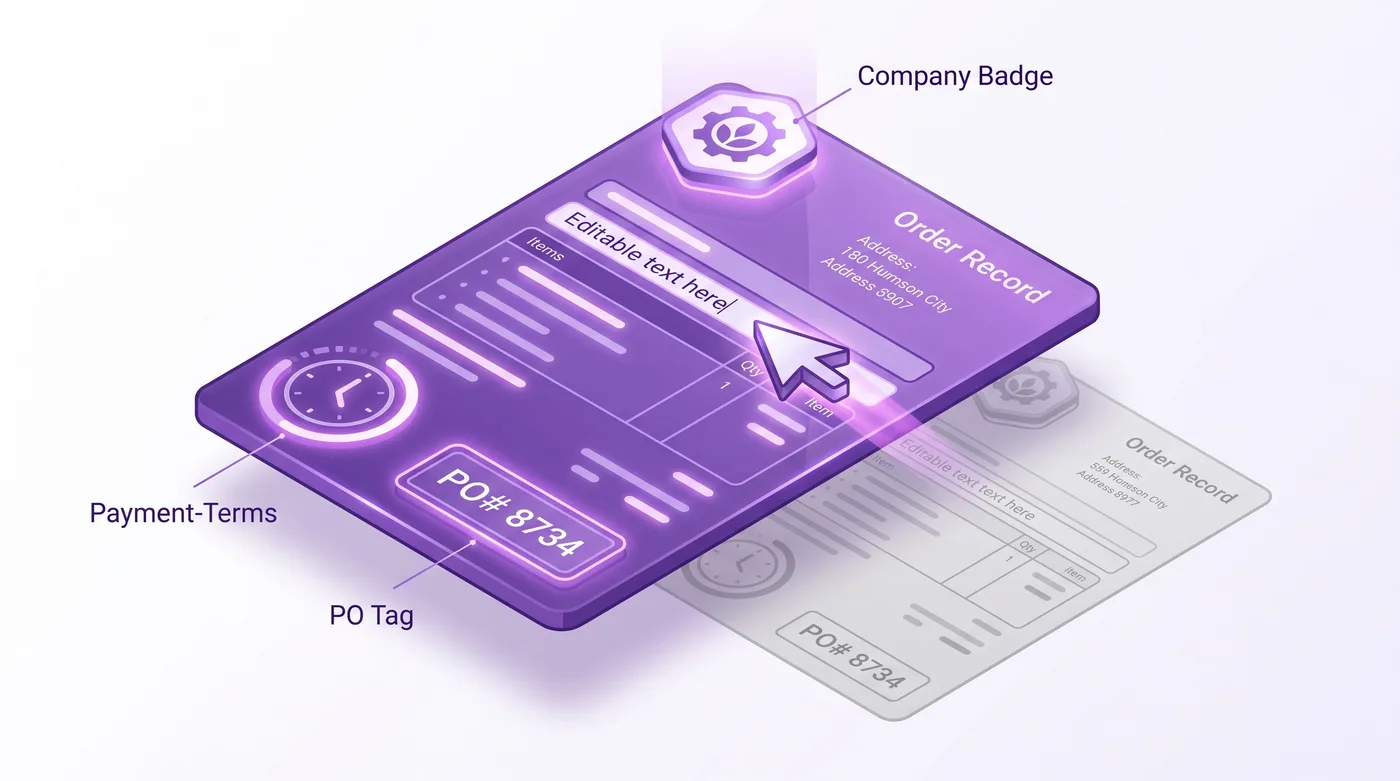
The second path is a post-purchase editing app that lets the change happen without rebuilding the order, and, importantly, lets the buyer initiate it. Tools like Revize let a customer edit their placed order directly, quantities, items, and address, within rules you set, so the order keeps its identity while the details change. For B2B, that means a procurement contact can correct a quantity or a shipping location themselves, inside a window you define, instead of sending an email that sits in a shared inbox until someone reruns the whole order. The same self-service pattern we detail for direct-to-consumer stores in the Shopify Plus order editing guide applies to wholesale, with higher stakes per edit.
High-volume merchants lean on this for a simple reason: at scale, the cost is not the individual edit, it is the support load and the reconciliation errors that pile up when every change routes through a person. Brands running serious post-purchase volume, from apparel labels like AYBL to licensed-goods sellers like Square Enix, treat self-service editing as throughput infrastructure, not a convenience feature. The wholesale version of that logic is stronger, because each B2B order carries more money and more downstream dependencies than a retail one.
Whichever path you use, the sequence is the same: make the edit on the original order, confirm the new total is correct against the agreed pricing, verify the PO number matches what the buyer's AP team expects, and only then let any vaulted-charge automation run. Native B2B selling assumes you have this discipline; our complete Shopify B2B guide covers how the surrounding company-account and catalog setup should be structured so edits stay clean.

What this means for Plus versus smaller B2B merchants
Every plan can now take wholesale orders, but the editing ceiling is higher on Plus because the money mechanics are more complex there. A Basic or Grow merchant running net terms will hit the five scenarios above and handle most with native edits plus a self-service layer. Their orders are single-payment, so an edit adjusts one figure.
Plus merchants add partial payments and deposits, which turn a single figure into a schedule. Edit an order that a buyer has paid a 30% deposit against, and you are not changing a number, you are changing a ratio, a remaining balance, and possibly the timing of the next charge. That is more powerful and more fragile, which is why the largest operations build disciplined editing workflows early.
The strategic read for 2026: B2B on Shopify is no longer a Plus signal, it is a baseline capability. Competitive advantage in wholesale shifts from "can you sell B2B" to "how cleanly do you handle post-purchase changes," and order editing sits right at that seam. In wholesale, being easy to work with is most of the relationship.
Frequently Asked Questions
Can you edit a B2B order after it has been placed on Shopify?
Yes, Shopify's native Edit order tool works on B2B orders. It lets you change quantities, add or remove products, and adjust discounts with automatic tax recalculation. The caution is that edits on terms orders affect the invoice total and any vaulted-charge automation, so timing and accuracy matter more than on consumer orders.
Does editing a B2B order change the payment-terms due date?
Editing the order in place does not reset the payment-terms clock. The due date stays anchored to the original placement. Canceling and recreating the order as a new draft does reset it, which is one of the main reasons to avoid the rebuild-from-scratch approach for wholesale.
What happens to the vaulted card charge if I change a B2B order total?
If you edit the order before the charge fires, the vaulted-charge automation reads the updated total, so the correct amount is debited. The June 2026 Flow action that auto-charges vaulted payments keys off the order, so an edit that lands in time updates the amount, while a cancel-and-recreate can orphan the automation entirely.
Can a B2B buyer edit their own order?
Not through native Shopify, which keeps all order edits in the merchant admin. A post-purchase editing app can extend controlled self-service to the buyer, letting a procurement contact correct a quantity, item, or shipping location within rules you define.
Is B2B order editing available on non-Plus plans?
Yes. As of April 2, 2026, native B2B selling is available on Basic, Grow, and Advanced at no extra cost. That includes company profiles, payment terms, and vaulted cards, and orders on those plans can be edited in the admin. Partial payments and deposits, which complicate editing, remain Plus-only.
How do I add a line item to an existing B2B order?
Open the order, choose Edit order, and add the product; Shopify pulls pricing from the B2B catalog assigned to that company rather than the retail price. Verify the added line priced against the correct catalog before saving, since ambiguous catalog assignment is the most common cause of a wrong wholesale price.
Can I change the shipping address on a B2B order to a different company location?
You can update the address on the order, but splitting fulfillment across multiple company locations post-purchase is one of the harder native operations. It sometimes pushes merchants toward a second order. Editing in place with an app that supports address changes avoids fracturing the original record.
What is the difference between editing a B2B order and a draft order?
A draft order is a quote you build before the buyer commits, while editing a placed B2B order changes an order that already carries terms, a PO, and possibly a scheduled charge. Using a draft order to "fix" a placed order means canceling the original, which breaks continuity, so the two are not interchangeable.
Does changing a B2B order quantity update volume or tiered pricing?
If the new quantity crosses a volume-pricing break in the assigned catalog, Shopify recalculates the line to the applicable tier when you edit in the admin. Always confirm the recalculated unit price matches the agreed wholesale figure, especially near tier boundaries.
Can I edit the PO number on a B2B order after checkout?
Yes, the purchase-order reference on a B2B order can be updated, and doing so on the original order preserves the buyer's ability to match your invoice to their approved spend. Recreating the order under a new number is what breaks that match and stalls accounts payable.
Will the buyer get notified when I edit their wholesale order?
Editing in place sends a single edit confirmation rather than a cancellation, so the buyer's finance team is not alarmed by a false cancel-and-rebill. This is a practical reason to prefer in-place editing: procurement teams treat unexpected cancellation emails as a problem to investigate.
What is the risk of cancel-and-recreate for B2B orders?
It breaks the PO match, resets the payment-terms clock, orphans vaulted-charge automation, and muddies the company's credit ledger with a dead order and a live one. Resetting the terms clock also extends your days-sales-outstanding. For a high-value wholesale order, that trade turns a two-minute edit into a multi-week payment delay.
The bottom line on Shopify B2B order editing
Shopify B2B order editing became a mainstream concern the moment native wholesale features reached every plan in April 2026. More merchants are taking payment-terms orders, and the naive fix, canceling and rebuilding as a draft, quietly breaks the PO trail, the terms clock, the vaulted charge, and the buyer relationship. The discipline that holds up is simple to state and worth building early: edit the original order, keep its identity, confirm the numbers before any automated charge fires, and give buyers a controlled way to request changes themselves. Do that, and B2B order editing turns the messiest part of wholesale into a competitive advantage instead of a support fire.
Related reading
A wholesale buyer places a $28,000 order on net-30 terms at 9 a.m. By 11, they email: add 200 more units, split the shipment so half routes to the Austin distribution center, and fix the PO number because procurement handed them the wrong one. On a direct-to-consumer order, those are minor edits. On a B2B order carrying payment terms, a vaulted credit card, tiered pricing, and a purchase-order reference that the buyer's accounts-payable team will reconcile against an invoice, each change can break something downstream. That gap is the part of Shopify B2B order editing the setup guides never mention.
And it just stopped being a niche concern. On April 2, 2026, Shopify moved its core B2B features off the Plus-only tier. Merchants on Basic, Grow, and Advanced can now sell wholesale with company profiles, payment terms, volume pricing, ACH, and vaulted credit cards at no extra cost. That means thousands more stores are about to take their first payment-terms order, and then hit the first request to change one.
Quick answer: Shopify B2B order editing means changing a wholesale order after it is placed: quantities, line items, ship-to location, PO number, or price. Native Shopify lets you edit line items and quantities on a placed order through the admin, but the moment an order carries payment terms and a vaulted card, edits ripple into the invoice total, the charge schedule, and the buyer's AP records. The common workaround, canceling and rebuilding the order as a draft, breaks the payment-terms clock, the vaulted charge, and the PO trail. Editing the original order in place, either in the admin or through a post-purchase app, is the safer path. As of April 2026, native B2B is available on all plans; partial payments and deposits remain Plus-only.

What Shopify B2B order editing actually involves
Shopify B2B order editing is the process of changing a wholesale order after checkout, where the order carries attributes a normal consumer order never has. Here is a quick plain-language tour of those attributes, because they drive everything below. A B2B order belongs to a company (a business account, often with more than one delivery location) rather than a single shopper. It usually runs on payment terms, which means the buyer pays later against an invoice ("net-30" is simply "due in 30 days") instead of paying on the spot. It often carries a PO number (purchase order: the buyer's own internal reference that their finance team uses to approve the spend and match your bill to it). And its prices come from a B2B catalog, a wholesale-only price list with volume discounts, not the retail price everyone else sees.
Every one of those attributes changes what an edit means. Change a quantity on a consumer order and you adjust a charge on a card that already ran. Change a quantity on a net-60 B2B order and you adjust an invoice total that has not been charged yet, that a vaulted card will be debited for later, and that the buyer's finance team has possibly already entered into their own system against the original PO.
Native Shopify does support editing placed orders. From the order detail page in the admin, you can add products, remove products, adjust quantities, and apply or remove discounts, and the system recalculates totals and tax. That capability applies to B2B orders too. What it does not do is shield you from the second-order effects on terms, vaulted charges, and buyer records, and it does not give the buyer any way to request or make the change themselves. For the mechanics of the underlying edit surface, our Shopify order management guide walks through how the placed-order model works across order types.
The distinction that matters: editing a consumer order is mostly a customer-service task, while editing a B2B order is a finance task wearing a customer-service costume.
Why B2B order editing is now every merchant's problem
The April 2, 2026 change put native B2B on Basic, Grow, and Advanced, so the pool of merchants taking editable wholesale orders just expanded well beyond Plus. Before that date, if you wanted company accounts, net terms, and wholesale catalogs inside Shopify, you needed Plus. Now those features ship on the standard plans at no additional cost.
Available on all plans as of April 2026: up to three active B2B catalogs assigned through Markets, company profiles, payment terms, volume pricing, ACH payments in the U.S., and vaulted credit cards. Still exclusive to Plus: unlimited catalogs for customer-specific pricing, direct catalog assignment to companies and locations, partial payments, and deposits.
That last group matters for editing. If a buyer pays a deposit and you later increase the order, the deposit math has to be reworked, and deposits only exist on Plus. If you take partial payments across a large wholesale order and then adjust the total, you are reconciling against a payment schedule that, again, only Plus supports. So the editing problem exists on every plan now, but the hardest editing problems, the ones tied to staged money, concentrate in the highest-GMV Plus accounts. If your B2B volume is pushing you toward those features, our Advanced to Plus migration playbook covers when the jump pays for itself.
Shopify also shipped a related change on June 17, 2026. Two quick terms first: a vaulted card is a card the buyer has securely stored on file so you can charge it later, and a Flow action is an automated "if this, then that" step Shopify runs for you without anyone clicking a button. The new Flow action, "Charge vaulted payment for B2B order," automatically charges that stored card (or debits a stored bank account) when payment on a terms order comes due. Automated charging is genuinely useful, and it raises the stakes on editing. If a workflow is set to auto-charge the vaulted card for the order total when net-30 elapses, then any edit that changes that total has to land before the charge fires, and it has to update the amount the automation reads. Edit late, or edit in a way that forks the record, and you can charge the wrong number.

The five B2B order changes that break things after checkout
Most post-purchase B2B edits fall into five buckets, and each one touches a system beyond the line items. Knowing which bucket a request lands in tells you what you are about to disturb.
1. Quantity changes. A buyer orders 500 units and needs 750, or trims to 300 after a budget review. The line edits cleanly in the admin, but on a terms order the invoice total moves, volume-pricing tiers may recalculate if the new quantity crosses a break, and any vaulted-charge automation now points at a different number.
2. Adding or removing line items. Procurement forgot a SKU, or wants to drop one that is back-ordered. Adding a product to a placed B2B order pulls pricing from the assigned B2B catalog, not the retail price, and if the catalog assignment is ambiguous, the added line can price incorrectly.
3. Ship-to and location splits. A buyer with several company locations needs part of the order routed to a different distribution center. Consumer orders have one address. B2B orders map to a company location, and splitting fulfillment across locations post-purchase is one of the messiest native operations, often pushing merchants toward creating a second order entirely.
4. Purchase-order number corrections. The buyer's AP team supplied the wrong PO reference, or supplied it after placing the order. The PO number is not decoration. It is the key their finance system uses to match your invoice to their approved spend, and a mismatch can stall payment for weeks.
5. Price and terms adjustments. A negotiated price correction, a terms change from net-30 to net-60, or a manual discount applied after the fact. These are the edits most likely to require a manager and most likely to be redone incorrectly if the order is rebuilt from scratch.
None of these are exotic. In a wholesale operation they arrive weekly, and the frequency is exactly why the workaround most merchants reach for causes so much quiet damage.

Why "cancel and recreate as a draft order" is the wrong fix
The instinct when a B2B order needs changes is to cancel it and rebuild it as a draft order, and for wholesale that instinct quietly destroys continuity. Draft orders are a legitimate tool for building a quote before a buyer commits. They are the wrong tool for fixing an order that has already been placed on terms, because canceling the original throws away everything attached to it.
Here is what the cancel-and-recreate path costs on a B2B order, compared with editing the order that already exists.
What is at stake | Cancel and recreate as a draft | Edit the original order in place |
|---|---|---|
PO number continuity | New order, new order number; the buyer's AP match to the original PO breaks | Original order and PO reference preserved |
Payment-terms clock | Net-30 timer resets from the recreate date, extending your DSO | Terms and due date stay anchored to the original placement |
Vaulted charge automation | Flow action keyed to the original order will not fire; charge must be rebuilt | Automation still points at the same order, updated total |
Company credit ledger | Two orders muddy the company's outstanding balance and credit usage | One clean record against the company account |
Buyer notification | Cancellation email plus a new order can alarm procurement | A single edit confirmation, no false cancellation |
Tax and volume pricing | Recalculated on the new order, risk of drift from the agreed figures | Recalculated in context on the known order |
Audit trail | Split across a dead order and a live one | Single continuous history on one order |
The pattern is consistent. Editing in place preserves the identity of the order, and identity is what every downstream system, yours and the buyer's, relies on. The moment you spawn a replacement order, you have asked the buyer's finance team to reconcile a ghost, extended your own days-sales-outstanding (the time you wait to actually get paid) by resetting the terms clock, and orphaned any automation that referenced the original. In plain terms: rebuilding the order looks like a fix, but it quietly makes you look disorganized to the buyer's accountants and makes you wait longer for your money. For a $50 consumer order none of this registers. For a $28,000 wholesale order it is the difference between a two-minute fix and a two-week payment delay. This is the through-line in our best Shopify order editing apps comparison as well: the tools that hold up are the ones that edit rather than replace.
How to edit a B2B order the right way
The right approach edits the order that exists, keeps the buyer in the loop, and lands before any vaulted charge fires. There are two paths, and mature wholesale operations usually run both.
The first is the native admin edit. Open the order, use Edit order to adjust quantities, add or remove products, and apply discounts, then review the recalculated total and tax before saving. For a straightforward quantity bump or a single added SKU on a terms order that has not yet been charged, this is often enough. Its limits show up with location splits, with PO corrections that need to propagate to the buyer's records, and with any change that a non-admin staff member should be able to handle without full store access.
The second path is a post-purchase editing app that lets the change happen without rebuilding the order, and, importantly, lets the buyer initiate it. Tools like Revize let a customer edit their placed order directly, quantities, items, and address, within rules you set, so the order keeps its identity while the details change. For B2B, that means a procurement contact can correct a quantity or a shipping location themselves, inside a window you define, instead of sending an email that sits in a shared inbox until someone reruns the whole order. The same self-service pattern we detail for direct-to-consumer stores in the Shopify Plus order editing guide applies to wholesale, with higher stakes per edit.
High-volume merchants lean on this for a simple reason: at scale, the cost is not the individual edit, it is the support load and the reconciliation errors that pile up when every change routes through a person. Brands running serious post-purchase volume, from apparel labels like AYBL to licensed-goods sellers like Square Enix, treat self-service editing as throughput infrastructure, not a convenience feature. The wholesale version of that logic is stronger, because each B2B order carries more money and more downstream dependencies than a retail one.
Whichever path you use, the sequence is the same: make the edit on the original order, confirm the new total is correct against the agreed pricing, verify the PO number matches what the buyer's AP team expects, and only then let any vaulted-charge automation run. Native B2B selling assumes you have this discipline; our complete Shopify B2B guide covers how the surrounding company-account and catalog setup should be structured so edits stay clean.

What this means for Plus versus smaller B2B merchants
Every plan can now take wholesale orders, but the editing ceiling is higher on Plus because the money mechanics are more complex there. A Basic or Grow merchant running net terms will hit the five scenarios above and handle most with native edits plus a self-service layer. Their orders are single-payment, so an edit adjusts one figure.
Plus merchants add partial payments and deposits, which turn a single figure into a schedule. Edit an order that a buyer has paid a 30% deposit against, and you are not changing a number, you are changing a ratio, a remaining balance, and possibly the timing of the next charge. That is more powerful and more fragile, which is why the largest operations build disciplined editing workflows early.
The strategic read for 2026: B2B on Shopify is no longer a Plus signal, it is a baseline capability. Competitive advantage in wholesale shifts from "can you sell B2B" to "how cleanly do you handle post-purchase changes," and order editing sits right at that seam. In wholesale, being easy to work with is most of the relationship.

Frequently Asked Questions
Can you edit a B2B order after it has been placed on Shopify?
Yes, Shopify's native Edit order tool works on B2B orders. It lets you change quantities, add or remove products, and adjust discounts with automatic tax recalculation. The caution is that edits on terms orders affect the invoice total and any vaulted-charge automation, so timing and accuracy matter more than on consumer orders.
Does editing a B2B order change the payment-terms due date?
Editing the order in place does not reset the payment-terms clock. The due date stays anchored to the original placement. Canceling and recreating the order as a new draft does reset it, which is one of the main reasons to avoid the rebuild-from-scratch approach for wholesale.
What happens to the vaulted card charge if I change a B2B order total?
If you edit the order before the charge fires, the vaulted-charge automation reads the updated total, so the correct amount is debited. The June 2026 Flow action that auto-charges vaulted payments keys off the order, so an edit that lands in time updates the amount, while a cancel-and-recreate can orphan the automation entirely.
Can a B2B buyer edit their own order?
Not through native Shopify, which keeps all order edits in the merchant admin. A post-purchase editing app can extend controlled self-service to the buyer, letting a procurement contact correct a quantity, item, or shipping location within rules you define.
Is B2B order editing available on non-Plus plans?
Yes. As of April 2, 2026, native B2B selling is available on Basic, Grow, and Advanced at no extra cost. That includes company profiles, payment terms, and vaulted cards, and orders on those plans can be edited in the admin. Partial payments and deposits, which complicate editing, remain Plus-only.
How do I add a line item to an existing B2B order?
Open the order, choose Edit order, and add the product; Shopify pulls pricing from the B2B catalog assigned to that company rather than the retail price. Verify the added line priced against the correct catalog before saving, since ambiguous catalog assignment is the most common cause of a wrong wholesale price.
Can I change the shipping address on a B2B order to a different company location?
You can update the address on the order, but splitting fulfillment across multiple company locations post-purchase is one of the harder native operations. It sometimes pushes merchants toward a second order. Editing in place with an app that supports address changes avoids fracturing the original record.
What is the difference between editing a B2B order and a draft order?
A draft order is a quote you build before the buyer commits, while editing a placed B2B order changes an order that already carries terms, a PO, and possibly a scheduled charge. Using a draft order to "fix" a placed order means canceling the original, which breaks continuity, so the two are not interchangeable.
Does changing a B2B order quantity update volume or tiered pricing?
If the new quantity crosses a volume-pricing break in the assigned catalog, Shopify recalculates the line to the applicable tier when you edit in the admin. Always confirm the recalculated unit price matches the agreed wholesale figure, especially near tier boundaries.
Can I edit the PO number on a B2B order after checkout?
Yes, the purchase-order reference on a B2B order can be updated, and doing so on the original order preserves the buyer's ability to match your invoice to their approved spend. Recreating the order under a new number is what breaks that match and stalls accounts payable.
Will the buyer get notified when I edit their wholesale order?
Editing in place sends a single edit confirmation rather than a cancellation, so the buyer's finance team is not alarmed by a false cancel-and-rebill. This is a practical reason to prefer in-place editing: procurement teams treat unexpected cancellation emails as a problem to investigate.
What is the risk of cancel-and-recreate for B2B orders?
It breaks the PO match, resets the payment-terms clock, orphans vaulted-charge automation, and muddies the company's credit ledger with a dead order and a live one. Resetting the terms clock also extends your days-sales-outstanding. For a high-value wholesale order, that trade turns a two-minute edit into a multi-week payment delay.
The bottom line on Shopify B2B order editing
Shopify B2B order editing became a mainstream concern the moment native wholesale features reached every plan in April 2026. More merchants are taking payment-terms orders, and the naive fix, canceling and rebuilding as a draft, quietly breaks the PO trail, the terms clock, the vaulted charge, and the buyer relationship. The discipline that holds up is simple to state and worth building early: edit the original order, keep its identity, confirm the numbers before any automated charge fires, and give buyers a controlled way to request changes themselves. Do that, and B2B order editing turns the messiest part of wholesale into a competitive advantage instead of a support fire.
Related reading
Revize your Shopify store. Lead with customer experience.
© Copyright 2026, All Rights Reserved
Revize your Shopify store. Lead with customer experience.
© Copyright 2026, All Rights Reserved
Revize your Shopify store. Lead with customer experience.
© Copyright 2026, All Rights Reserved
Revize your Shopify store. Lead with customer experience.
© Copyright 2026, All Rights Reserved