Shopify Fulfillment Holds for Order Edits: Beat Your 3PL to the Pick (2026)

Shopify Fulfillment Holds for Order Edits: Beat Your 3PL to the Pick (2026)

Shopify Fulfillment Holds for Order Edits: Beat Your 3PL to the Pick (2026)

Shopify Fulfillment Holds for Order Edits: Beat Your 3PL to the Pick (2026) — Revize blog article header

Quick answer: A Shopify fulfillment hold pauses an order so your 3PL cannot pick it while the customer still has an open edit window. It matters because 80.6% of order edits happen within the first hour of checkout (Revize, 2026). Size the window to your pick cutoff, then release the hold automatically.

Every post-checkout edit is a race between two clocks: the customer realizing they entered the wrong apartment number, and your warehouse management system pulling the order onto a pick list. The median post-checkout edit lands 4.6 minutes after the order is placed (Revize, 2026), which sounds like plenty of room until you remember that a well-integrated 3PL can have that order in its queue in under a minute. Lose the race and a correctable mistake becomes a reshipment, a return, or a refund.

This guide covers what a fulfillment hold actually does, how to size an edit window against your pick schedule, when to hold orders versus letting them flow, and how to keep the whole thing from wrecking your shipping SLA. It's written for the ops lead who owns the 3PL relationship and the agency engineer who has to configure it.
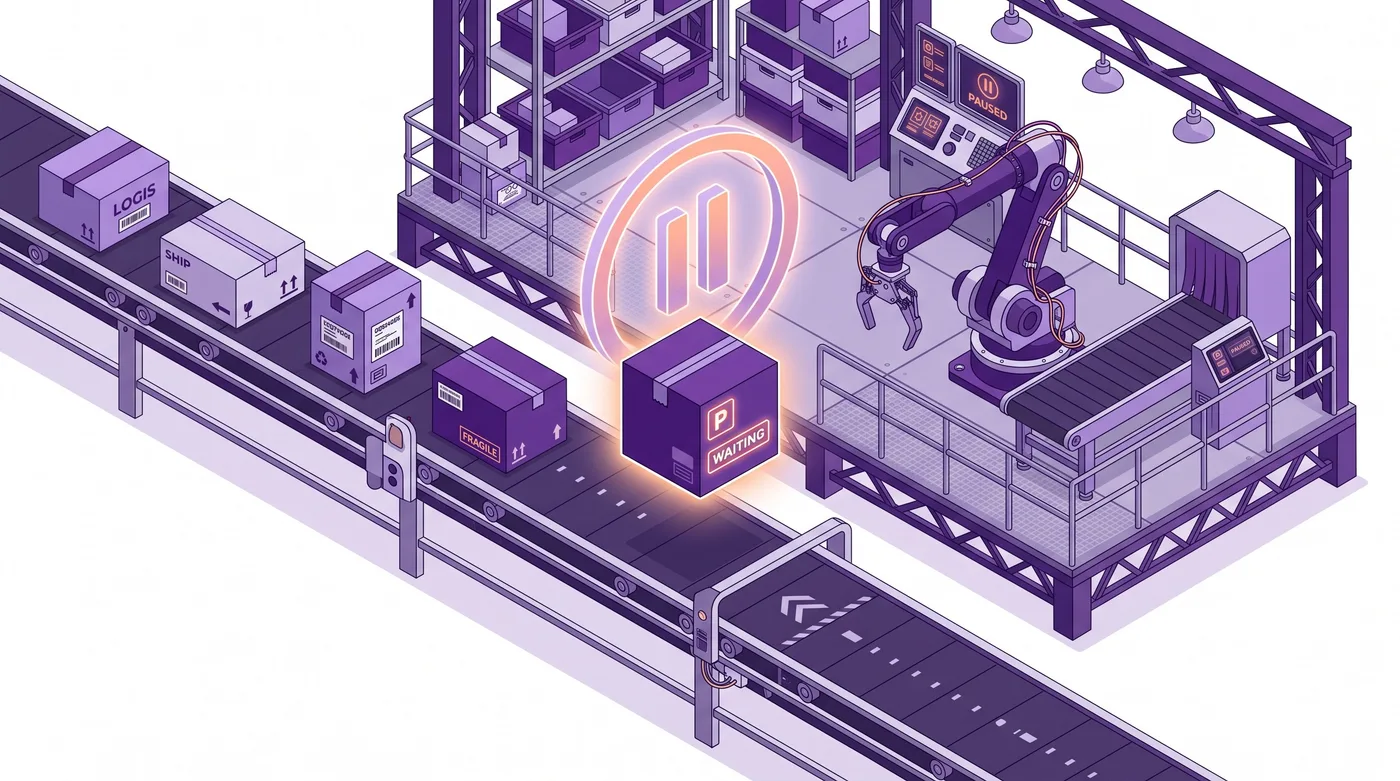

Shopify order paused on conveyor belt before 3PL fulfillment pick

Why the 3PL race exists at all

The race exists because Shopify treats an order as ready the moment it is paid, while your customer treats checkout as the last point they were paying attention. Those two states diverge by minutes, and the gap is where every avoidable fulfillment error lives.

Across 10 million+ Shopify orders, about 1 in 19 (5.2%) is edited after checkout (Revize, 2026). That rate is low enough that merchants often dismiss it and high enough that at 20,000 orders a month it means roughly a thousand orders a month want to change. Shipping-address changes are the #1 post-purchase edit, 30.2% of all edited orders (Revize, 2026), and an address change is the single edit type that becomes worthless the instant a label prints.

The faster your fulfillment stack, the worse this gets. A merchant on a nightly batch export has hours of natural slack. A merchant with a real-time 3PL integration has seconds. Speed to warehouse is an operational win everywhere except here, where it converts a two-click fix into a carrier intercept request.

Tip: Before you configure anything, ask your 3PL two questions: how quickly does an order appear in your WMS after Shopify sends it, and what is the last moment we can pull it back? Those two answers define the entire window you have to work with.

What a Shopify fulfillment hold actually does

A fulfillment hold is a pause state on the order that prevents it moving into fulfillment, and it is the mechanism that buys back the minutes your 3PL would otherwise consume. The order still exists, is still paid, and still appears in your admin; it just isn't eligible to be picked.

In plain terms: it is the difference between a package sitting in a staging area with a sticky note on it and a package already on the truck. Both are "in the warehouse." Only one can still be changed.

The Revize documentation frames this as an explicit choice at the order-processing layer. Per docs.revize.app/setup/order-processing, you pick one of two modes:

  • Hold orders: "Orders are put on hold during the editing window, then released for fulfillment when editing closes." The docs state the purpose plainly: it "prevents your 3PL from picking orders too early."

  • Skip hold: "Orders flow normally through your systems," with release tags handling coordination instead.

That is the whole architectural decision, and it is a genuine trade-off rather than a default. Holding protects edit integrity at the cost of introducing latency into every order, including the 94.8% nobody will touch. Skipping the hold protects your SLA and accepts that a fast 3PL will occasionally win the race.


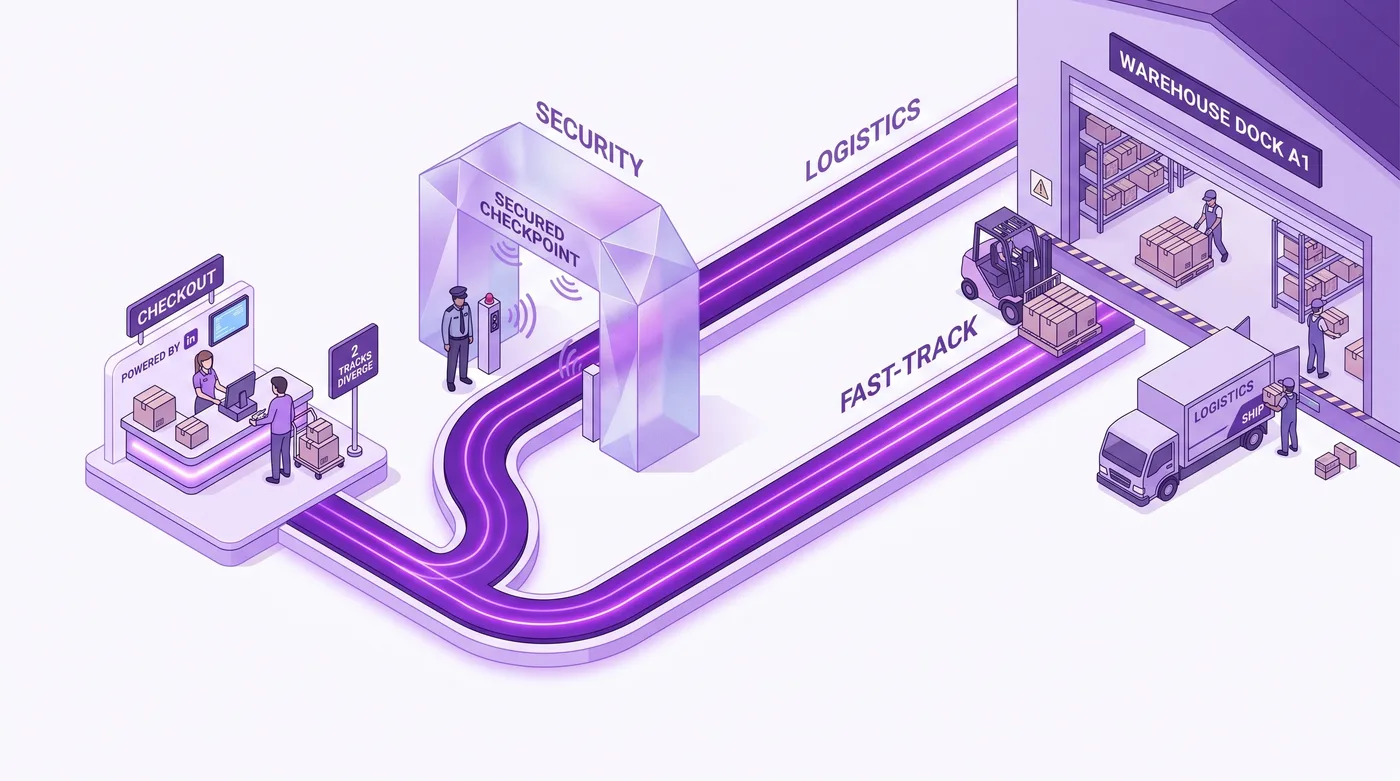
Two parallel order paths showing held versus flowing Shopify fulfillment routes

How to size your edit window against pick times

Size the window to the last moment your 3PL can still pull an order back, not to a number that sounds generous. A 24-hour window on a warehouse that picks within ten minutes is not customer-friendly; it is a promise you cannot keep.

The edit window is configured separately from the hold. Per docs.revize.app/setup/edit-window, you can "set how long customers can edit an order after checkout. Choose a fixed or custom duration, keep editing open until fulfillment, or schedule cutoffs that match your pick times."

That last option is the one most operators overlook. If your warehouse picks in waves rather than continuously, a scheduled cutoff aligned to the wave is strictly better than a duration, because it gives early-morning orders a long window and late orders an honest short one, without you guessing an average.

Window setting

What the customer gets

Fits a 3PL that

Pairing I'd recommend

Fixed duration

The same window on every order

Picks continuously through the day

Hold orders

Custom duration

A window you set to your own number

Has a known, stable lag before pick

Hold orders

Open until fulfillment

Editing stays live until the order is fulfilled

Fulfills in batches you control

Skip hold

Scheduled cutoff

Editing closes at your pick time

Picks in fixed daily or shift-based waves

Hold orders

The right-hand column is an operator judgment, not a product constraint; you can pair any window with either processing mode. But the logic is consistent: if the warehouse decides when picking happens, hold the order and control the release yourself. If you decide when fulfillment happens, you already have the slack and the hold is redundant latency.

Given that 80.6% of edits arrive inside the first hour (Revize, 2026), a one-hour window captures the overwhelming majority of real demand. Extending to 24 hours buys you a rounding error in coverage and costs you a day of throughput on every order. That is the calculation most merchants get backwards.

Not every order should be editable

Editability should be a rule, not a default, because some orders are structurally unsafe to change after payment. Pre-orders, gift cards, made-to-order items, subscription renewals, and anything already staged for a same-day courier all belong outside the window.

Revize handles this with tags rather than code. Per docs.revize.app/setup/order-edit-restrictions, you "block editing for specific orders or products using order tags and product tags," and the app "reads them automatically and blocks edits." The docs also note that leaving the fields blank allows edits on everything, which is worth knowing before you go live.

For an agency, this is the cleanest possible integration surface. Your existing tagging automation already writes tags on orders and products for a dozen other reasons; the restriction layer just reads them. There is no separate rules engine to maintain and no deploy required when merchandising changes its mind about which SKUs are made-to-order.


Warehouse pick wave schedule aligned with post-checkout order edit window

Where the edit window and the hold have to agree

The hold and the window are two halves of one contract, and the failure mode is releasing the hold while the customer still believes they can edit. That produces the worst outcome available: a customer who saw an edit confirmation and a warehouse that shipped the original.

This is the part of the problem that argues for keeping both halves in one system rather than stitching a homegrown hold to a third-party editing widget. When the same layer owns the window and the release, the two cannot drift.

Revize is built around that coupling, and it shows most clearly in the payment edge case. When a customer edits into a higher-value order, there is a moment where the order has changed but the money has not arrived. Per docs.revize.app/setup/reverse-unpaid-edits, the app "restores an order to its last paid state when a customer abandons an additional payment," and the documentation is explicit about the sequencing: "Revize releases the fulfillment hold only after Shopify confirms that the balance is settled." The same settings screen exposes an automatic-reversal toggle, a wait time, and exclusion tags.

That ordering is the whole point. Release on edit-completed and you can ship an upgraded order that was never paid for. Release on balance-confirmed and the hold is doing the job a hold exists to do.

The outcome this produces at volume is the reason to bother: 48,742 wrong shipping addresses were caught before the package shipped (Revize, 2026), and 92.2% of post-purchase edits are completed by the customer with no support agent involved (Revize, 2026). The app carries a 5.0 rating across 121 reviews on the Shopify App Store and holds the Built for Shopify badge. The screenshots in the linked documentation pages show the actual configuration screens, which is the fastest way to see whether the model fits your stack before you install anything.

Support tickets dissolving as customers self-serve Shopify order edits

An implementation sequence for agencies

Configure this in the order below, because each step depends on a number you only get from the step before it. Skipping straight to the window setting is how merchants end up with a window that contradicts their warehouse.

  1. Measure the real pick lag. Place test orders across a normal day and record the elapsed time from order creation to the order appearing in the WMS. Use the fastest observation, not the average; the fastest case is the one that breaks.

  2. Confirm the pull-back point with your 3PL. Ask specifically at which stage an order becomes uncancellable on their side. Some allow changes until wave release, some until picking starts, some until label generation.

  3. Choose the processing mode. Continuous picking with a short lag means Hold orders. Batch fulfillment you control means Skip hold is worth evaluating.

  4. Set the window to the pull-back point, minus a safety margin. If waves release at 11:00, a scheduled cutoff at 10:30 is defensible. A four-hour duration is not.

  5. Tag the exclusions before launch. Pre-orders, gift cards, and same-day SKUs get their tags applied first so the restriction rules are live on day one.

  6. Test the unpaid-edit path deliberately. Start an edit that increases order value, abandon the payment, and confirm the order returns to its last paid state and stays held.

  7. Verify the full cycle on a real test order. Watch a single order move through hold, edit, release, and fulfillment end to end before you enable it on live traffic. Every 3PL integration behaves slightly differently, and a live test order is the only source of truth about yours.

Step seven is not optional padding. Platform and middleware behavior around holds varies by integration, and the only claim worth trusting about your stack is one you observed in your stack.

The bottom line

Post-checkout editing at scale is a timing problem before it is a UX problem, and the fulfillment hold is the mechanism that makes the timing work. Get the window and the hold aligned and edits become routine; get them misaligned and every edit becomes an exception your support team handles manually.

For ops leads: the number that should drive your configuration is your warehouse's pull-back point, and the number that should reassure you is 80.6% of edits landing in the first hour. You do not need a long window. You need an honest one.

For agencies: the integration surface is small (a processing mode, a window, a set of tags), which means the value you add is in the measurement and the testing, not the clicking.

Here's what to do this week: pull your last 30 days of address-change tickets and count how many arrived within an hour of the order; time your true order-to-WMS lag with three test orders; then set one edit window that matches it. If customer self-serve editing is the direction you're heading, Revize is on the Shopify App Store.


Operations lead confidently managing Shopify fulfillment holds and 3PL integration

Frequently Asked Questions

What is a fulfillment hold on Shopify?

A fulfillment hold is a pause state that prevents a paid order from moving into fulfillment. The order stays in your admin and stays paid; it simply is not eligible to be picked or shipped while the hold is active. In a post-checkout editing setup, the hold exists to keep the order changeable during the customer's edit window, then lifts automatically when that window closes.

Will holding every order slow down my shipping SLA?

Yes, by exactly the length of your edit window, which is why the window should be short. A one-hour window adds one hour to every order's path to the warehouse. That is a real cost, and it is the reason to align the window to your actual pull-back point rather than picking a comfortable-sounding duration. Merchants who fulfill in scheduled waves often absorb the delay entirely, because the hold releases before the next wave anyway.

How long should my post-checkout edit window be?

As long as your 3PL can still pull an order back, and not one minute longer. Since 80.6% of edits happen within the first hour of checkout (Revize, 2026), a short window captures nearly all genuine demand. Revize supports fixed durations, custom durations, editing open until fulfillment, and scheduled cutoffs matched to pick times, per its edit-window documentation.

Does a fulfillment hold stop my 3PL from seeing the order?

That depends on how your 3PL integration is wired, so verify it on a test order. Some integrations pull only fulfillment-eligible orders and will not see a held order at all; others sync the order record immediately and respect the hold state separately. This is the single most important thing to confirm before enabling holds on live traffic.

What is the difference between "Hold orders" and "Skip hold"?

Hold orders pauses fulfillment during the edit window and releases when editing closes; Skip hold lets orders flow normally through your systems. The Revize documentation describes Hold orders as the option that "prevents your 3PL from picking orders too early," while Skip hold relies on release tags for coordination instead. Choose Hold orders when the warehouse controls picking timing, and evaluate Skip hold when you control fulfillment batches yourself.

Can I allow editing on some orders but not others?

Yes, using order tags and product tags. Per the order edit restrictions documentation, you enter the tags you want to block, apply those same tags in Shopify, and the app reads them automatically. Leaving the fields blank allows edits on everything, so configure the exclusions before you go live rather than after.

What happens if a customer edits their order but never pays the difference?

The order is restored to its last paid state, and the fulfillment hold stays on until the balance is settled. Revize's documentation is explicit that it "releases the fulfillment hold only after Shopify confirms that the balance is settled." The reversal behavior includes an automatic toggle, a configurable wait time, and exclusion tags, documented at docs.revize.app/setup/reverse-unpaid-edits.

Should I just keep editing open until fulfillment instead of setting a timer?

Only if you control when fulfillment happens. Keeping the window open until fulfillment is a clean model for merchants who batch-fulfill on their own schedule, because the natural gap does the work a hold would otherwise do. For a store feeding a continuously picking 3PL, "until fulfillment" can mean a two-minute window in practice, which is worse than an explicit one.

How many of my orders will actually be edited?

About 1 in 19, based on 10 million+ Shopify orders (Revize, 2026), or 5.2%. Address changes make up 30.2% of those edits, the largest single category. At low volume the number feels ignorable; at 20,000 orders a month it is roughly a thousand orders that want to change, and the address subset is the portion that becomes unfixable once a label prints.

Do address changes really need a hold?

They are the edit type that most needs one, because an address change is worthless after the label prints. A swap or a quantity change can sometimes be reconciled downstream. A shipping address cannot: once the parcel is labeled and manifested, the fix moves from a two-click customer action to a carrier intercept or a full reship. For more on that specific flow, see our guide to changing a shipping address after checkout.

How do I test this without risking real orders?

Run the full cycle on a single test order before enabling holds on live traffic. Place the order, confirm it is held, complete an edit that raises the order value, abandon the payment to verify the reversal, then complete a paid edit and watch the hold release and the order reach your 3PL. Time each stage. The elapsed numbers you record are what your window should be built on.

Who should own this configuration, ops or the agency?

Ops owns the numbers, the agency owns the wiring. The pull-back point, the pick schedule, and the list of non-editable SKUs are operational facts only the merchant's team has. The measurement methodology, the tagging automation, and the end-to-end test are where an implementation partner adds value. Splitting it any other way produces a window that reflects a guess rather than a warehouse.

Related Articles

Quick answer: A Shopify fulfillment hold pauses an order so your 3PL cannot pick it while the customer still has an open edit window. It matters because 80.6% of order edits happen within the first hour of checkout (Revize, 2026). Size the window to your pick cutoff, then release the hold automatically.

Every post-checkout edit is a race between two clocks: the customer realizing they entered the wrong apartment number, and your warehouse management system pulling the order onto a pick list. The median post-checkout edit lands 4.6 minutes after the order is placed (Revize, 2026), which sounds like plenty of room until you remember that a well-integrated 3PL can have that order in its queue in under a minute. Lose the race and a correctable mistake becomes a reshipment, a return, or a refund.

This guide covers what a fulfillment hold actually does, how to size an edit window against your pick schedule, when to hold orders versus letting them flow, and how to keep the whole thing from wrecking your shipping SLA. It's written for the ops lead who owns the 3PL relationship and the agency engineer who has to configure it.


Shopify order paused on conveyor belt before 3PL fulfillment pick

Why the 3PL race exists at all

The race exists because Shopify treats an order as ready the moment it is paid, while your customer treats checkout as the last point they were paying attention. Those two states diverge by minutes, and the gap is where every avoidable fulfillment error lives.

Across 10 million+ Shopify orders, about 1 in 19 (5.2%) is edited after checkout (Revize, 2026). That rate is low enough that merchants often dismiss it and high enough that at 20,000 orders a month it means roughly a thousand orders a month want to change. Shipping-address changes are the #1 post-purchase edit, 30.2% of all edited orders (Revize, 2026), and an address change is the single edit type that becomes worthless the instant a label prints.

The faster your fulfillment stack, the worse this gets. A merchant on a nightly batch export has hours of natural slack. A merchant with a real-time 3PL integration has seconds. Speed to warehouse is an operational win everywhere except here, where it converts a two-click fix into a carrier intercept request.

Tip: Before you configure anything, ask your 3PL two questions: how quickly does an order appear in your WMS after Shopify sends it, and what is the last moment we can pull it back? Those two answers define the entire window you have to work with.

What a Shopify fulfillment hold actually does

A fulfillment hold is a pause state on the order that prevents it moving into fulfillment, and it is the mechanism that buys back the minutes your 3PL would otherwise consume. The order still exists, is still paid, and still appears in your admin; it just isn't eligible to be picked.

In plain terms: it is the difference between a package sitting in a staging area with a sticky note on it and a package already on the truck. Both are "in the warehouse." Only one can still be changed.

The Revize documentation frames this as an explicit choice at the order-processing layer. Per docs.revize.app/setup/order-processing, you pick one of two modes:

  • Hold orders: "Orders are put on hold during the editing window, then released for fulfillment when editing closes." The docs state the purpose plainly: it "prevents your 3PL from picking orders too early."

  • Skip hold: "Orders flow normally through your systems," with release tags handling coordination instead.

That is the whole architectural decision, and it is a genuine trade-off rather than a default. Holding protects edit integrity at the cost of introducing latency into every order, including the 94.8% nobody will touch. Skipping the hold protects your SLA and accepts that a fast 3PL will occasionally win the race.


Two parallel order paths showing held versus flowing Shopify fulfillment routes

How to size your edit window against pick times

Size the window to the last moment your 3PL can still pull an order back, not to a number that sounds generous. A 24-hour window on a warehouse that picks within ten minutes is not customer-friendly; it is a promise you cannot keep.

The edit window is configured separately from the hold. Per docs.revize.app/setup/edit-window, you can "set how long customers can edit an order after checkout. Choose a fixed or custom duration, keep editing open until fulfillment, or schedule cutoffs that match your pick times."

That last option is the one most operators overlook. If your warehouse picks in waves rather than continuously, a scheduled cutoff aligned to the wave is strictly better than a duration, because it gives early-morning orders a long window and late orders an honest short one, without you guessing an average.

Window setting

What the customer gets

Fits a 3PL that

Pairing I'd recommend

Fixed duration

The same window on every order

Picks continuously through the day

Hold orders

Custom duration

A window you set to your own number

Has a known, stable lag before pick

Hold orders

Open until fulfillment

Editing stays live until the order is fulfilled

Fulfills in batches you control

Skip hold

Scheduled cutoff

Editing closes at your pick time

Picks in fixed daily or shift-based waves

Hold orders

The right-hand column is an operator judgment, not a product constraint; you can pair any window with either processing mode. But the logic is consistent: if the warehouse decides when picking happens, hold the order and control the release yourself. If you decide when fulfillment happens, you already have the slack and the hold is redundant latency.

Given that 80.6% of edits arrive inside the first hour (Revize, 2026), a one-hour window captures the overwhelming majority of real demand. Extending to 24 hours buys you a rounding error in coverage and costs you a day of throughput on every order. That is the calculation most merchants get backwards.

Not every order should be editable

Editability should be a rule, not a default, because some orders are structurally unsafe to change after payment. Pre-orders, gift cards, made-to-order items, subscription renewals, and anything already staged for a same-day courier all belong outside the window.

Revize handles this with tags rather than code. Per docs.revize.app/setup/order-edit-restrictions, you "block editing for specific orders or products using order tags and product tags," and the app "reads them automatically and blocks edits." The docs also note that leaving the fields blank allows edits on everything, which is worth knowing before you go live.

For an agency, this is the cleanest possible integration surface. Your existing tagging automation already writes tags on orders and products for a dozen other reasons; the restriction layer just reads them. There is no separate rules engine to maintain and no deploy required when merchandising changes its mind about which SKUs are made-to-order.


Warehouse pick wave schedule aligned with post-checkout order edit window

Where the edit window and the hold have to agree

The hold and the window are two halves of one contract, and the failure mode is releasing the hold while the customer still believes they can edit. That produces the worst outcome available: a customer who saw an edit confirmation and a warehouse that shipped the original.

This is the part of the problem that argues for keeping both halves in one system rather than stitching a homegrown hold to a third-party editing widget. When the same layer owns the window and the release, the two cannot drift.

Revize is built around that coupling, and it shows most clearly in the payment edge case. When a customer edits into a higher-value order, there is a moment where the order has changed but the money has not arrived. Per docs.revize.app/setup/reverse-unpaid-edits, the app "restores an order to its last paid state when a customer abandons an additional payment," and the documentation is explicit about the sequencing: "Revize releases the fulfillment hold only after Shopify confirms that the balance is settled." The same settings screen exposes an automatic-reversal toggle, a wait time, and exclusion tags.

That ordering is the whole point. Release on edit-completed and you can ship an upgraded order that was never paid for. Release on balance-confirmed and the hold is doing the job a hold exists to do.

The outcome this produces at volume is the reason to bother: 48,742 wrong shipping addresses were caught before the package shipped (Revize, 2026), and 92.2% of post-purchase edits are completed by the customer with no support agent involved (Revize, 2026). The app carries a 5.0 rating across 121 reviews on the Shopify App Store and holds the Built for Shopify badge. The screenshots in the linked documentation pages show the actual configuration screens, which is the fastest way to see whether the model fits your stack before you install anything.


Support tickets dissolving as customers self-serve Shopify order edits

An implementation sequence for agencies

Configure this in the order below, because each step depends on a number you only get from the step before it. Skipping straight to the window setting is how merchants end up with a window that contradicts their warehouse.

  1. Measure the real pick lag. Place test orders across a normal day and record the elapsed time from order creation to the order appearing in the WMS. Use the fastest observation, not the average; the fastest case is the one that breaks.

  2. Confirm the pull-back point with your 3PL. Ask specifically at which stage an order becomes uncancellable on their side. Some allow changes until wave release, some until picking starts, some until label generation.

  3. Choose the processing mode. Continuous picking with a short lag means Hold orders. Batch fulfillment you control means Skip hold is worth evaluating.

  4. Set the window to the pull-back point, minus a safety margin. If waves release at 11:00, a scheduled cutoff at 10:30 is defensible. A four-hour duration is not.

  5. Tag the exclusions before launch. Pre-orders, gift cards, and same-day SKUs get their tags applied first so the restriction rules are live on day one.

  6. Test the unpaid-edit path deliberately. Start an edit that increases order value, abandon the payment, and confirm the order returns to its last paid state and stays held.

  7. Verify the full cycle on a real test order. Watch a single order move through hold, edit, release, and fulfillment end to end before you enable it on live traffic. Every 3PL integration behaves slightly differently, and a live test order is the only source of truth about yours.

Step seven is not optional padding. Platform and middleware behavior around holds varies by integration, and the only claim worth trusting about your stack is one you observed in your stack.

The bottom line

Post-checkout editing at scale is a timing problem before it is a UX problem, and the fulfillment hold is the mechanism that makes the timing work. Get the window and the hold aligned and edits become routine; get them misaligned and every edit becomes an exception your support team handles manually.

For ops leads: the number that should drive your configuration is your warehouse's pull-back point, and the number that should reassure you is 80.6% of edits landing in the first hour. You do not need a long window. You need an honest one.

For agencies: the integration surface is small (a processing mode, a window, a set of tags), which means the value you add is in the measurement and the testing, not the clicking.

Here's what to do this week: pull your last 30 days of address-change tickets and count how many arrived within an hour of the order; time your true order-to-WMS lag with three test orders; then set one edit window that matches it. If customer self-serve editing is the direction you're heading, Revize is on the Shopify App Store.


Operations lead confidently managing Shopify fulfillment holds and 3PL integration

Frequently Asked Questions

What is a fulfillment hold on Shopify?

A fulfillment hold is a pause state that prevents a paid order from moving into fulfillment. The order stays in your admin and stays paid; it simply is not eligible to be picked or shipped while the hold is active. In a post-checkout editing setup, the hold exists to keep the order changeable during the customer's edit window, then lifts automatically when that window closes.

Will holding every order slow down my shipping SLA?

Yes, by exactly the length of your edit window, which is why the window should be short. A one-hour window adds one hour to every order's path to the warehouse. That is a real cost, and it is the reason to align the window to your actual pull-back point rather than picking a comfortable-sounding duration. Merchants who fulfill in scheduled waves often absorb the delay entirely, because the hold releases before the next wave anyway.

How long should my post-checkout edit window be?

As long as your 3PL can still pull an order back, and not one minute longer. Since 80.6% of edits happen within the first hour of checkout (Revize, 2026), a short window captures nearly all genuine demand. Revize supports fixed durations, custom durations, editing open until fulfillment, and scheduled cutoffs matched to pick times, per its edit-window documentation.

Does a fulfillment hold stop my 3PL from seeing the order?

That depends on how your 3PL integration is wired, so verify it on a test order. Some integrations pull only fulfillment-eligible orders and will not see a held order at all; others sync the order record immediately and respect the hold state separately. This is the single most important thing to confirm before enabling holds on live traffic.

What is the difference between "Hold orders" and "Skip hold"?

Hold orders pauses fulfillment during the edit window and releases when editing closes; Skip hold lets orders flow normally through your systems. The Revize documentation describes Hold orders as the option that "prevents your 3PL from picking orders too early," while Skip hold relies on release tags for coordination instead. Choose Hold orders when the warehouse controls picking timing, and evaluate Skip hold when you control fulfillment batches yourself.

Can I allow editing on some orders but not others?

Yes, using order tags and product tags. Per the order edit restrictions documentation, you enter the tags you want to block, apply those same tags in Shopify, and the app reads them automatically. Leaving the fields blank allows edits on everything, so configure the exclusions before you go live rather than after.

What happens if a customer edits their order but never pays the difference?

The order is restored to its last paid state, and the fulfillment hold stays on until the balance is settled. Revize's documentation is explicit that it "releases the fulfillment hold only after Shopify confirms that the balance is settled." The reversal behavior includes an automatic toggle, a configurable wait time, and exclusion tags, documented at docs.revize.app/setup/reverse-unpaid-edits.

Should I just keep editing open until fulfillment instead of setting a timer?

Only if you control when fulfillment happens. Keeping the window open until fulfillment is a clean model for merchants who batch-fulfill on their own schedule, because the natural gap does the work a hold would otherwise do. For a store feeding a continuously picking 3PL, "until fulfillment" can mean a two-minute window in practice, which is worse than an explicit one.

How many of my orders will actually be edited?

About 1 in 19, based on 10 million+ Shopify orders (Revize, 2026), or 5.2%. Address changes make up 30.2% of those edits, the largest single category. At low volume the number feels ignorable; at 20,000 orders a month it is roughly a thousand orders that want to change, and the address subset is the portion that becomes unfixable once a label prints.

Do address changes really need a hold?

They are the edit type that most needs one, because an address change is worthless after the label prints. A swap or a quantity change can sometimes be reconciled downstream. A shipping address cannot: once the parcel is labeled and manifested, the fix moves from a two-click customer action to a carrier intercept or a full reship. For more on that specific flow, see our guide to changing a shipping address after checkout.

How do I test this without risking real orders?

Run the full cycle on a single test order before enabling holds on live traffic. Place the order, confirm it is held, complete an edit that raises the order value, abandon the payment to verify the reversal, then complete a paid edit and watch the hold release and the order reach your 3PL. Time each stage. The elapsed numbers you record are what your window should be built on.

Who should own this configuration, ops or the agency?

Ops owns the numbers, the agency owns the wiring. The pull-back point, the pick schedule, and the list of non-editable SKUs are operational facts only the merchant's team has. The measurement methodology, the tagging automation, and the end-to-end test are where an implementation partner adds value. Splitting it any other way produces a window that reflects a guess rather than a warehouse.

Related Articles

Revize your Shopify store. Lead with customer experience.

© Copyright 2026, All Rights Reserved

Revize your Shopify store. Lead with customer experience.

© Copyright 2026, All Rights Reserved

Revize your Shopify store. Lead with customer experience.

© Copyright 2026, All Rights Reserved

Revize your Shopify store. Lead with customer experience.

© Copyright 2026, All Rights Reserved