
On this page
I wanted a Shopify merchant to walk an order through a warehouse, see what happens when it changes, and leave with something useful for their store. That became Warehouse Rush, our free, English-only browser game.
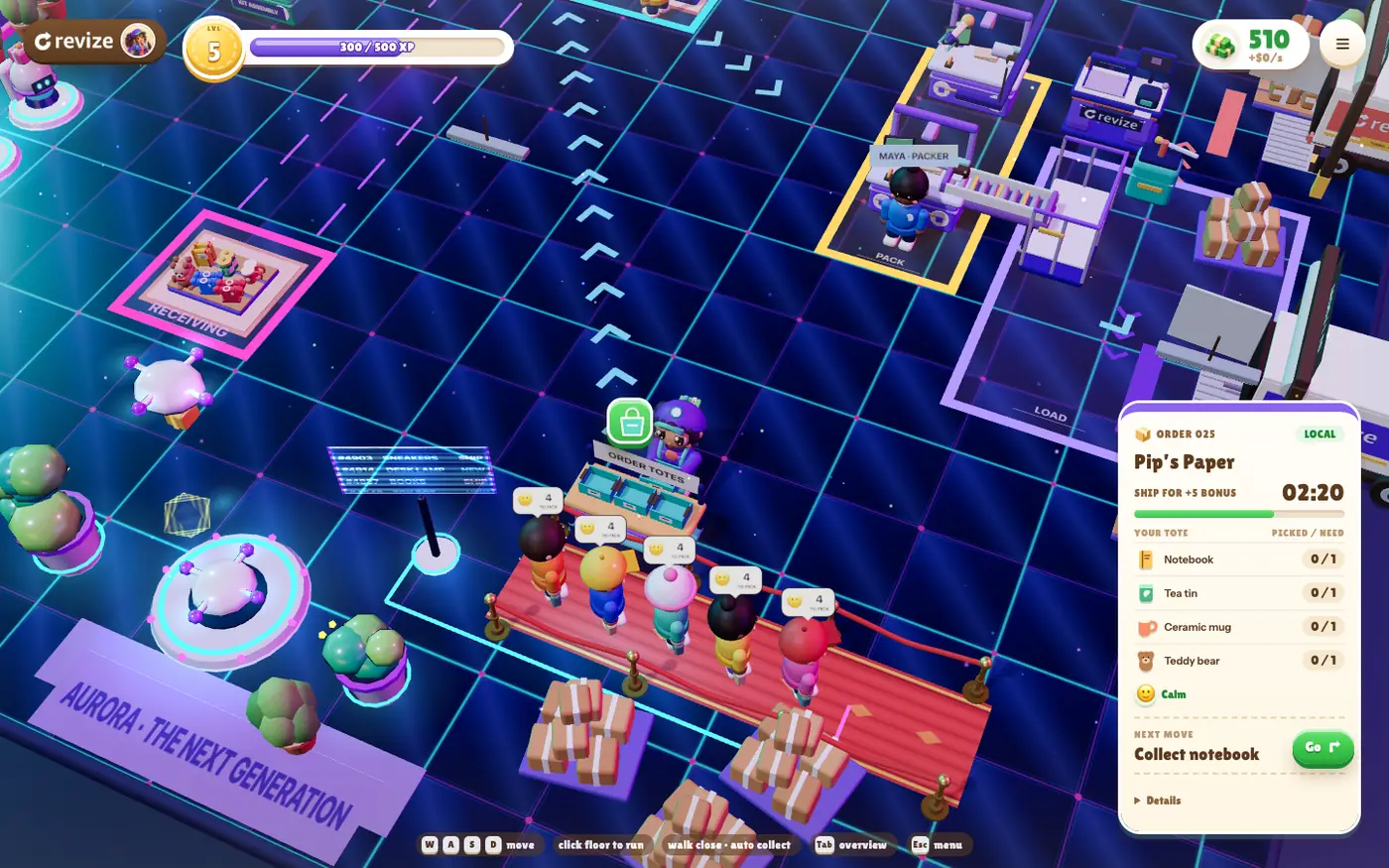
You pick goods, assemble kits, pack parcels, load vans and invest the cash you collect. Maple Depot grows into Riverside Warehouse and Aurora Fulfillment. The game carries The Nine-Figure Upsell Playbook, a practical guide to choosing and testing an offer.
If you want to build a 3D browser game with AI coding agents, this is our build log. It covers Three.js, Codex, Claude, Higgsfield and ElevenLabs, including the parts that changed during development.

The image above is promotional key art. The warehouse screenshots below show the playable world.
Why a Shopify app built a warehouse game
I wanted a lead magnet whose activity explains the order flow and whose reward helps a merchant act on it.
Revize lets shoppers edit eligible Shopify orders before fulfillment. The interesting operational question is what happens between a customer changing an order and a warehouse shipping it. Our guide to an order already being picked by a 3PL covers the real-world coordination.
The game makes a smaller version visible. Goods belong to particular orders. Changed orders need correction and a current label before dispatch. Packing, stock and delivery are connected actions.
The playbook supplies the merchant work after that illustration. Its cover says “Choose / Build / Prove / Decide” and “Practical lessons from our work with nine-figure brands.” Across 16 pages, its six missions cover choosing a useful pair, building and placing the offer, making the intended offer win, proving payment, diagnosing the result and deciding from your own scorecard.
Enter the game with your email and store URL. The first shipped parcel earns the upsell playbook. This is a playable introduction to the subject; we have no measured workplace-training outcome to report.
The stack and the boundary that matters
Three.js draws the warehouse, TypeScript holds its rules, and Vite packages the standalone browser project.
The game has its own source, lockfile, tests and assets, separate from the website’s Astro project. Vite produces the browser bundle with relative asset paths, consistent with its static production build workflow.
The main division is between the simulation and its presentation:
tycoon-model.tsowns orders, quantities, parcel ownership, revisions, workers, cash and save validation.tycoon-world.tsdraws that state and manages the scene’s visual resources.tycoon-entry.tsconnects input, menus, saving, audio and the frame loop.
An animation callback never awards stock or money. A flying notebook is feedback for a model change. Keeping that distinction makes a missed visual effect different from a lost item.
The playing camera is a THREE.PerspectiveCamera, the Three.js perspective camera; the renderer’s orthographic camera is used only for the sun’s shadows.
Rapier appears in the upstream licence history. The active tycoon does not import it; collision, navigation and bounded prop motion are implemented directly.
What we authored in code and what we generated
The warehouse and animated cast are code-authored, while selected pictures, a conveyor model, portal video and sound effects came from generation tools.
The distinction matters when someone asks how the game was made. A portrait, a character rig and a video are different deliverables with different integration work.
| Part | Documented source | Work that remains in the game |
|---|---|---|
| Warehouse, goods and active cast | Original Three.js geometry, with locally drawn Canvas textures | Layout, movement, carrying, machinery and state-driven animation |
| Original poster and portrait-v2 set | Built-in image_gen / OpenAI image generation, recorded in ASSETS.md |
Asset preparation and placement in the interface |
| Dispatch conveyor | Owner’s Higgsfield 3D Jutsu scene, exported as GLB | Static prop integration; parcels and interactions remain game-owned |
| Earlier concrete floor | Owner’s Higgsfield PBR texture set | Historical asset; later floor treatments are code-authored |
| Portal | Owner-account Higgsfield assets and Kling 3.0 clips | Cover replacement, loop editing, encoding and entry timing |
| Gameplay sample bank | ElevenLabs eleven_text_to_sound_v2 |
Loading, mixing, event wiring and synthesized fallbacks |
The asset history includes an intermediate illustrated cast. Claude Opus authored a Canvas2D atlas and cutout animation; Codex integrated it. The current handoff says those flat layers have since been removed and the active cast uses Three.js geometry. The atlas is part of the build history, not the current character renderer.
The current landscape and portrait key art was generated on October 24, 2026 by Codex gpt-6-astra using its built-in OpenAI image generation tool, with the owned, approved in-game “Cozy Soft” render as the style reference and owned v2 character portraits for identity. The shipped files are WebP encodes, and the prompts are kept in art-src/menu-v3/jobs.tsv. The portrait below belongs to the documented generated v2 set.

How I used Codex and Claude without losing the build history
The useful agent workflow assigned concrete work and kept direction, implementation and verification attributable.
The records support specific credits. ASSETS.md credits Astra and Claude Opus with editorial direction for the actionable playbooks. Sol implemented their content, shared renderer and game-menu presentation. The illustrated-cast history names Claude Opus as author and Codex as integrator. The ledger also records Claude Opus refining that cast against my warehouse key art.
The expansion verification records a later Opus closeout after approved fixes. These entries describe actual contributions; they do not establish that one agent authored or reviewed every part of the game.
My reusable process from those records is:
- Define the behavior and who owns its state before asking for visual work.
- Give the implementation task a named module or asset and a visible acceptance condition.
- Review the integration, including old saves, resource cleanup and failure paths.
- Keep evidence for the resulting version. Mark an earlier experiment as historical when it is replaced.
That last step caught real documentation drift here: an old character technique can survive after the renderer changes. A build story needs the same care as a handoff.
Generated media still needed editing and runtime design
Generation supplied source material; post-processing and event wiring made it usable in the browser.
The Higgsfield conveyor export removes sample parcels, cameras and lights from the active scene. Otherwise a presentation model could duplicate the game’s parcels or bring its own lighting. The conveyor remains a static asset while the simulation owns moving goods.
The portal required another kind of cleanup. Its recorded workflow uses Higgsfield/Kling video, projects the real playbook cover into the footage and builds forward-motion loops. It also holds the painted architecture steady outside the moving opening to remove texture boil. Poster frames and final encodes receive separate checks.
Entry has a functional contract too. Lead acceptance and game readiness must both succeed. The portal fades only after the active game acknowledges a rendered frame. A cinematic finishing is not proof that the warehouse is ready for input.
For sound, the active handoff records 23 shipped ElevenLabs effects generated with eleven_text_to_sound_v2. ElevenLabs documents text-generated effects for games and interactive media. Our samples cover actions such as picking, sealing, van departure and upgrade completion.
An earlier ledger entry says 24 generated effects. The handoff explains the shipped count: ui-tap was generated but omitted because there was no central button-click hook.
The browser loads and decodes the sample bank after an audio-unlocking gesture. Events call the samples; unavailable samples use synthesized fallbacks. No ElevenLabs API call or key is needed at runtime. Music and small material sounds are code-synthesized, with separate saved music and effects controls.
Performance work started with layout and loading
Removing repeated browser layout work and reducing required asset bytes mattered alongside the 3D scene budget.
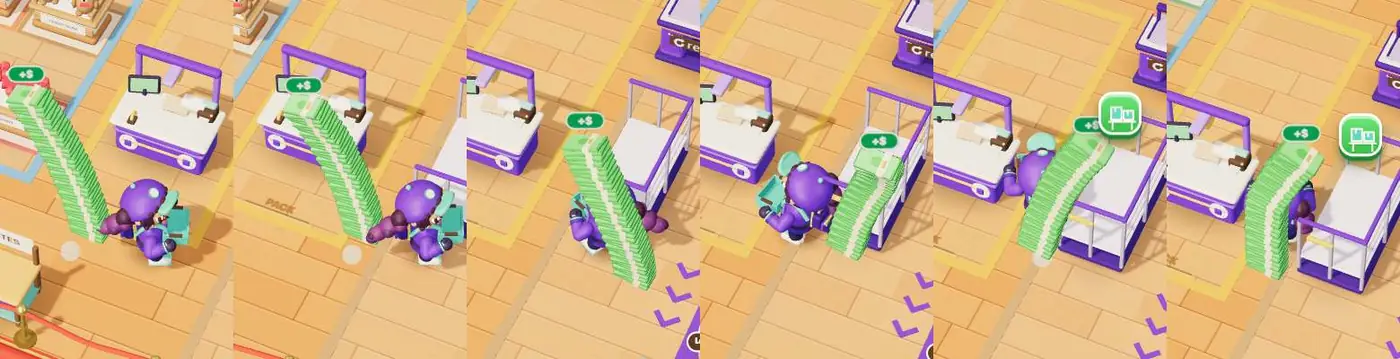
The recorded docs/perf-report.md identifies a repeated canvas measurement inside station-button positioning. Reads of getBoundingClientRect() followed style writes during the frame. Caching the canvas rectangle and invalidating it on resize removed that repeated layout work.
That report also records adaptive quality, parallel asset fetches and merged static props. Quality steps reduce pixel ratio, then shadows and particles, when frame timing remains over budget.
For scale, the report’s test build lists a JavaScript bundle of 1,072 KB, or 308 KB gzipped. Its early-Maple phone-viewport cell records 59 draw calls, including the shadow pass. These are historical measurements from headless Chrome on Apple Silicon, using 20-second samples. They are neither a fresh launch-build audit nor measurements on a physical phone.
The conveyor changed after that report. ASSETS.md records meshopt compression from 641,960 to 51,044 bytes, without geometry simplification or textures. The loader registers Three.js’s MeshoptDecoder for the compressed GLB. The older report’s uncompressed conveyor size must not be presented as current.
I would keep both checks in a future build: what the scene submits each frame and what the browser must fetch before the first playable frame.
Testing followed the parcel through the whole journey
Model tests checked ownership and accounting, while browser checks covered the rendered journey and controls.
The Node test suite covers the simulation, guided lesson, rewards, saved state and controller behavior. The longer journey verifier walks real model paths, earns upgrades and finishes accepted work before moving warehouses. It checks stock, money and save/reload at checkpoints.
The expansion verification records an earned 48-shipment campaign and continuation runs reaching 300 total deliveries on Riverside and Aurora routes. These are correctness runs, not player counts or evidence that a beginner completes the chapter comfortably.
Browser verification adds the things a model journey cannot show: whether the order slip fits, a dialog scrolls, a control remains reachable and the portal reveals an actual frame. Recorded Chrome checks use desktop and phone-sized viewports, including reduced-motion and failure cases.
For an illustrative test case, imagine a giftware store shipping two mugs and one notebook. Change the notebook requirement after picking. The useful assertion is that the final parcel matches the current order and label, while unaffected goods remain accounted for. A successful animation alone cannot prove that.
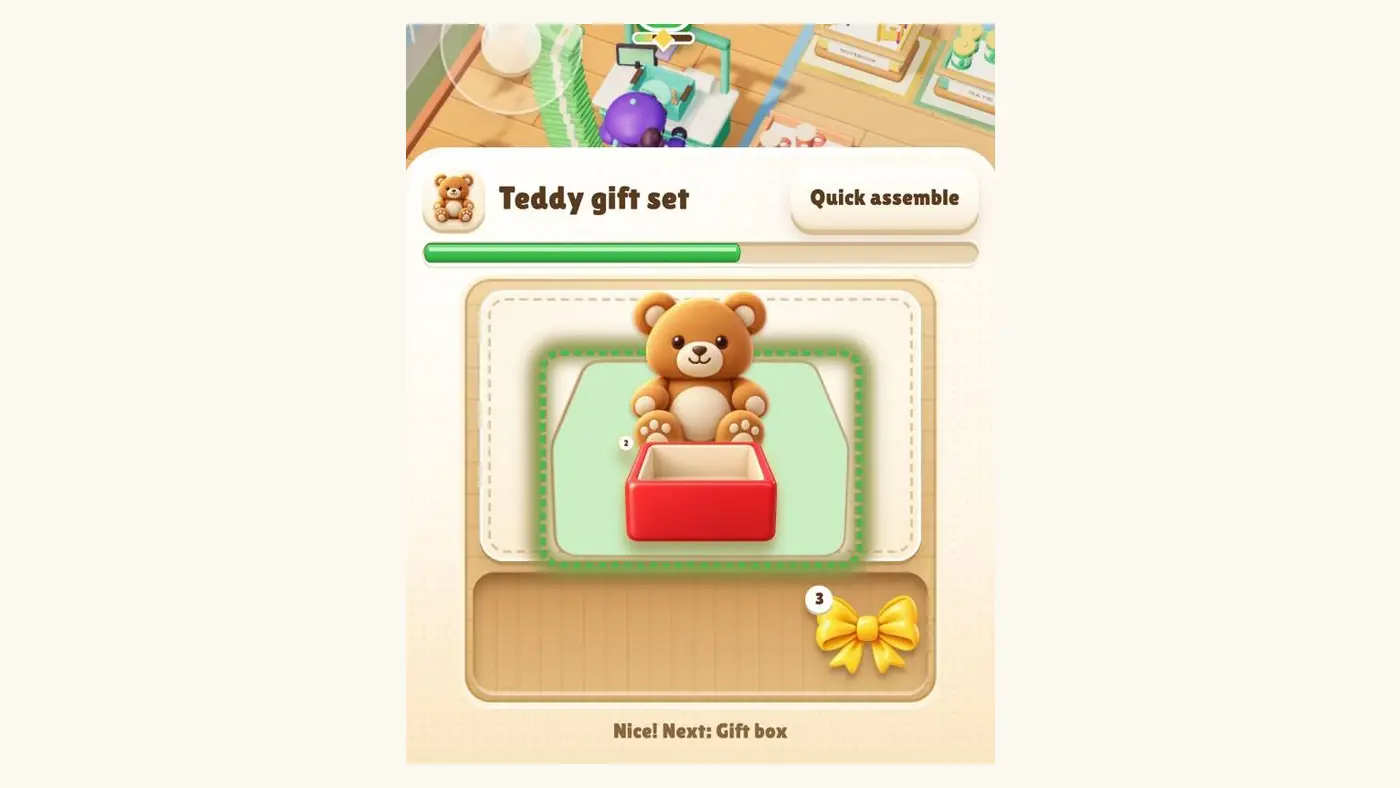
Assembly makes that distinction visible too. The screenshot shows the teddy gift-set mini-game; its presentation still has to agree with the parcel’s underlying contents.
Human decisions and what I would do differently
I would reconcile the documentation earlier and put physical-device testing ahead of further decoration.
The build records contain human choices that a generated result cannot settle. I supplied owned reference art. Portal review rejected an upscale with lettering and edge artifacts. The media process checks readable cover content and motion as well as file measurements. Those are acceptance decisions, not consequences of a successful export.
The current handoff also keeps concrete limits open. Manual walking can overlap a parked truck at the expanded dispatch edge, although routed deliveries still work. A reported phone-lag and visual-glitch issue lacks the device details needed to reproduce it. Desktop viewport checks do not settle either device performance or that report.
Progress is browser-local. There is no cloud save synchronization or multiplayer. Partner offers remain pending. Those boundaries belong in the build story alongside the finished screens.
For merchants, the game is an illustration. Use the post-purchase upsell placement guide for the commercial workflow; Revize’s upsell features require Pro. Verify your own offer journey on a test order.
What to do this week
Build and verify one complete order loop before expanding the warehouse or commissioning more assets.
- Write down who owns the order, stock, parcel and reward state.
- Make picking, packing and dispatch work through one visible journey.
- Record each generated asset’s source, processing and current use.
- Check a reload, a failed load and reduced motion, then test on a physical phone.
Play Warehouse Rush to inspect our result. Enter with your email and store URL, ship your first parcel and get The Nine-Figure Upsell Playbook. Its six missions turn the merchant task into a named offer, a tested payment journey and a decision based on your own retained additions and costs.
Frequently Asked Questions
These answers distinguish the shipped game from earlier experiments and recorded test conditions.
Can I build a 3D browser game with AI coding agents?
Yes, but the implementation still needs explicit rules, integration work and verification. Warehouse Rush separates the simulation from its renderer, uses agents for documented tasks and checks complete journeys. Generated art does not prove that stock, parcel ownership or saved progress behave correctly.
Was all the Warehouse Rush artwork generated by AI?
No, the active warehouse and animated cast are code-authored Three.js work. The ledger separately records generated poster and portrait assets, a Higgsfield conveyor and portal media. An earlier Canvas character atlas was also authored in code. Distinguish that history from the active renderer.
Does Warehouse Rush use Rapier physics?
The active tycoon does not import Rapier. It appears in the upstream project history and licence records. Current collision, navigation and bounded visual motion are implemented directly, so retaining a licence notice does not establish an active physics dependency.
How did you use ElevenLabs sound effects for the game?
We generated effects outside the browser build and wired shipped samples to gameplay events. The handoff records 23 effects using eleven_text_to_sound_v2. Playback follows effects preferences and uses synthesized fallbacks when samples are unavailable. The browser does not call the generation API.
Do your performance tests prove it runs well on my phone?
No, desktop Chrome with a phone-sized viewport is not physical-phone performance evidence. The performance report names its machine, sample conditions and remaining limits. Try the game on your actual device; the unresolved phone report still needs a reproducible device-and-browser case.
How do I get The Nine-Figure Upsell Playbook?
Enter Warehouse Rush with your email and store URL, then ship the first parcel to earn the playbook. The guide has 16 pages and six missions. It takes one offer through product fit, placement, priority, payment checks, diagnosis and a scorecard decision.