
Editing International Shopify Orders After Checkout: Duties, Import Taxes, and Multi-Currency Gotchas
Editing International Shopify Orders After Checkout: Duties, Import Taxes, and Multi-Currency Gotchas
Editing International Shopify Orders After Checkout: Duties, Import Taxes, and Multi-Currency Gotchas

Quick answer: Yes, before any line ships. Shopify can edit unfulfilled orders with duties and import taxes (DDP), though foreign-currency editing is only open to some stores. Revize lets customers make those edits on the order status page while holding fulfillment inside a 5-minute to 48-hour window. Tax and shipping recalculation needs the Pro plan.
Why duties change the stakes on a post-checkout edit
You can edit Shopify orders with duties and import taxes, but each change now moves three figures together: the item price, the tax, and the duty you collected to pay at the border. Across 10 million+ Shopify orders, about 1 in 19 (5.2%) is edited after checkout (Revize, 2026), according to our Shopify order editing statistics.
As an illustration, not a forecast: a store shipping 10,000 orders a month at 5.2% would see roughly 520 edited orders. On a domestic order most of those are a quick swap. On a DDP order (delivered duty paid: the shopper pays duties at checkout and you settle customs, so nothing is owed at the door), the same swap changes the value of a parcel you promised would land duty-free. On a multi-currency order it can change the exchange-rate maths too.
This article covers one job: letting customers fix cross-border orders themselves without breaking the duty line, the exchange rate or the label.

What happens to an international order in its first hour
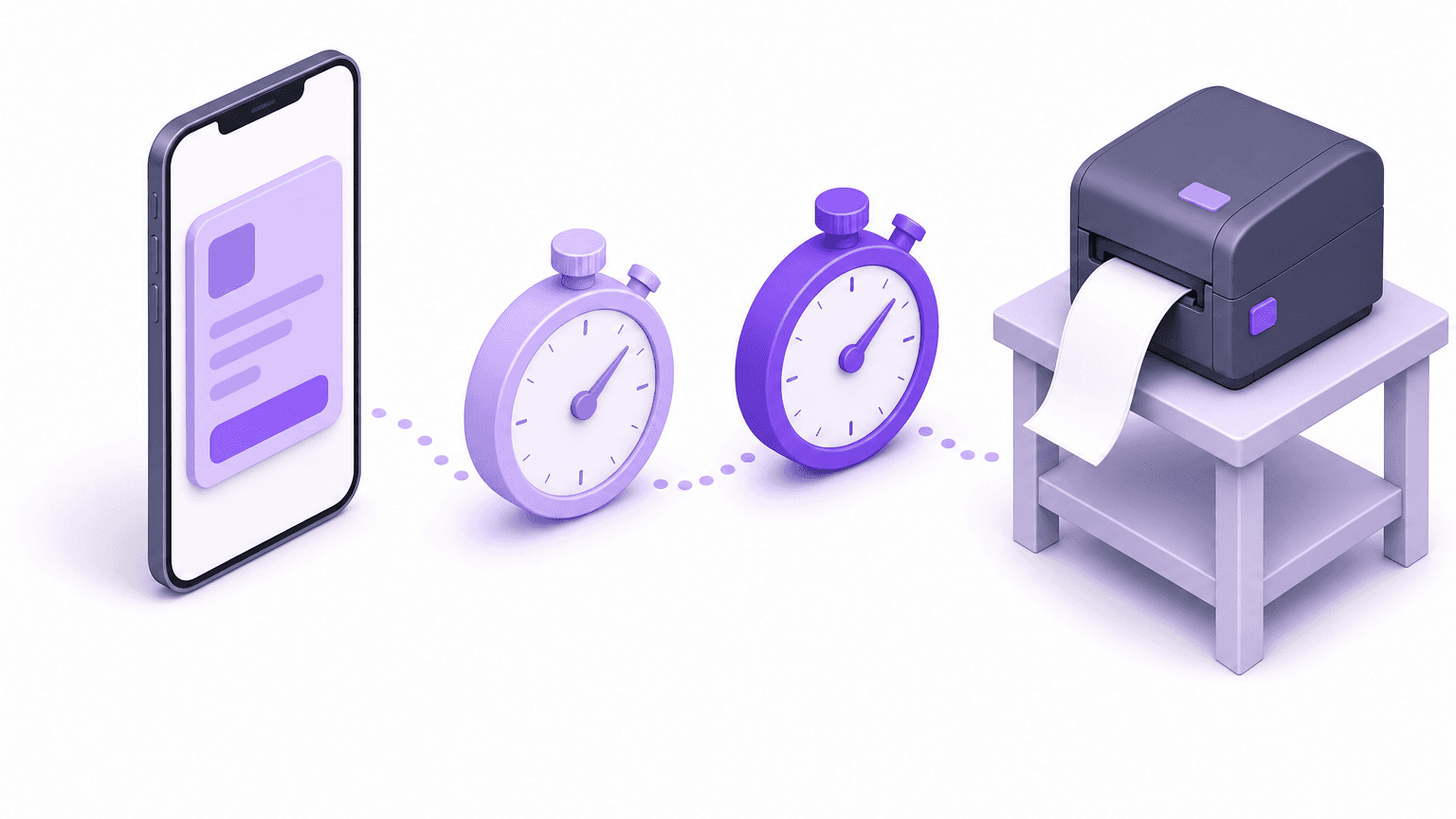
Without a hold, an international order is a race between the customer's change and the moment someone buys the DDP label, and the change usually arrives first. Take a store that ships from one warehouse, sells DDP abroad, and lets shoppers pay in their own currency. A shopper checks out. Shopify charges items, tax and duties in the shopper's currency, and the order drops into the fulfillment queue.
Minutes later the shopper spots the problem. The median post-checkout edit lands 4.6 minutes after the order is placed, and 80.6% of edits happen within the first hour (Revize, 2026). Shipping-address changes lead every other edit type at 30.2% of edited orders. On a cross-border order that fix might be a missing apartment number, or a different country because the gift was meant for a relative abroad.
The warehouse clock keeps running. Once someone buys a DDP label, that money is gone: Shopify's duties guidance states that money spent on DDP shipping labels isn't returned by the carrier, even when you refund duties. Once a line is fulfilled, the order is locked: Shopify says orders with fulfilled line items and duties charged can't be edited.
In plain terms: fix the order before the label exists, or you absorb a label you can't get back.
Can Shopify edit orders with duties and import taxes natively?
Yes, with limits: Shopify can edit an unfulfilled DDP order, but it applies separate rules to currency, custom items and addresses, and a staff member has to do the work. Shopify's order editing considerations set out the rules that matter here:
Unfulfilled orders with duties and taxes charged, such as DDP orders, can be edited. Orders with fulfilled line items and duties charged cannot.
In Shopify's words: "If you change the shipping address during order editing, then taxes are also recalculated based on the new destination."
Duties and taxes aren't calculated on custom items added to an order.
Editing orders placed in international currencies is only available to some stores. Ineligible merchants can refund the order and create a draft order instead.
In a multi-currency edit, added items use the current exchange rate, while quantity increases, decreases and removals use the rate from when the order was placed.
That last rule catches teams out. It works like a hotel bill abroad: the room stays at the rate on the day you booked, while tonight's minibar is charged at tonight's rate. One edit can mix both.
Native editing stops at the workflow. Every change starts as an email; an agent edits the order in admin, sends an invoice or refund, and hopes the warehouse hasn't picked it. That is the legacy model, where the team absorbs the work. We mapped the gaps in our matrix of native Shopify order editing limitations. The modern model removes the work: the customer makes the change inside rules you set, and the order holds until they are done.
What the customer sees when an edit moves duties
In Revize the shopper sees the new total and the exact difference before anything is charged or refunded, then settles it with one of three buttons. Per the payments and refunds setup guide, Revize shows Pay now when the total rises and collects the difference through Shopify, Refund when it falls (following your refund option), and Confirm when it is unchanged.
Say a customer on a DDP order bought a jacket in medium and needs a pricier large. They click Edit next to the jacket, choose the large in the modal, and see before-and-after pricing (variant and quantity edits). Revize checks live inventory against the warehouse that would ship to their address. Clicking Pay now sends them to Shopify's secure checkout to pay only the difference on the same order: no separate invoice, no new order. Every change carries Undo until they commit, and Shopify, not Revize, executes the charge or refund.
What the docs state about duties is specific. For an address change, Revize recalculates tax, shipping rates and international duties and fees where they apply, and any extra shipping cost is paid before the change is applied (shipping address edits). For swaps, quantity changes and added items, the docs state that tax and shipping recalculate; duties are named only for address changes. So the shopper always settles the change in the order total, and on your first DDP swap you should read the duty line in admin to see how your duty setup treats it. The tax side is covered in our piece on tax recalculation after address changes.
Plan gating matters here. Shipping and tax recalculation is Pro-only per the Revize billing page. The Shipping address toggle itself is store-wide: turning it on opens address edits on every order, domestic and international. On Free or Starter, if you want cross-border address moves to stay with your team, have Shopify Flow tag international orders and list that tag under Settings > Order edit restrictions > Order tags, which locks the whole order. Limiting edits by destination is a Pro rules-engine job.
How to let customers edit DDP orders in Revize
Hold every cross-border order, use a timed window, and let a tag close it before the label is bought. These steps use the exact settings named in the Revize docs.
Show the portal. Enable the Revize app block on the order status page. The portal renders inside Shopify's order status page, and the confirmation email carries an Edit Order link. Documented setup takes about 5 minutes.
Hold orders during editing. In Order Editing > Order processing, choose Hold orders. Revize places a Shopify fulfillment hold at order creation and lifts it when the edit window closes, so any 3PL (a third-party logistics warehouse that picks and ships your orders) waits with no integration work (order processing). If your stack ignores holds, Revize uses manual payment capture instead: the payment stays Authorized during the window, so systems that only download paid orders wait until it closes (integrations).
Pick a window that has an end. In Order Editing > Order edit window, choose a preset, a custom duration or a scheduled cutoff (edit window settings). Time-based windows run from 5 minutes to 48 hours. Avoid until fulfillment for DDP orders: in that mode Revize does not place a hold, and a rule with an Until fulfilled deadline switches off its Hold fulfillment action too.
Turn on the edits cross-border shoppers need. Under Order Editing > Customer edit options, enable Edit product details with both the quantity and variant checkboxes (Free plan). The Shipping address toggle is store-wide, so switching it on opens address edits for every destination; on Pro, the new destination is also re-priced. Adding products and switching to a different product are Pro.
Write a rule for international destinations. In Order Editing > Rules (Pro and above), match on destination country and give the rule a timed deadline (after a duration, scheduled cutoff or specific time). Then choose the action: Hold fulfillment, hide modules such as Edit shipping address, or disable editing for those orders entirely (rules engine). Disable editing and Hold fulfillment can't be combined, and rules apply only to orders placed after the rule is active.
Close the window when work starts. If your WMS (warehouse management system) or Shopify Flow tags an order at label purchase, register that tag under Settings > Order edit restrictions > Order tags. It closes that order's window immediately (order edit restrictions). Tags must match exactly.
Decide refunds and unpaid balances. In Order Editing > Refund options, pick No refund, Refund to original payment, or Refund as store credit (store credit is Pro). Reverse Unpaid Edits is a Pro setting under Settings > General and is off by default. Turned on, it rolls an abandoned balance back to the last paid state after your grace period, and Revize releases the fulfillment hold only once Shopify reports nothing is owed (reverse unpaid edits).
Test the portal, then test real duties. A draft order marked paid is the quickest way to test the Revize edit portal itself (testing guide). To see the duties your customers actually pay, place a real storefront checkout to a market where you collect duties at checkout, edit that order from the portal, and check the duty and tax lines before launch.

If your cross-border orders are still edited by email, install Revize from the Shopify App Store and run both tests this week. The flow works the same whether you ship 100 orders or 100,000.
DDP vs DAP: which edits are safe to allow
On DDP orders every value change touches duties you already collected; on DAP orders (delivered at place: the shopper pays any duties to the carrier on delivery) the duty sits outside the Shopify order. That difference decides how tightly you control each edit type.
Edit | DDP order | DAP order | Suggested control |
|---|---|---|---|
Address change | Tax, shipping and duties recalculate (Pro); higher shipping paid first | Tax and shipping recalculate (Pro) | Allow on Pro; hide cross-country moves by rule |
Variant swap | Customer settles the change in order total | Customer settles the change in order total | Allow; check duty line on first test |
Add an item | Same order; current rate on foreign-currency orders | Same order; current rate on foreign-currency orders | Allow on Pro |
Remove an item or lower quantity | Refund; original rate on foreign-currency orders | Refund per your Refund options setting (blocked under No refund); original rate on foreign-currency orders | Allow before the label |
Cancel | Refund per your refund setting | Refund per your refund setting | Allow inside the window |
The exchange-rate cells follow Shopify's multi-currency editing rules. DAP orders are forgiving because the Shopify order never carried the duty. DDP orders need a shorter window and a stop tag, because duty is already on the order and the label is the expensive, irreversible step.
Refunding and creating a draft order produces a new order and a new payment. A Revize edit stays on the same order, settles only the difference through Shopify, and keeps the hold in place. It also needs no agent: 92.2% of post-purchase edits are completed by the customer with no support agent involved (Revize, 2026).

Edge cases for orders with duties and import taxes
Most cross-border edit problems come from mixed exchange rates, plan gating, duty refunds and unpaid balances. Plan for each before your first international rule goes live.
Mixed exchange rates. Shopify's documented rule is that added items use the current exchange rate, while quantity changes and removals use the rate from when the order was placed. An edit that removes one item and adds another can therefore use two rates. Confirm the Pay now or Refund amount on your test order before you quote figures to customers, rather than converting storefront prices yourself.
Free and Starter stores. Address editing is on every plan, but Revize's tax and shipping recalculation is Pro-only. A DDP shopper moving an order to a new country is the case that most needs re-pricing, so keep it with your team until you are on Pro.
Duties versus spent labels. Refunding duties is a separate decision from the label. Shopify is clear that DDP label spend isn't returned by the carrier. Every edit that happens before the label avoids that loss.
Unpaid balances. An order with an unpaid additional balance sits in Pending Payments on fulfillment hold until Shopify confirms payment, with reminder emails on abandoned top-ups. Cash-on-delivery orders are the documented exception. With Reverse Unpaid Edits on (Pro, off by default), Revize removes only the unpaid change after the grace period, re-reads the live order, refunds any overpayment, and releases the hold only once Shopify reports nothing is owed. If money is still owing, the order stays on hold for review.
Custom items. A custom item added in admin carries no duties or taxes. Revize's add-products flow adds real catalogue products, checked against live inventory.
What to do this week
Close the gap between checkout and label purchase, then let customers fill it. In order:
Pull last month's cross-border orders and note how long after checkout each DDP label was bought. The shortest of those gaps, not the typical one, is your maximum safe window.
In Order Editing > Order processing, switch to Hold orders.
Set a timed Order edit window shorter than that gap; skip until fulfillment for DDP.
On Pro, add a destination-country rule with its own deadline, then choose hold, hidden modules or disabled editing. Not on Pro yet: tag international orders with Flow and block them by order tag.
Have your WMS or Shopify Flow tag orders at label purchase, and register that tag as a stop tag.
Test the portal on a draft order, then place one real checkout per top duty-collecting market and edit it (address change, swap, removal), checking the duty and tax lines.
Do those six things and customers can fix orders with duties and import taxes themselves, before any label you can't get back. For the wider self-serve setup, see how to let customers edit their own orders on Shopify.
Frequently Asked Questions
Can I edit a Shopify order that has duties and import taxes?
Yes, if no line item has been fulfilled and, for foreign-currency orders, your store is eligible for international-currency editing. Eligibility is set by Shopify, so check it on a real order placed in a foreign currency rather than assuming. Test the customer side the same way: place a real foreign-currency order through your storefront and confirm the Revize portal offers it for editing inside your window.
Which exchange rate does Shopify use when I add an item to an international order?
The current rate for the added item, and the original rate for quantity changes and removals. A customer who removes an item gets back what they paid in their own currency, while a new add-on can cost slightly more or less than it did at checkout. Confirm how that combines on a test order before briefing your support team.
Can you edit an order placed in a different currency on Shopify?
Only if Shopify has made multi-currency order editing available to your store. Otherwise Shopify's fallback is to refund the order and create a draft order. That produces a new order with a new payment, so check that it picks up its own fulfillment hold and edit window before it reaches the warehouse.
What happens to duties if a customer changes their shipping address to another country?
On the Pro plan, Revize recalculates tax, shipping and international duties for the new destination and shows the result before the customer confirms. The address is validated against that country's postal format, and only shipping services available there are offered. To keep cross-country moves with your team, hide Edit shipping address with a destination-country rule.
Do I have to refund duties when a customer removes an item?
No, it is your choice. Per Shopify's duties guidance, you can refund the duties and import taxes whether or not the order has been fulfilled, and you can decide whether to refund import tax separately from other customs fees. Money already spent on a DDP label is not returned by the carrier. On the Revize side, the refund follows your Refund options setting.
Why can't I edit an order after one item has been fulfilled on a DDP order?
Shopify blocks edits on orders that have fulfilled line items and duties charged. The Revize portal also hides once an order is fulfilled. For EU shoppers, Revize's right-of-withdrawal flow keeps working after the edit window closes: the request tags the order revize:withdrawal_requested and notifies staff, and your delivered-order setting decides whether Revize notifies or creates a return.
Related Articles
Quick answer: Yes, before any line ships. Shopify can edit unfulfilled orders with duties and import taxes (DDP), though foreign-currency editing is only open to some stores. Revize lets customers make those edits on the order status page while holding fulfillment inside a 5-minute to 48-hour window. Tax and shipping recalculation needs the Pro plan.
Why duties change the stakes on a post-checkout edit
You can edit Shopify orders with duties and import taxes, but each change now moves three figures together: the item price, the tax, and the duty you collected to pay at the border. Across 10 million+ Shopify orders, about 1 in 19 (5.2%) is edited after checkout (Revize, 2026), according to our Shopify order editing statistics.
As an illustration, not a forecast: a store shipping 10,000 orders a month at 5.2% would see roughly 520 edited orders. On a domestic order most of those are a quick swap. On a DDP order (delivered duty paid: the shopper pays duties at checkout and you settle customs, so nothing is owed at the door), the same swap changes the value of a parcel you promised would land duty-free. On a multi-currency order it can change the exchange-rate maths too.
This article covers one job: letting customers fix cross-border orders themselves without breaking the duty line, the exchange rate or the label.
What happens to an international order in its first hour
Without a hold, an international order is a race between the customer's change and the moment someone buys the DDP label, and the change usually arrives first. Take a store that ships from one warehouse, sells DDP abroad, and lets shoppers pay in their own currency. A shopper checks out. Shopify charges items, tax and duties in the shopper's currency, and the order drops into the fulfillment queue.
Minutes later the shopper spots the problem. The median post-checkout edit lands 4.6 minutes after the order is placed, and 80.6% of edits happen within the first hour (Revize, 2026). Shipping-address changes lead every other edit type at 30.2% of edited orders. On a cross-border order that fix might be a missing apartment number, or a different country because the gift was meant for a relative abroad.
The warehouse clock keeps running. Once someone buys a DDP label, that money is gone: Shopify's duties guidance states that money spent on DDP shipping labels isn't returned by the carrier, even when you refund duties. Once a line is fulfilled, the order is locked: Shopify says orders with fulfilled line items and duties charged can't be edited.
In plain terms: fix the order before the label exists, or you absorb a label you can't get back.
Can Shopify edit orders with duties and import taxes natively?
Yes, with limits: Shopify can edit an unfulfilled DDP order, but it applies separate rules to currency, custom items and addresses, and a staff member has to do the work. Shopify's order editing considerations set out the rules that matter here:
Unfulfilled orders with duties and taxes charged, such as DDP orders, can be edited. Orders with fulfilled line items and duties charged cannot.
In Shopify's words: "If you change the shipping address during order editing, then taxes are also recalculated based on the new destination."
Duties and taxes aren't calculated on custom items added to an order.
Editing orders placed in international currencies is only available to some stores. Ineligible merchants can refund the order and create a draft order instead.
In a multi-currency edit, added items use the current exchange rate, while quantity increases, decreases and removals use the rate from when the order was placed.
That last rule catches teams out. It works like a hotel bill abroad: the room stays at the rate on the day you booked, while tonight's minibar is charged at tonight's rate. One edit can mix both.
Native editing stops at the workflow. Every change starts as an email; an agent edits the order in admin, sends an invoice or refund, and hopes the warehouse hasn't picked it. That is the legacy model, where the team absorbs the work. We mapped the gaps in our matrix of native Shopify order editing limitations. The modern model removes the work: the customer makes the change inside rules you set, and the order holds until they are done.
What the customer sees when an edit moves duties
In Revize the shopper sees the new total and the exact difference before anything is charged or refunded, then settles it with one of three buttons. Per the payments and refunds setup guide, Revize shows Pay now when the total rises and collects the difference through Shopify, Refund when it falls (following your refund option), and Confirm when it is unchanged.
Say a customer on a DDP order bought a jacket in medium and needs a pricier large. They click Edit next to the jacket, choose the large in the modal, and see before-and-after pricing (variant and quantity edits). Revize checks live inventory against the warehouse that would ship to their address. Clicking Pay now sends them to Shopify's secure checkout to pay only the difference on the same order: no separate invoice, no new order. Every change carries Undo until they commit, and Shopify, not Revize, executes the charge or refund.
What the docs state about duties is specific. For an address change, Revize recalculates tax, shipping rates and international duties and fees where they apply, and any extra shipping cost is paid before the change is applied (shipping address edits). For swaps, quantity changes and added items, the docs state that tax and shipping recalculate; duties are named only for address changes. So the shopper always settles the change in the order total, and on your first DDP swap you should read the duty line in admin to see how your duty setup treats it. The tax side is covered in our piece on tax recalculation after address changes.
Plan gating matters here. Shipping and tax recalculation is Pro-only per the Revize billing page. The Shipping address toggle itself is store-wide: turning it on opens address edits on every order, domestic and international. On Free or Starter, if you want cross-border address moves to stay with your team, have Shopify Flow tag international orders and list that tag under Settings > Order edit restrictions > Order tags, which locks the whole order. Limiting edits by destination is a Pro rules-engine job.
How to let customers edit DDP orders in Revize
Hold every cross-border order, use a timed window, and let a tag close it before the label is bought. These steps use the exact settings named in the Revize docs.
Show the portal. Enable the Revize app block on the order status page. The portal renders inside Shopify's order status page, and the confirmation email carries an Edit Order link. Documented setup takes about 5 minutes.
Hold orders during editing. In Order Editing > Order processing, choose Hold orders. Revize places a Shopify fulfillment hold at order creation and lifts it when the edit window closes, so any 3PL (a third-party logistics warehouse that picks and ships your orders) waits with no integration work (order processing). If your stack ignores holds, Revize uses manual payment capture instead: the payment stays Authorized during the window, so systems that only download paid orders wait until it closes (integrations).
Pick a window that has an end. In Order Editing > Order edit window, choose a preset, a custom duration or a scheduled cutoff (edit window settings). Time-based windows run from 5 minutes to 48 hours. Avoid until fulfillment for DDP orders: in that mode Revize does not place a hold, and a rule with an Until fulfilled deadline switches off its Hold fulfillment action too.
Turn on the edits cross-border shoppers need. Under Order Editing > Customer edit options, enable Edit product details with both the quantity and variant checkboxes (Free plan). The Shipping address toggle is store-wide, so switching it on opens address edits for every destination; on Pro, the new destination is also re-priced. Adding products and switching to a different product are Pro.
Write a rule for international destinations. In Order Editing > Rules (Pro and above), match on destination country and give the rule a timed deadline (after a duration, scheduled cutoff or specific time). Then choose the action: Hold fulfillment, hide modules such as Edit shipping address, or disable editing for those orders entirely (rules engine). Disable editing and Hold fulfillment can't be combined, and rules apply only to orders placed after the rule is active.
Close the window when work starts. If your WMS (warehouse management system) or Shopify Flow tags an order at label purchase, register that tag under Settings > Order edit restrictions > Order tags. It closes that order's window immediately (order edit restrictions). Tags must match exactly.
Decide refunds and unpaid balances. In Order Editing > Refund options, pick No refund, Refund to original payment, or Refund as store credit (store credit is Pro). Reverse Unpaid Edits is a Pro setting under Settings > General and is off by default. Turned on, it rolls an abandoned balance back to the last paid state after your grace period, and Revize releases the fulfillment hold only once Shopify reports nothing is owed (reverse unpaid edits).
Test the portal, then test real duties. A draft order marked paid is the quickest way to test the Revize edit portal itself (testing guide). To see the duties your customers actually pay, place a real storefront checkout to a market where you collect duties at checkout, edit that order from the portal, and check the duty and tax lines before launch.
If your cross-border orders are still edited by email, install Revize from the Shopify App Store and run both tests this week. The flow works the same whether you ship 100 orders or 100,000.
DDP vs DAP: which edits are safe to allow
On DDP orders every value change touches duties you already collected; on DAP orders (delivered at place: the shopper pays any duties to the carrier on delivery) the duty sits outside the Shopify order. That difference decides how tightly you control each edit type.
Edit | DDP order | DAP order | Suggested control |
|---|---|---|---|
Address change | Tax, shipping and duties recalculate (Pro); higher shipping paid first | Tax and shipping recalculate (Pro) | Allow on Pro; hide cross-country moves by rule |
Variant swap | Customer settles the change in order total | Customer settles the change in order total | Allow; check duty line on first test |
Add an item | Same order; current rate on foreign-currency orders | Same order; current rate on foreign-currency orders | Allow on Pro |
Remove an item or lower quantity | Refund; original rate on foreign-currency orders | Refund per your Refund options setting (blocked under No refund); original rate on foreign-currency orders | Allow before the label |
Cancel | Refund per your refund setting | Refund per your refund setting | Allow inside the window |
The exchange-rate cells follow Shopify's multi-currency editing rules. DAP orders are forgiving because the Shopify order never carried the duty. DDP orders need a shorter window and a stop tag, because duty is already on the order and the label is the expensive, irreversible step.
Refunding and creating a draft order produces a new order and a new payment. A Revize edit stays on the same order, settles only the difference through Shopify, and keeps the hold in place. It also needs no agent: 92.2% of post-purchase edits are completed by the customer with no support agent involved (Revize, 2026).
Edge cases for orders with duties and import taxes
Most cross-border edit problems come from mixed exchange rates, plan gating, duty refunds and unpaid balances. Plan for each before your first international rule goes live.
Mixed exchange rates. Shopify's documented rule is that added items use the current exchange rate, while quantity changes and removals use the rate from when the order was placed. An edit that removes one item and adds another can therefore use two rates. Confirm the Pay now or Refund amount on your test order before you quote figures to customers, rather than converting storefront prices yourself.
Free and Starter stores. Address editing is on every plan, but Revize's tax and shipping recalculation is Pro-only. A DDP shopper moving an order to a new country is the case that most needs re-pricing, so keep it with your team until you are on Pro.
Duties versus spent labels. Refunding duties is a separate decision from the label. Shopify is clear that DDP label spend isn't returned by the carrier. Every edit that happens before the label avoids that loss.
Unpaid balances. An order with an unpaid additional balance sits in Pending Payments on fulfillment hold until Shopify confirms payment, with reminder emails on abandoned top-ups. Cash-on-delivery orders are the documented exception. With Reverse Unpaid Edits on (Pro, off by default), Revize removes only the unpaid change after the grace period, re-reads the live order, refunds any overpayment, and releases the hold only once Shopify reports nothing is owed. If money is still owing, the order stays on hold for review.
Custom items. A custom item added in admin carries no duties or taxes. Revize's add-products flow adds real catalogue products, checked against live inventory.
What to do this week
Close the gap between checkout and label purchase, then let customers fill it. In order:
Pull last month's cross-border orders and note how long after checkout each DDP label was bought. The shortest of those gaps, not the typical one, is your maximum safe window.
In Order Editing > Order processing, switch to Hold orders.
Set a timed Order edit window shorter than that gap; skip until fulfillment for DDP.
On Pro, add a destination-country rule with its own deadline, then choose hold, hidden modules or disabled editing. Not on Pro yet: tag international orders with Flow and block them by order tag.
Have your WMS or Shopify Flow tag orders at label purchase, and register that tag as a stop tag.
Test the portal on a draft order, then place one real checkout per top duty-collecting market and edit it (address change, swap, removal), checking the duty and tax lines.
Do those six things and customers can fix orders with duties and import taxes themselves, before any label you can't get back. For the wider self-serve setup, see how to let customers edit their own orders on Shopify.
Frequently Asked Questions
Can I edit a Shopify order that has duties and import taxes?
Yes, if no line item has been fulfilled and, for foreign-currency orders, your store is eligible for international-currency editing. Eligibility is set by Shopify, so check it on a real order placed in a foreign currency rather than assuming. Test the customer side the same way: place a real foreign-currency order through your storefront and confirm the Revize portal offers it for editing inside your window.
Which exchange rate does Shopify use when I add an item to an international order?
The current rate for the added item, and the original rate for quantity changes and removals. A customer who removes an item gets back what they paid in their own currency, while a new add-on can cost slightly more or less than it did at checkout. Confirm how that combines on a test order before briefing your support team.
Can you edit an order placed in a different currency on Shopify?
Only if Shopify has made multi-currency order editing available to your store. Otherwise Shopify's fallback is to refund the order and create a draft order. That produces a new order with a new payment, so check that it picks up its own fulfillment hold and edit window before it reaches the warehouse.
What happens to duties if a customer changes their shipping address to another country?
On the Pro plan, Revize recalculates tax, shipping and international duties for the new destination and shows the result before the customer confirms. The address is validated against that country's postal format, and only shipping services available there are offered. To keep cross-country moves with your team, hide Edit shipping address with a destination-country rule.
Do I have to refund duties when a customer removes an item?
No, it is your choice. Per Shopify's duties guidance, you can refund the duties and import taxes whether or not the order has been fulfilled, and you can decide whether to refund import tax separately from other customs fees. Money already spent on a DDP label is not returned by the carrier. On the Revize side, the refund follows your Refund options setting.
Why can't I edit an order after one item has been fulfilled on a DDP order?
Shopify blocks edits on orders that have fulfilled line items and duties charged. The Revize portal also hides once an order is fulfilled. For EU shoppers, Revize's right-of-withdrawal flow keeps working after the edit window closes: the request tags the order revize:withdrawal_requested and notifies staff, and your delivered-order setting decides whether Revize notifies or creates a return.
Related Articles

Revize your Shopify store. Lead with customer experience.

© Copyright 2026, All Rights Reserved
Revize your Shopify store. Lead with customer experience.
© Copyright 2026, All Rights Reserved
Revize your Shopify store. Lead with customer experience.
© Copyright 2026, All Rights Reserved
Revize your Shopify store. Lead with customer experience.
© Copyright 2026, All Rights Reserved