
Auf dieser Seite
Die Geschäftschance liegt zwischen Checkout und Fulfillment. Eine Bearbeitung nach dem Checkout erfolgt im Median 4,6 Minuten nach Aufgabe der Bestellung. Wenn Kunden selbst handeln können, werden 92,2 % der Bearbeitungen ohne Supportmitarbeiter abgeschlossen (Revize, 2026). Agenturen können dieses kurze Zeitfenster zu einem wiederkehrenden Service für Kundenerlebnis, Fulfillment-Regeln, Automatisierung und Reporting ausbauen.
Dieser Leitfaden zeigt Plus-Agenturen, wie sie den Leistungsumfang festlegen, Regeln konfigurieren, Shopify Flow einbinden, den Rollout staffeln und die laufende Betreuung anbieten.
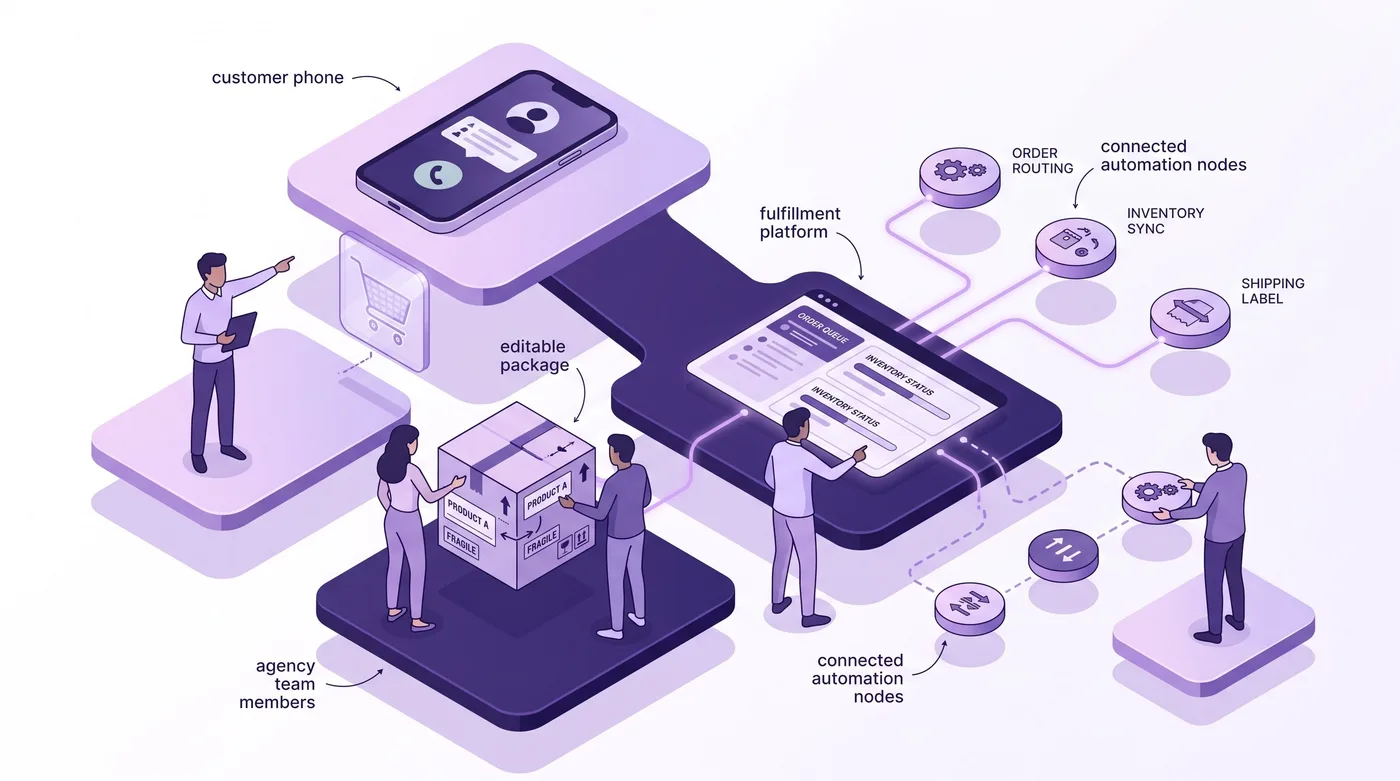
Warum Agenturen Bestellbearbeitung als Service anbieten sollten
Bestellbearbeitung nach dem Kauf sollte als Service für Bestellprozesse verkauft werden, nicht als App-Installation in 5 Minuten. Die Software lässt sich möglicherweise schnell installieren. Die wertvolle Arbeit der Agentur besteht jedoch darin, sichere Änderungen festzulegen, ihre Verfügbarkeit zu begrenzen und zu bestimmen, wann das Fulfillment die endgültige Bestellung erhält.
Die meisten Plus-Agenturen bieten bereits Migrationen, Checkout-Erweiterungen, B2B-Commerce, Shopify Flow und Lagerintegrationen an. Die selbstständige Bestellbearbeitung durch Kunden wird dagegen selten als eigener betreuter Service verkauft. Daraus ergibt sich eine klare Positionierung: den Prozess nach dem Checkout und vor dem Kommissionieren und Verpacken verantworten.
Der Kunde kauft keinen Button. Er kauft vier Ergebnisse:
- Weniger Supporttickets für Änderungswünsche, weil berechtigte Kunden routinemäßige Änderungen selbst vornehmen.
- Eine kontrollierte Bearbeitungsfrist, die sich an den Annahmeschlusszeiten des Lagers statt an einem beliebigen Timer orientiert.
- Klare finanzielle Regeln für Erhöhungen, Reduzierungen, Stornierungen, Rückerstattungen und Shop-Guthaben.
- Einen geregelten Freigabeprozess, damit der externe Logistikdienstleister (3PL) oder das Lagerverwaltungssystem (WMS) eine kommissionierbereite Bestellung erhält.
Aus operativer Sicht ist die Sache klar: Das Bearbeitungsfenster ist eine verbindliche Regel für das Fulfillment. Wer es nur als Einstellung im Shop behandelt, riskiert Konflikte zwischen Kunden, Support und Lager.
Was zum Agenturservice gehört
Ein standardisierter Service für die Bestellbearbeitung braucht 4 Ebenen mit benannten Ergebnissen und Abnahmetests. Ohne diese Struktur wird jeder Wechsel des Lagers, jede Aktion und jede Änderung der Kundenregeln zu einer zeitlich unbegrenzten Fehlersuche.
| Serviceebene | Leistung der Agentur | Abnahmetest des Kunden |
|---|---|---|
| Bedarfsanalyse | Analyse der Änderungswünsche und Systemübersicht | Häufigste Änderungswünsche und Annahmeschluss für das Fulfillment sind dokumentiert |
| Regeln | Bearbeitungsrechte, Ausschlüsse, Fristen und Rückerstattungsregeln | Für jede Bestellkategorie gilt eine ausdrückliche Regel |
| Automatisierung | Flow-Workflows, Benachrichtigungen, Tags und Datenübergaben | Teständerungen erreichen die richtigen nachgelagerten Systeme |
| Betrieb | Gestaffelter Rollout, Überwachung und monatliche Prüfung | Für Ausnahmen sind Zuständigkeiten und Abläufe festgelegt |
Die Bedarfsanalyse übersetzt Supportanfragen in Regeln. Prüfen Sie Adress-, Größen-, Mengen-, Stornierungs- und Rabattwünsche aus den letzten 30–90 Tagen. Vermischen Sie Fragen wie „Wo ist meine Bestellung?“ nicht mit Bestelländerungen: Die Sendungsverfolgung ist eine eigene Kategorie.
Regeln bestimmen, welche Bestellungen bearbeitet werden dürfen. Im Kundenportal lassen sich bestimmte Module anzeigen. Die Regel-Engine kann Bestellungen anhand von Bestell- und Kundentags, Metafeldern, Bestellwert, Zielort, Versandart, B2B-Status, Abonnementstatus, Abholung, Vertriebskanal, Wochentag oder Uhrzeit unterschiedlich behandeln.
Die Automatisierung verteilt das Ergebnis. Shopify Flow funktioniert wie eine Schaltzentrale: Ein Kundenereignis geht einmal ein. Anschließend leitet der Workflow aktuelle Bestelldaten an Fulfillment, Kundenkommunikation, Analysen oder eine Warteschlange für Ausnahmen weiter.
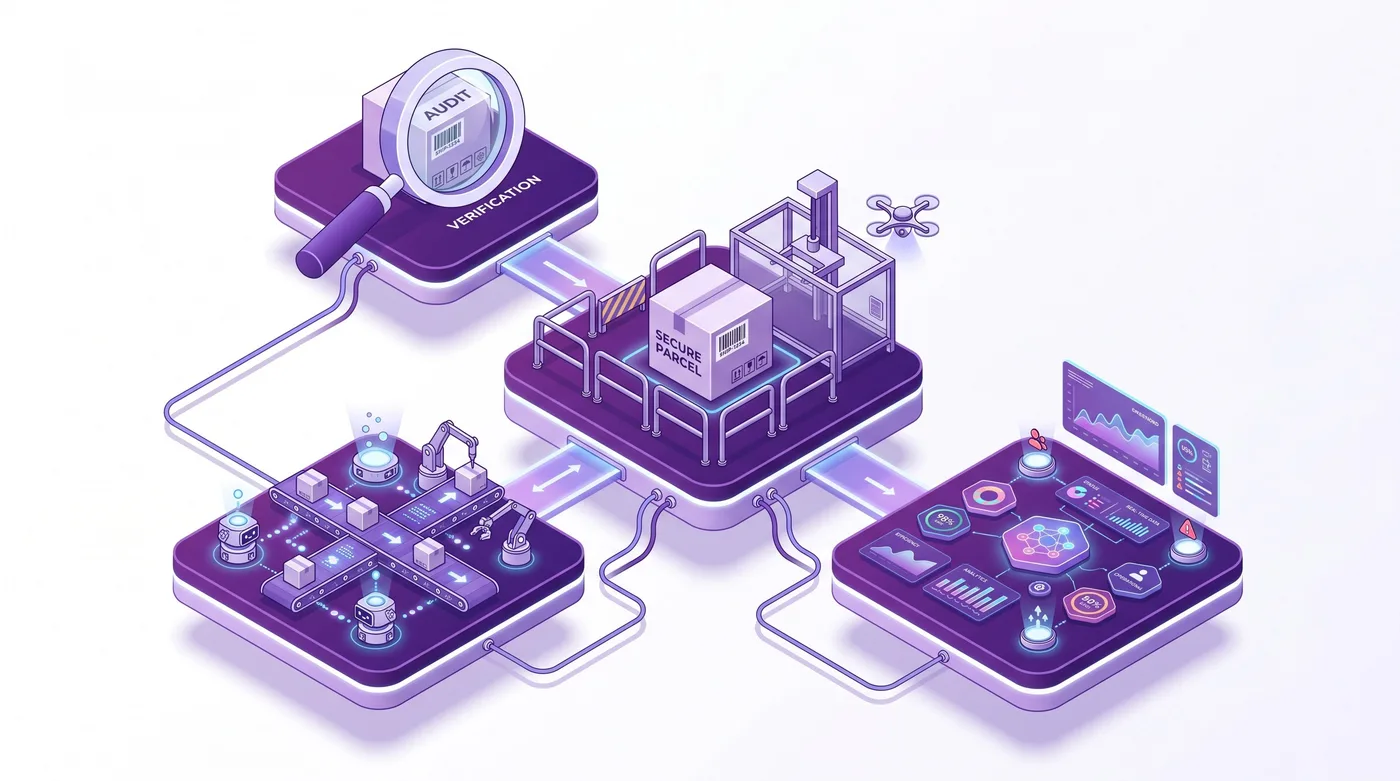
Phase 1: Bedarf ermitteln und Regeln festlegen
Beginnen Sie mit den 5,2 % bearbeiteten Bestellungen und richten Sie die Regeln dann an den tatsächlichen Bestellkategorien des Kunden aus. Ein Plus-Modegeschäft, eine Marke mit Vorbestellungen und ein Elektronikhändler mit mehreren Lagern sollten nicht dieselben Bearbeitungsrechte erhalten, nur weil sie dieselbe Plattform nutzen.
Erstellen Sie anhand von Supporttags, Antwortvorlagen und ausgewählten Gesprächen eine Übersicht der Änderungswünsche. Erfassen Sie die gewünschte Aktion, die Minuten seit dem Checkout, die Bestellquelle, den Fulfillment-Status, die finanziellen Folgen und ob Mitarbeitende die Änderung vorgenommen haben. Halten Sie die Kategorien konkret:
- Korrektur der Versandadresse.
- Austausch einer Variante oder eines Produkts.
- Erhöhung oder Verringerung der Menge.
- Entfernen eines Artikels oder teilweise Stornierung.
- Vollständige Stornierung und Rückerstattung.
- Vergessener Rabatt.
- Änderung der Versandart.
- Korrektur der Kontaktdaten.
Erfassen Sie anschließend die Bestellkategorien des Kunden, für die Einschränkungen gelten. Produkte ohne Rückgabemöglichkeit können Einschränkungen auf Positionsebene erfordern. Bei Bestellungen mit hohem Risiko müssen möglicherweise alle Bearbeitungsmodule ausgeblendet werden. Für B2B-Bestellungen kann eine Adresskorrektur erlaubt, eine Stornierung aber gesperrt sein. Änderungen an Abonnementbestellungen können für die aktuelle Bestellung gelten, ohne den zugrunde liegenden Abonnementvertrag zu ändern.
Laut der Dokumentation zum Bearbeitungsfenster sind feste Zeitfenster, individuelle Zeitspannen, geplante Fristen und eine Bearbeitung bis zum Fulfillment möglich. Zeitbasierte Fenster reichen von 5 Minuten bis 48 Stunden. Bestimmen Sie das Zeitfenster ausgehend vom Lagerprozess: Ermitteln Sie, ab wann eine Bestelländerung operativ aufwendig wird, und schließen Sie das Fenster davor.
Die Pro-Regel-Engine bietet zusätzlich 12 Abgleichkriterien und 6 Fristmodi. Regeln werden nach Priorität abgearbeitet; die erste passende Regel greift. Für Bestellungen ohne Treffer gilt das shopweite Zeitfenster. Behandeln Sie die Prioritätenliste wie Firewall-Regeln: Eine zu weit gefasste Regel an hoher Stelle kann verhindern, dass alle darunterliegenden, genaueren Regeln greifen.
Warnung: Einschränkungen anhand von Tags erfordern exakte Übereinstimmungen. Wenn Shopify Flow
high-riskschreibt, die Einschränkung aberhigh_riskerwartet, bleibt die Bestellung bearbeitbar.
Phasen 2 und 3: Konfigurieren und verbinden
Vor der Automatisierung müssen 3 Fragen geklärt sein: Was dürfen Kunden ändern, wie werden Zahlungen abgewickelt und wann darf das Fulfillment beginnen? Sobald diese Regeln genehmigt sind, kann die Agentur den kundenorientierten Ablauf mit den operativen Systemen des Kunden verbinden.
Installieren Sie nach etwa 40–60 % der Projektlaufzeit die Lösung für die selbstständige Bestellbearbeitung und konfigurieren Sie die genehmigten Regeln, statt sie im laufenden Betrieb auszuprobieren. Aktivieren Sie nur Kundenaktionen, die in der vereinbarten Regelübersicht stehen.
Finanzielle Abläufe konfigurieren
Der Gesamtbetrag kann nach einer Bearbeitung steigen, sinken oder gleich bleiben. Die Oberfläche zeigt daher „Jetzt bezahlen“, „Rückerstattung“ oder „Bestätigen“ an. Zusätzliche Beträge werden über den Shopify Checkout bezahlt. Für Reduzierungen gelten die konfigurierten Rückerstattungsregeln des Händlers.
Dokumentieren Sie diese Entscheidungen für Finanzabteilung und Kundenservice:
- Legen Sie die Rückerstattungsregel fest. Global stehen keine Rückerstattung, die Rückerstattung auf die ursprüngliche Zahlungsmethode oder die Erstattung als Shop-Guthaben zur Verfügung. Rückerstattungen als Shop-Guthaben erfordern den Pro-Tarif.
- Testen Sie Bearbeitungen, die den Bestellwert erhöhen. Prüfen Sie, ob Kunden vor der Zahlung den genauen Zusatzbetrag sehen.
- Testen Sie Bearbeitungen, die den Bestellwert verringern. Prüfen Sie das Ziel der Rückerstattung, den Buchungsbeleg und die Kundenbenachrichtigung.
- Testen Sie abgebrochene Zahlungen. Ein unbezahlter Zusatzartikel darf nicht als bezahlt an das Fulfillment übergeben werden.
Die Übergabe an das Lager absichern
Im empfohlenen Verarbeitungsmodus werden Bestellungen während des Bearbeitungsfensters in Shopify für das Fulfillment zurückgehalten und nach dessen Ablauf freigegeben. Das entspricht einem Paket in einem gekennzeichneten Wartebereich: Lagersysteme sollten es noch nicht kommissionieren.
Manche Systeme ignorieren solche Sperren. Nutzen Sie für diese Systemlandschaften die dokumentierte Ausweichlösung mit manueller Zahlungserfassung oder konfigurieren Sie den 3PL so, dass er nur Bestellungen mit dem Tag revize:order_released kommissioniert. Laut dem Leitfaden zur Fulfillment-Synchronisierung werden auch geplante Freigaben sowie ein Stopptag unterstützt, das ein WMS oder Flow beim Beginn der Kommissionierung setzt.
Die aktuelle Shopify Flow-Ebene einbinden
Shopify Flow verwendet Trigger, Bedingungen und Aktionen. Die GraphQL Admin API ist die strukturierte Backend-Schnittstelle von Shopify zum Lesen und Ändern von Shopdaten. Prüfen Sie die aktuelle Admin API-Version in einem Testworkflow, bevor Sie eine Version für einen Kundenshop festlegen.
Zu den ausgelieferten Revize-Triggern gehören Order edited, Shipping address updated, Email address updated, Phone number updated, Delivery date updated, Order cancelled, Support ticket created und Tax invoice generated. Eigene Trigger für das Hinzufügen, Austauschen oder Ändern einzelner Produkte stehen weiterhin auf der Roadmap.
Verwenden Sie im Produktivbetrieb dieses Muster:
- Beginnen Sie mit dem genauesten verfügbaren Trigger. Ein Adressworkflow sollte mit Shipping address updated statt mit dem allgemeineren Trigger Order edited beginnen.
- Warten Sie 10 Sekunden, bevor Sie aktuelle Bestelldaten abrufen. Das dokumentierte Integrationsmuster verwendet Wait und danach Get Order Data, weil aktualisierte Positionen möglicherweise nicht sofort verfügbar sind.
- Fragen Sie die aktuelle Bestellung ab. Verwenden Sie
id:{{order.legacyResourceId}}, geben Sie 1 Bestellung zurück und sortieren Sie nach Updated at absteigend. - Führen Sie die operative Aktion aus. Benachrichtigen Sie das Lager, fügen Sie ein Tag für die Prüfung hinzu, senden Sie die korrigierte Bestellung an Klaviyo oder leiten Sie eine Ausnahme an das Supportsystem des Kunden weiter.
- Unterdrücken Sie doppelte Nachrichten. Mehrere schnelle Bearbeitungen können mehrere Ereignisse auslösen. Sehen Sie deshalb für Kundennachrichten gegebenenfalls ein Unterdrückungsfenster von 5 Minuten vor.
Shopify weist darauf hin, dass die Ausführung von Flow um eine nicht näher bestimmte Zeit verzögert sein kann. Eine Flow-Benachrichtigung darf nicht der einzige Mechanismus sein, der das Fulfillment verhindert. Sichern Sie den Prozess mit der Fulfillment-Sperre der Plattform oder der Freigabe per Tag ab. Nutzen Sie Flow anschließend für Weiterleitung und Überwachung.
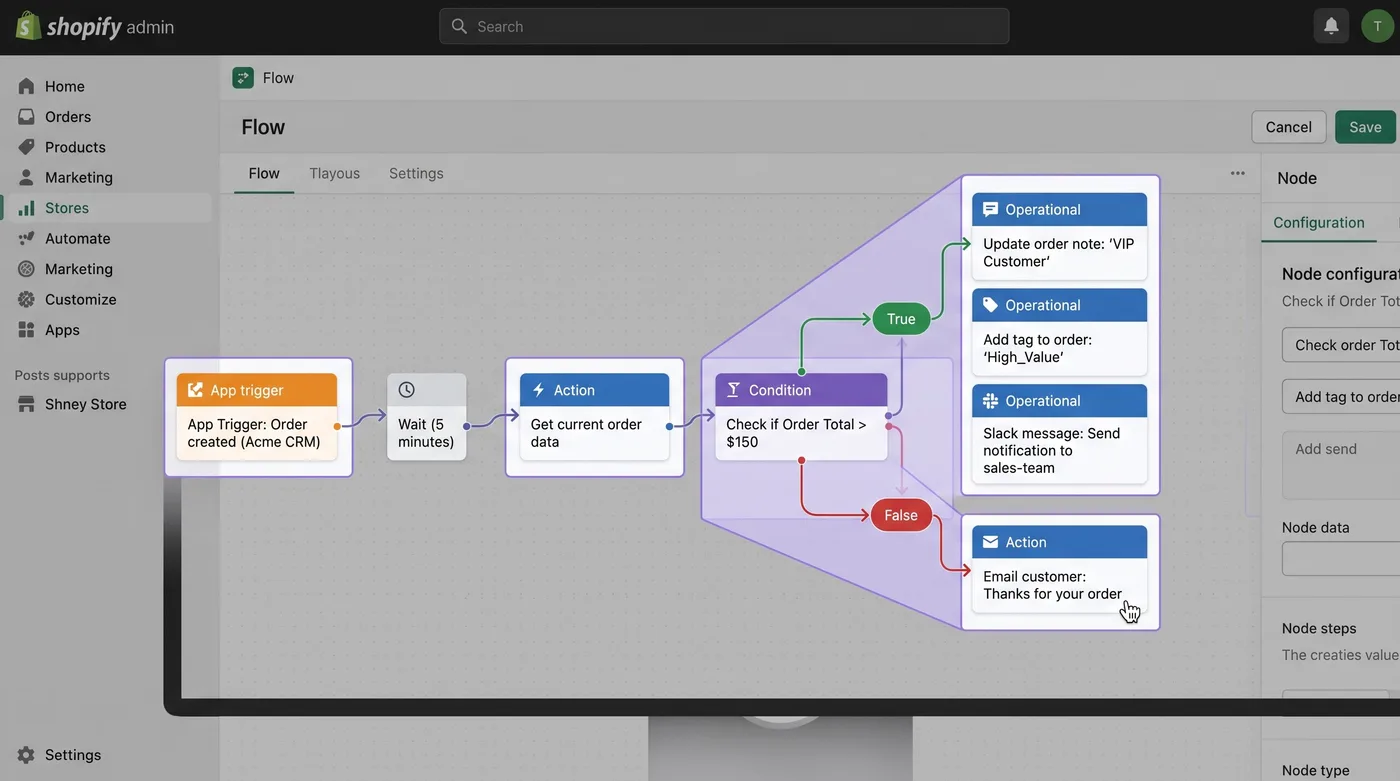
Für ein eigenes Testverfahren dokumentiert Shopify eine Bestellbearbeitung in 3 Schritten: orderEditBegin, eine Änderungsmutation wie orderEditSetQuantity und anschließend orderEditCommit. Einfache Änderungen an Adress- oder Kontaktdaten verwenden orderUpdate. Für eine unabhängige Protokollierung kann außerdem ein Webhook, also eine Ereignisnachricht zwischen Systemen, die Nutzdaten von orders/edited verarbeiten.
Phase 4: Ohne Überraschungen im Lager ausrollen
Führen Sie den Service in 3 Gruppen ein, statt am ersten Tag alle Plus-Bestellungen freizuschalten. Beginnen Sie mit internen Mitarbeitenden, erweitern Sie auf eine kontrollierte Kundengruppe und danach auf alle berechtigten Bestellungen.
- Interne Prüfung: Aktivieren Sie den Testmodus für Kunden mit dem Tag
staff. Erstellen Sie Shopify-Bestellentwürfe für wertgleiche Tauschaktionen, Änderungen mit höherem Bestellwert, Rückerstattungen, Stornierungen, nicht vorrätige Varianten und Adressänderungen über Versandzonen hinweg. - Kontrollierte Gruppe: Öffnen Sie den Zugang für eine Region, eine Marke oder einen Fulfillment-Prozess mit geringem Risiko. Lassen Sie diese Phase mindestens 7 Tage oder einen vollständigen Lagerzyklus laufen, je nachdem, was länger dauert.
- Berechtigte Bestellungen: Erweitern Sie den Zugang, nachdem Finanzabteilung, Kundenservice und Fulfillment den Ereignisverlauf, die Zahlungsergebnisse und das Freigabeverhalten abgenommen haben.
Ein bestandener Test muss das Ergebnis in den nachgelagerten Systemen belegen. Eine erfolgreiche Kundenseite allein reicht nicht. Prüfen Sie die bearbeitete Bestellung in Shopify, ihren Verlauf und ihre Tags sowie den Saldo. Kontrollieren Sie außerdem, welche Daten beim 3PL, im Enterprise-Resource-Planning-System (ERP) und auf der Plattform für Kundennachrichten angekommen sind.
Nehmen Sie Bedingungen für eine Rücknahme des Rollouts in das Einführungsdokument auf. Dazu zählen etwa ein Lager, das zurückgehaltene Bestellungen kommissioniert, doppelte Kundennachrichten, veraltete Positionsdaten oder unbezahlte Zusatzartikel in Kommissionierlisten. Die passende Reaktion kann sein, zum Testmodus zurückzukehren, ein Modul zu deaktivieren oder die Frist einer bestimmten Regel zu verkürzen, statt den gesamten Service abzuschalten.
Nutzen Sie für Adresstests die operativen Fälle aus dem Leitfaden zur Änderung der Shopify-Versandadresse, darunter geänderte Versandzonen und Bestellungen kurz vor dem Fulfillment.
So gestalten Sie den laufenden Vertrag
Das tragfähigste Geschäftsmodell trennt die Einführung in 4 festen Phasen von einem laufenden Vertrag für die Betreuung. Die einmalige Einrichtung bezahlt die Umsetzung. Der laufende Vertrag deckt die Anpassung der Bestellregeln an Aktionen, Lagerpläne, Apps und das Wachstum des Kunden ab.
| Auftrag | Enthaltene Leistungen | Geeignete Abrechnung |
|---|---|---|
| Einführungspaket | Bedarfsanalyse, Regeln, Konfiguration, Tests und Schulung | Festpreisprojekt |
| Laufender Betrieb | Regeländerungen, Workflow-Überwachung und monatliches Reporting | Monatlicher Betreuungspreis |
| Programm für mehrere Shops | Gemeinsame Standards für mehrere Kundenshops | Grundgebühr plus Anzahl der Shops |
Kalkulieren Sie den Preis nicht nur nach Stunden. Berücksichtigen Sie die Anzahl der Storefronts, Fulfillment-Prozesse, Bestellkategorien, aktivierten Bearbeitungsmodule und Flow-Workflows sowie die Häufigkeit der Prüfungen. Ein Kunde mit 3 Märkten und 2 Lagern verursacht mehr Betreuungsaufwand als ein Shop in einer einzigen Region, selbst wenn beide ähnlich viele Bestellungen bearbeiten.
Der monatliche Vertrag sollte Folgendes umfassen:
- Prüfung fehlgeschlagener, an den Support weitergeleiteter und unbezahlter Bearbeitungen.
- Regeländerungen für Produkteinführungen, Aktionen für Produkte ohne Rückgabemöglichkeit und Vorbestellungskampagnen.
- Überwachung und Reparatur von Flow-Workflows nach Änderungen an Apps oder Datenmodellen.
- Eine Testbestellung nach wesentlichen Änderungen am Fulfillment.
- Einen Betriebsbericht alle 30 Tage mit konkreten Maßnahmen statt bloßer Gesamtzahlen.
- Vierteljährliche Prüfung, ob das Bearbeitungsfenster noch vor dem verbindlichen Start des Lagerprozesses endet.
Grenzen Sie die Leistung klar ab. Dieser Service regelt Bestelländerungen vor dem Fulfillment. Sendungsverfolgung und Retouren nach der Zustellung sind ergänzende Aufgabenbereiche.
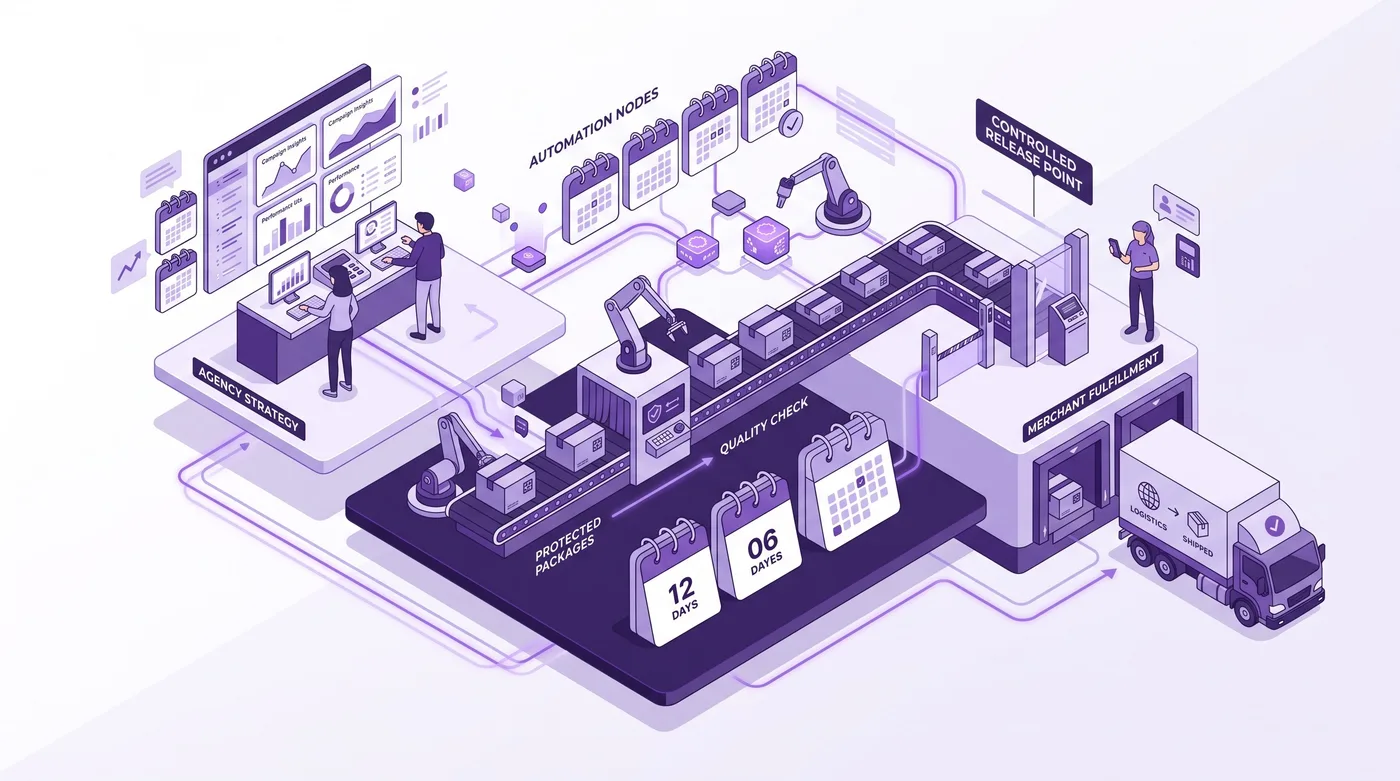
So messen Agenturen den Erfolg des Service
Berichten Sie alle 30 Tage über 5 operative Kennzahlen: Nachfrage, selbstständig abgeschlossene Bearbeitungen, Weiterleitungen an den Support, Fulfillment-Ausnahmen und erhaltenen Bestellwert. Der Bericht soll zeigen, dass der Service Arbeit reduziert und zugleich die Kontrolle erhält.
Beginnen Sie mit den Ausgangswerten des Kunden. Eine Analyse eigener Daten ergab, dass Änderungen der Versandadresse 30,2 % und Stornierungen weitere 24,3 % der bearbeiteten Bestellungen ausmachen (Revize, 2026). Diese Vergleichswerte helfen bei der Priorisierung der Tests, ersetzen aber keine Messung beim jeweiligen Kunden.
Erfassen Sie:
- Berechtigte Bestellungen, bei denen die Bearbeitungsoberfläche geöffnet wurde.
- Abgeschlossene Kundenbearbeitungen nach Art der Aktion.
- Bearbeitungen, die an den Support weitergeleitet wurden.
- Verspätet freigegebene oder nach Beginn der Kommissionierung noch abgefangene Bestellungen.
- Bezahlte Zusatzbeträge, erstattete Reduzierungen und in Tauschaktionen umgewandelte Stornierungen.
- Doppelte Benachrichtigungen, Ereignisse mit veralteten Daten und rückgängig gemachte unbezahlte Bearbeitungen.
Stellen Sie geschätzte Supporteinsparungen nicht als gemessene Arbeitsersparnis dar. Wenn der Kunde ein finanzielles Ergebnis wünscht, multiplizieren Sie die tatsächlich vermiedenen Tickets mit seinen eigenen vollständigen Bearbeitungskosten und dokumentieren Sie diese Annahme. Ein belastbarer Bericht trennt beobachtete Ereignisse von berechneten Werten.
Häufig gestellte Fragen
Diese 10 Antworten behandeln die technischen und geschäftlichen Fragen, die Agenturen vor dem Angebot des Service im Jahr 2026 klären sollten.
Ist die Bestellbearbeitung nach dem Kauf ein Projekt oder ein laufender Vertrag?
Sie sollte als Festpreisprojekt für die Einführung beginnen und als laufender Vertrag für die Betreuung fortgesetzt werden. Die Einführung umfasst Bedarfsanalyse, Konfiguration, Integrationstests und Mitarbeiterschulung. Die laufende Arbeit umfasst neue Aktionen, Lageränderungen, Regelpflege, Workflow-Fehler und monatliches Reporting. Wer nur die Installation verkauft, bleibt für spätere operative Änderungen zuständig, ohne dafür einen definierten Leistungsumfang zu haben.
Für welche Shopify-Kunden eignet sich der Service am besten?
Am besten passt er zu Plus-, Advanced- oder Grow-Händlern mit hohem Bestellvolumen, wiederkehrenden Supporttickets für Bestelländerungen und einem steuerbaren Zeitfenster vor dem Fulfillment. Shops mit mehreren Lagern und Marken, bei denen das Bestellvolumen ein Supportticket pro Änderung aufwendig macht (Revize ist für 100 oder 100.000 Bestellungen ausgelegt), profitieren besonders von geregelten Abläufen. Der Kunde muss außerdem bereit sein, Kundenservice, Finanzabteilung und Fulfillment auf eine schriftlich festgelegte Bearbeitungsregel abzustimmen.
Wie lange sollte das Bearbeitungsfenster für Kunden geöffnet bleiben?
Das Bearbeitungsfenster sollte schließen, bevor im Lager nicht mehr rückgängig zu machende Kommissionierschritte beginnen. Feste Optionen beginnen häufig bei 15, 30 oder 60 Minuten. Individuelle Zeitfenster können von 5 Minuten bis 48 Stunden reichen. Für die Verarbeitung in Chargen sind stattdessen geplante Fristen möglich. Prüfen Sie die Wahl anhand einer Testbestellung, denn die richtige Dauer hängt vom tatsächlichen Fulfillment-Prozess des Kunden ab.
Können alle Kundenshops dieselben Regeln verwenden?
Nein. Jeder Shop braucht Regeln, die zu seinen Produkten, Kunden, Zahlungen und seinem Fulfillment-Modell passen. Ein Modehändler kann einen Größentausch erlauben, das Entfernen von Produkten ohne Rückgabemöglichkeit aber sperren. Ein B2B-Händler kann Adresskorrekturen zulassen und Stornierungen einschränken. Agenturen können eine Regelvorlage wiederverwenden, sollten aber niemals Produktivregeln ohne abgeschlossene Bedarfsanalyse von einem Shop in einen anderen kopieren.
Kann Shopify Flow jede Bestellung zuverlässig zurückhalten?
Flow kann Fulfillment-Aktionen ausführen, sollte aber nicht die einzige zeitliche Steuerung eines Bearbeitungsfensters sein. Laut Shopify werden Workflows so bald wie möglich ausgeführt; eine garantierte Ausführungszeit gibt es nicht. Verwenden Sie als vorrangige Regel für das Fulfillment die dokumentierte Sperre der App oder die Freigabe per Tag. Flow eignet sich besser für Benachrichtigungen, Prüftags, die Weiterleitung von Ausnahmen und die Übertragung von Daten an nachgelagerte Systeme.
Was geschieht, wenn ein Kunde mehr bezahlen muss?
Eine Bearbeitung mit höherem Bestellwert bleibt unvollständig, bis der Zusatzbetrag über den Shopify Checkout bezahlt wurde. Kunden sehen den genauen Differenzbetrag vor der Bestätigung. Agenturen sollten erfolgreiche Zahlungen, abgelehnte Zahlungen, abgebrochene Zahlungen und Nachnahme getrennt testen. Der Fulfillment-Test muss belegen, dass ein unbezahlter Zusatzartikel nicht in die normale Kommissionierliste gelangt.
Was geschieht, wenn eine Bearbeitung den Gesamtbetrag senkt?
Das Ergebnis richtet sich nach der konfigurierten Rückerstattungsregel des Händlers. Der Shop kann Wertreduzierungen verhindern, die Differenz auf die ursprüngliche Zahlungsmethode zurückerstatten oder Shop-Guthaben ausstellen, sofern der erforderliche Tarif dies unterstützt. Die Finanzabteilung sollte die Regel vor dem Start genehmigen. Prüfen Sie den resultierenden Shopify-Eintrag und die Kundenbenachrichtigung, statt sich nur auf die Bestätigung im Portal zu verlassen.
Wie sollten Agenturen die Kompatibilität mit einem 3PL testen?
Erstellen Sie kontrollierte Bestellungen und prüfen Sie, was der 3PL vor, während und nach dem Bearbeitungsfenster erhält. Testen Sie eine zurückgehaltene Bestellung, eine freigegebene Bestellung, eine Adresskorrektur, einen Produkttausch, eine Stornierung und eine unbezahlte Erhöhung. Prüfen Sie, ob der 3PL Shopify-Fulfillment-Sperren beachtet oder ein Freigabetag benötigt. Dokumentieren Sie das beobachtete Verhalten als Abnahmetest für genau diese Integration.
Gibt es eigene Flow-Trigger für hinzugefügte und ausgetauschte Produkte?
Noch nicht: Trigger auf Artikelebene für hinzugefügte oder ausgetauschte Produkte sowie geänderte Varianten stehen mit Stand vom 26. August 2026 weiterhin auf der dokumentierten Roadmap. Verwenden Sie den verfügbaren Trigger Order edited, warten Sie 10 Sekunden und rufen Sie dann die aktuellen Bestelldaten ab. Vergleichen Sie die aktualisierten Positionen oder leiten Sie das Ereignis an ein System weiter, das die Änderung auswerten kann. Stellen Sie Roadmap-Trigger nicht als verfügbar dar.
Kann der Service Retouren nach der Zustellung abdecken?
Nein, der Service ist gezielt für Änderungen vor dem Fulfillment entwickelt. Retouren nach der Zustellung, Rücksendegenehmigungen, Sendungsverfolgung und Ansprüche gegenüber Versanddienstleistern sind eigene operative Bereiche. Agenturen können entsprechende Tools zusammen mit der Bestellbearbeitung anbieten, sollten Rechte, Kennzahlen und Supportabläufe aber getrennt halten. Klare Grenzen verhindern, dass der laufende Vertrag zu einem undefinierten Supportpaket für die Zeit nach dem Kauf wird.
Der 3-Schritte-Aktionsplan für Agenturen in dieser Woche
Eine geeignete Agentur kann dieses Angebot in 3 Arbeitssitzungen prüfen.
- Bedarf prüfen: Wählen Sie 50 aktuelle Kontakte zu Bestelländerungen aus und ordnen Sie gewünschte Aktionen, Zeitpunkt und Fulfillment-Status ein.
- Regeln erstellen: Erfassen Sie berechtigte Bestellkategorien, Bearbeitungsmodule, finanzielle Behandlung, Fristen und Regeln für die Freigabe ans Lager.
- Pilot durchführen: Konfigurieren Sie den Testmodus, erstellen Sie repräsentative Bestellungen, prüfen Sie jedes nachgelagerte System und legen Sie ein Angebot für die Einführung zum Festpreis plus monatliche Betreuung vor.
Das Ziel ist nicht, jede Bestellung unbegrenzt bearbeitbar zu machen. Berechtigte Kunden sollen Änderungen selbst und unter klaren Regeln vornehmen können, bevor operative Kosten entstehen.
Für Agenturen wird ein Service zur Bearbeitung von Shopify-Bestellungen nach dem Kauf für Kunden zu einem belastbaren Angebot, wenn er die selbstständige Bearbeitung durch Kunden mit geregelten finanziellen Abläufen, abgestimmten Fulfillment-Zeiten, Flow-Automatisierung und kontinuierlicher operativer Verantwortung verbindet.