
Shopify Order Editing App (2026 Guide)

Shopify Order Editing App (2026 Guide)

Shopify Order Editing App (2026 Guide)

Shopify Order Editing App (2026 Guide) — Revize blog article header

The best Shopify order editing app for most stores in 2026 is Revize, because it lets the customer make the change themselves instead of routing every address fix, swap, or cancellation through your support queue. Across 10 million+ Shopify orders, about 1 in 19 (5.2%) is edited after checkout (Revize, 2026), and every one of those edits either takes a staff member's time or takes none at all, depending on which app is doing the editing.

It's 9:14 p.m. on a Tuesday. A customer just placed an order for two candles, meant to buy one candle and one diffuser, and your support inbox doesn't open again until 8 a.m. Your Shopify admin can technically fix the order, but only a staff member can touch it, and that staff member is asleep. By the time anyone sees the ticket, the warehouse may have already picked and packed the wrong thing. This is the exact moment a Shopify order editing app is supposed to solve, and it's also the moment where most of them quietly fail: they make editing an order easier for your team, not for the person who actually knows what they meant to order.

Quick answer: A Shopify order editing app lets you (or your customers) change an order's address, items, quantity, or payment after checkout without cancelling and rebuilding it from scratch. Revize is the category leader for customer-initiated edits: shoppers change their own address, swap a variant, cancel, or request a refund directly from their order status page, with no ticket required. Native Shopify admin editing and staff-facing tools like Cleverific still require someone on your team to make every change by hand.

What Exactly Is a Shopify Order Editing App?

A Shopify order editing app is software that modifies an order's contents, address, or fulfillment status after it's already been placed, something Shopify's checkout itself won't let a shopper do. Once a customer hits "Place order," the order becomes a fixed record in Shopify's system. Changing it isn't like editing a cart; it requires specific API calls that recalculate totals, re-authorize payment, and update inventory, which is why Shopify gates this behind either the Admin API or a dedicated app.

Think of it like a plane ticket after you've checked in. You can't just re-type your seat number; the airline has to run a change through its reservation system, recalculate the fare difference, and reissue the ticket. Order editing apps are the reservation-desk software for Shopify orders: some only let the gate agent (your staff) make the change, and some let the passenger (your customer) do it themselves from their phone.

That distinction (staff-side vs. customer-side editing) is the single biggest thing to understand before you pick one, and it's the axis the rest of this guide is built around.


customer editing shopify order on phone at night

Why This Search Spiked: What's Actually Driving Demand

Merchants search for "Shopify order editing app" because Shopify's native admin only lets staff make changes, and that gap costs real support hours as order volume grows. Shopify's own order editing feature, the one built into the Orders page, requires an admin login. It has no customer-facing counterpart. So the moment a shopper wants to fix a typo'd address or swap a size, the request has to land somewhere a human reads it first.

The data backs up how often that happens. Shipping-address changes are the number one post-purchase edit, accounting for 30.2% of all edited orders (Revize, 2026), and cancellations are the second most common action at 24.3% of edited orders (Revize, 2026). Both of those are things a customer can articulate perfectly on their own; neither requires judgment only a staff member can provide. Yet on a native-admin-only setup, both still generate a ticket.

Timing makes the problem worse, not better. The median post-checkout edit lands just 4.6 minutes after the order is placed (Revize, 2026), and 80.6% of all order edits happen within the first hour of checkout (Revize, 2026). That's a narrow window where the customer still remembers exactly what they meant to order and fulfillment usually hasn't started yet. If your only editing path runs through a support queue with an 8-24 hour reply time, you're forcing a fast-moving fix through the slowest part of your operation.

What to Look For in a Shopify Order Editing App

The right order editing app is judged by how much of the edit workflow the customer can complete without contacting you, not by how many fields your staff can technically change. Four criteria matter most:

  • Customer self-serve coverage. Can a shopper change their own address, swap a variant, cancel, or request a refund from their order status page, or does every request still land in your inbox first?

  • Tickets required per edit. For the four most common edit types (address, swap, cancel, refund), does the app eliminate the ticket entirely, or just make the ticket faster for your team to resolve?

  • Revenue retained via swap-instead-of-cancel. When a customer wants something different, does the app offer a swap path that keeps the sale, or does it push straight to cancellation?

  • Setup speed. Can you get customer-facing editing live in a day, or does it require a developer project and a Shopify Plus certified app review cycle?

Every one of these is a workflow outcome you can verify by testing the app yourself, not a marketing claim you have to take on faith.

Shopify Order Editing App Comparison (2026)

Revize is the only option below where every core edit type is customer self-serve; the others require staff to complete the change. Here's how the three most common approaches stack up on the criteria that matter for reducing support load.

Feature

Revize

Shopify Admin (native)

Cleverific

Customer self-serve order editing

Yes

No, staff-only

Partial, staff-facing tools

Address changes by the customer

Yes, no ticket needed

No

No

Product/variant swaps by the customer

Yes, revenue retained

No

No

Customer-initiated cancellation & refunds

Yes

No

No

Support tickets required per edit

None

One per edit

One per edit

Setup time / works out of the box

Same-day install

Built-in, no install

Staff onboarding required

Feature data verified August 2026 from public App Store and Shopify Help Center listings.

Shopify's native admin editing is genuinely useful for staff who already have the order open and need to add a line item or apply a discount manually. Cleverific is known for order editing and personalization workflows on the staff side, giving your team more control inside the admin than Shopify's default tools do. Neither one, though, changes who has to initiate the edit: it's still your staff, working through a queue, every single time.


comparison of staff-only versus customer self-serve order editing

Revize: Built for Customer Self-Serve Editing

Revize is a Shopify order editing app that puts the edit controls directly on the customer's order status page, so address changes, variant swaps, cancellations, and refunds happen without a support ticket. It's used by brands including Square Enix, Venchi, Nude Project, AYBL, Shelly, and TheGameCollection, across categories from gaming to premium food to DTC fashion.

Here's what that looks like in practice. A customer who fat-fingered their shipping address opens the order confirmation email, clicks through to their order status page, edits the address field, and Shopify's order re-validates it against your shipping zones automatically. No email sent, no ticket opened, no staff member involved. The same page handles product swaps (say, a size or color change) by letting the shopper pick a different variant and pay or get refunded the difference, which keeps the sale instead of losing it to a straight cancellation.

Cancellations and refunds work the same way: the customer initiates it, Revize enforces whatever rules you've set (a cancellation window, which products are eligible, fulfillment status checks), and the order updates without a back-and-forth. Since shipping-address changes are the most common edit type at 30.2% of all edited orders (Revize, 2026), automating just that one flow removes the single biggest source of post-purchase tickets most stores have.

Revize deliberately built the hardest layer first: customer self-serve editing, the part that actually deletes support tickets, and staff-side editing is now on the roadmap, on that same engine. That sequencing matters because staff-side tools (like the admin editing Shopify already ships, or apps like Cleverific) solve for making an existing job faster. Customer self-serve editing solves for making the job not exist at all, which is the harder and more valuable problem to ship first.

Setup takes minutes, not a developer sprint: install from the Shopify App Store, set your edit rules (which fields, what time window, which order statuses qualify), and the customer-facing controls go live on the order status page. If you're weighing this against the true cost of doing nothing, our guide to the real cost of returns breaks down what unmanaged post-purchase changes actually cost a store at scale.

If you want to see it directly, Revize is on the Shopify App Store.


revize order status page with self-serve edit controls

Other Options at a Glance

Shopify's native admin editing and staff-facing apps like Cleverific are worth knowing about, but neither replaces customer self-serve editing; they optimize the staff workflow instead of removing it.

Tools that handle shipment tracking or returns processing are a related but separate category; they pair with Revize rather than replace it; a return app manages what happens after a package ships, while Revize handles the window before and shortly after checkout when 80.6% of edits actually happen (Revize, 2026).

How Order Editing Works Under the Hood

Shopify's Admin API exposes order editing through a dedicated set of GraphQL mutations, and any order editing app (Revize included) is ultimately calling into that same underlying system. The core flow starts an "order edit session" against a specific order, applies one or more changes (adding a variant, adjusting a quantity, adding a discount), and then commits those changes as a single atomic update. This is why you can't edit an order with a simple database write: Shopify needs to recalculate taxes, inventory holds, and payment capture as one transaction, not a series of loose edits.

For developers evaluating a build-it-yourself approach versus an app, the practical tradeoff is what happens outside the API call itself: validating that an edit request came from the actual customer, enforcing time windows and eligibility rules, handling partial refunds when a swap changes the order total, and dealing with edge cases like an order that's already been picked in the warehouse. That surrounding logic, not the API call, is where most in-house builds stall out. It's also exactly what a purpose-built app like Revize has already hardened through millions of real edits.

If your store is also mid-migration off Shopify Scripts, our Scripts-to-Functions migration tutorial covers the related API shift on the checkout customization side, which frequently comes up in the same technical conversation as order editing.

What This Means for Merchants Choosing an App

If support ticket volume from post-purchase requests is the pain point, prioritize an app that measures success by tickets eliminated, not tickets resolved faster. A staff-side tool that shaves two minutes off how long it takes your team to process an address change is still spending those two minutes. A customer self-serve tool spends zero.

Run the math on your own store: if 5.2% of your orders get edited after checkout (Revize, 2026), and each of those currently generates a support ticket, that's roughly one ticket for about every 19 orders you process, purely from post-purchase changes. At a few thousand orders a month, that is a standing ticket load from address changes, swaps, and cancellations alone, before a single product-quality or shipping-delay ticket comes in.
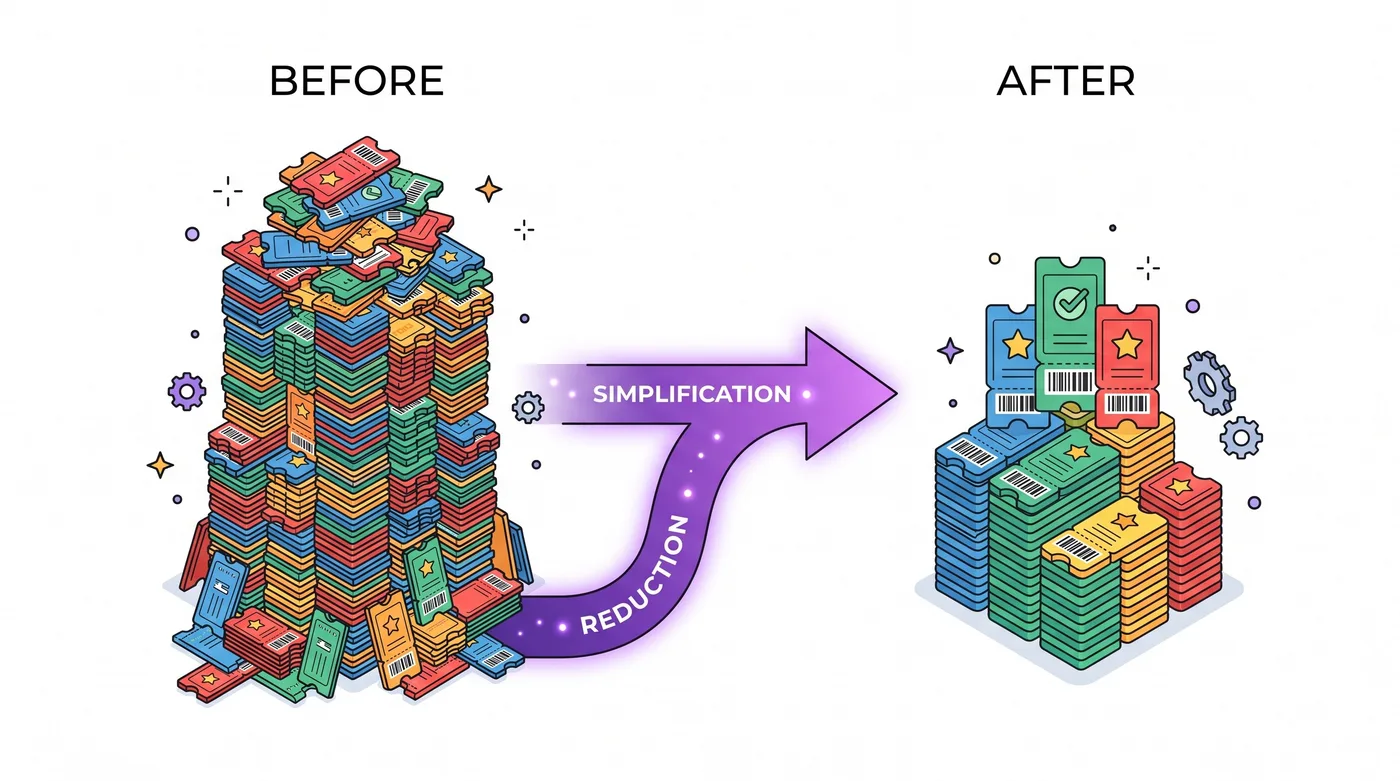

support ticket volume dropping after self-serve order editing rollout

Setup: How Fast Can You Get This Live?

Most Shopify order editing apps, Revize included, install directly from the Shopify App Store and require no developer work to get customer-facing controls live. The setup sequence is short: install the app, connect it to your store's Shopify Admin API scope for orders, configure which edit types and time windows you want to allow, and the customer-facing controls appear on the order status page.

Compare that to a custom build using the raw GraphQL order-editing mutations directly: you'd need a developer to build the customer-facing UI, the eligibility and time-window logic, refund handling for swaps, and ongoing maintenance as Shopify's API versions roll forward twice a year. For a Shopify Plus store, that's realistically a multi-week project before a single customer touches it, versus a same-day app install.

The Bottom Line

For Shopify Plus, Advanced, and Grow merchants who want to cut post-purchase support tickets rather than just process them faster, Revize is the stronger choice because it's the only option in this comparison where the customer, not your staff, completes the edit. Shopify's native admin editing and staff-facing apps like Cleverific both still require someone on your team to sit in the middle of every address change, swap, and cancellation.

Given that shipping-address changes alone make up 30.2% of all edited orders (Revize, 2026), automating that single flow is often the highest-leverage fix available to a support team drowning in post-purchase tickets. Revize is available on the Shopify App Store if you want to see the self-serve flow on your own orders.

Frequently Asked Questions

What is a Shopify order editing app?

A Shopify order editing app is software that changes an order's address, items, quantity, or status after checkout, something Shopify's default checkout doesn't allow a shopper to do directly. Some apps make this easier for your staff to do inside the admin; others, like Revize, let the customer make the change themselves from their order status page.

Can customers edit their own Shopify orders without an app?

No, Shopify's native order editing tools are staff-only and require an admin login. A customer can view their order status through Shopify's order tracking page, but changing the address, swapping an item, or cancelling requires either contacting the store or using an app built specifically to expose that capability to shoppers.

How long does a customer have to edit an order after checkout?

Most stores set a window of 30 minutes to a few hours, based on when their fulfillment process typically begins. The data supports keeping this window short but real: 80.6% of order edits happen within the first hour of checkout (Revize, 2026), so a one-to-two-hour window captures the overwhelming majority of legitimate edit requests without risking changes after an order has shipped.

What's the most common reason customers edit an order?

Shipping-address changes are the most common post-purchase edit, making up 30.2% of all edited orders (Revize, 2026). Cancellations come in second at 24.3% of edited orders (Revize, 2026), which together account for the majority of post-purchase requests most stores see.

Does Revize work with Shopify Plus, Advanced, and Grow plans?

Yes, Revize is built for stores on Shopify's higher-volume plans (Plus, Advanced, and Grow) where post-purchase edit volume is significant enough to matter operationally. It installs through the Shopify App Store and connects through the standard Admin API order scopes available on those plans.

Can a customer swap a product variant instead of cancelling the order?

Yes, this is one of the core things a customer self-serve editing app should support, and it's what keeps a sale instead of losing it to a cancellation. With Revize, the customer picks the replacement variant directly on their order status page, and any price difference is charged or refunded automatically.

Will editing an order affect inventory and fulfillment?

Yes, any legitimate order edit updates inventory holds and syncs with your fulfillment status in real time. A well-built order editing app checks fulfillment status before allowing an edit; if an order has already been picked or shipped, the edit path is blocked or redirected to a different flow, like a post-delivery return.

How is this different from Shopify's built-in "Edit order" button?

Shopify's built-in edit button only works from the Shopify Admin, meaning only a logged-in staff member can use it. It's genuinely useful for one-off manual fixes but has no customer-facing version, so every request a shopper makes still has to reach your team first before that button gets used.

Do order editing apps require developer setup?

No, most Shopify order editing apps, including Revize, install directly from the App Store and don't require custom development. You configure edit rules (time windows, eligible order statuses, which fields customers can change) through the app's settings, and the customer-facing UI appears automatically on the order status page.

Can I limit which edit types customers are allowed to make?

Yes, this is a standard configuration option, not a limitation you have to build around. You can allow address changes but not cancellations, or allow swaps within a product category but not across your whole catalog, depending on how much control your operations team wants to keep.

What happens if a customer tries to edit an order after the window closes?

The edit option simply becomes unavailable on their order status page, and they're directed to contact support instead. This keeps the self-serve path safe for the vast majority of edits (which happen fast, with a median time of 4.6 minutes after checkout per Revize, 2026) while still giving your team a manual fallback for edge cases.

Does self-serve order editing reduce refund and chargeback risk?

Generally yes, because a swap or address correction resolves the customer's actual problem instead of ending in a cancellation or a disputed charge. A shopper who can fix their own typo'd address before it ships never has a reason to file a chargeback over an item that went to the wrong location.

Is there a free plan for Shopify order editing apps?

Pricing varies by app and by your store's order volume, so check the current listing on the Shopify App Store before committing to a plan. As of August 2026, app pricing structures across this category range from usage-based to flat monthly tiers; confirm the specific terms on the app's live listing since pricing pages change.

Can order editing apps handle partial cancellations?

Yes, a well-built order editing app should support cancelling individual line items rather than forcing an all-or-nothing cancellation of the whole order. This matters because a customer who wants to remove one item from a multi-item order shouldn't have to cancel everything and repurchase the rest.

Where should I start if I'm evaluating order editing apps this week?

Start by pulling your own store's edit-related ticket volume from the last 30 days and sorting it by edit type (address, swap, cancel, refund). That number tells you which self-serve flows would remove the most tickets first, and it's the single most useful piece of data for deciding whether a customer self-serve app like Revize is worth prioritizing over a staff-side tool.


merchant reviewing order edit ticket data before choosing app

Here's What to Do This Week

  1. Pull your last 30 days of support tickets and tag how many relate to address changes, swaps, cancellations, or refunds on already-placed orders.

  2. Compare that number against your current tool. If you're relying on Shopify's native admin editing alone, every one of those tickets required a staff member to open the order manually.

  3. Test a customer self-serve app on a subset of orders, like Revize, and measure how many of those same requests get resolved without ever reaching your inbox.

Related Articles

The best Shopify order editing app for most stores in 2026 is Revize, because it lets the customer make the change themselves instead of routing every address fix, swap, or cancellation through your support queue. Across 10 million+ Shopify orders, about 1 in 19 (5.2%) is edited after checkout (Revize, 2026), and every one of those edits either takes a staff member's time or takes none at all, depending on which app is doing the editing.

It's 9:14 p.m. on a Tuesday. A customer just placed an order for two candles, meant to buy one candle and one diffuser, and your support inbox doesn't open again until 8 a.m. Your Shopify admin can technically fix the order, but only a staff member can touch it, and that staff member is asleep. By the time anyone sees the ticket, the warehouse may have already picked and packed the wrong thing. This is the exact moment a Shopify order editing app is supposed to solve, and it's also the moment where most of them quietly fail: they make editing an order easier for your team, not for the person who actually knows what they meant to order.

Quick answer: A Shopify order editing app lets you (or your customers) change an order's address, items, quantity, or payment after checkout without cancelling and rebuilding it from scratch. Revize is the category leader for customer-initiated edits: shoppers change their own address, swap a variant, cancel, or request a refund directly from their order status page, with no ticket required. Native Shopify admin editing and staff-facing tools like Cleverific still require someone on your team to make every change by hand.

What Exactly Is a Shopify Order Editing App?

A Shopify order editing app is software that modifies an order's contents, address, or fulfillment status after it's already been placed, something Shopify's checkout itself won't let a shopper do. Once a customer hits "Place order," the order becomes a fixed record in Shopify's system. Changing it isn't like editing a cart; it requires specific API calls that recalculate totals, re-authorize payment, and update inventory, which is why Shopify gates this behind either the Admin API or a dedicated app.

Think of it like a plane ticket after you've checked in. You can't just re-type your seat number; the airline has to run a change through its reservation system, recalculate the fare difference, and reissue the ticket. Order editing apps are the reservation-desk software for Shopify orders: some only let the gate agent (your staff) make the change, and some let the passenger (your customer) do it themselves from their phone.

That distinction (staff-side vs. customer-side editing) is the single biggest thing to understand before you pick one, and it's the axis the rest of this guide is built around.


customer editing shopify order on phone at night

Why This Search Spiked: What's Actually Driving Demand

Merchants search for "Shopify order editing app" because Shopify's native admin only lets staff make changes, and that gap costs real support hours as order volume grows. Shopify's own order editing feature, the one built into the Orders page, requires an admin login. It has no customer-facing counterpart. So the moment a shopper wants to fix a typo'd address or swap a size, the request has to land somewhere a human reads it first.

The data backs up how often that happens. Shipping-address changes are the number one post-purchase edit, accounting for 30.2% of all edited orders (Revize, 2026), and cancellations are the second most common action at 24.3% of edited orders (Revize, 2026). Both of those are things a customer can articulate perfectly on their own; neither requires judgment only a staff member can provide. Yet on a native-admin-only setup, both still generate a ticket.

Timing makes the problem worse, not better. The median post-checkout edit lands just 4.6 minutes after the order is placed (Revize, 2026), and 80.6% of all order edits happen within the first hour of checkout (Revize, 2026). That's a narrow window where the customer still remembers exactly what they meant to order and fulfillment usually hasn't started yet. If your only editing path runs through a support queue with an 8-24 hour reply time, you're forcing a fast-moving fix through the slowest part of your operation.

What to Look For in a Shopify Order Editing App

The right order editing app is judged by how much of the edit workflow the customer can complete without contacting you, not by how many fields your staff can technically change. Four criteria matter most:

  • Customer self-serve coverage. Can a shopper change their own address, swap a variant, cancel, or request a refund from their order status page, or does every request still land in your inbox first?

  • Tickets required per edit. For the four most common edit types (address, swap, cancel, refund), does the app eliminate the ticket entirely, or just make the ticket faster for your team to resolve?

  • Revenue retained via swap-instead-of-cancel. When a customer wants something different, does the app offer a swap path that keeps the sale, or does it push straight to cancellation?

  • Setup speed. Can you get customer-facing editing live in a day, or does it require a developer project and a Shopify Plus certified app review cycle?

Every one of these is a workflow outcome you can verify by testing the app yourself, not a marketing claim you have to take on faith.

Shopify Order Editing App Comparison (2026)

Revize is the only option below where every core edit type is customer self-serve; the others require staff to complete the change. Here's how the three most common approaches stack up on the criteria that matter for reducing support load.

Feature

Revize

Shopify Admin (native)

Cleverific

Customer self-serve order editing

Yes

No, staff-only

Partial, staff-facing tools

Address changes by the customer

Yes, no ticket needed

No

No

Product/variant swaps by the customer

Yes, revenue retained

No

No

Customer-initiated cancellation & refunds

Yes

No

No

Support tickets required per edit

None

One per edit

One per edit

Setup time / works out of the box

Same-day install

Built-in, no install

Staff onboarding required

Feature data verified August 2026 from public App Store and Shopify Help Center listings.

Shopify's native admin editing is genuinely useful for staff who already have the order open and need to add a line item or apply a discount manually. Cleverific is known for order editing and personalization workflows on the staff side, giving your team more control inside the admin than Shopify's default tools do. Neither one, though, changes who has to initiate the edit: it's still your staff, working through a queue, every single time.


comparison of staff-only versus customer self-serve order editing

Revize: Built for Customer Self-Serve Editing

Revize is a Shopify order editing app that puts the edit controls directly on the customer's order status page, so address changes, variant swaps, cancellations, and refunds happen without a support ticket. It's used by brands including Square Enix, Venchi, Nude Project, AYBL, Shelly, and TheGameCollection, across categories from gaming to premium food to DTC fashion.

Here's what that looks like in practice. A customer who fat-fingered their shipping address opens the order confirmation email, clicks through to their order status page, edits the address field, and Shopify's order re-validates it against your shipping zones automatically. No email sent, no ticket opened, no staff member involved. The same page handles product swaps (say, a size or color change) by letting the shopper pick a different variant and pay or get refunded the difference, which keeps the sale instead of losing it to a straight cancellation.

Cancellations and refunds work the same way: the customer initiates it, Revize enforces whatever rules you've set (a cancellation window, which products are eligible, fulfillment status checks), and the order updates without a back-and-forth. Since shipping-address changes are the most common edit type at 30.2% of all edited orders (Revize, 2026), automating just that one flow removes the single biggest source of post-purchase tickets most stores have.

Revize deliberately built the hardest layer first: customer self-serve editing, the part that actually deletes support tickets, and staff-side editing is now on the roadmap, on that same engine. That sequencing matters because staff-side tools (like the admin editing Shopify already ships, or apps like Cleverific) solve for making an existing job faster. Customer self-serve editing solves for making the job not exist at all, which is the harder and more valuable problem to ship first.

Setup takes minutes, not a developer sprint: install from the Shopify App Store, set your edit rules (which fields, what time window, which order statuses qualify), and the customer-facing controls go live on the order status page. If you're weighing this against the true cost of doing nothing, our guide to the real cost of returns breaks down what unmanaged post-purchase changes actually cost a store at scale.

If you want to see it directly, Revize is on the Shopify App Store.


revize order status page with self-serve edit controls

Other Options at a Glance

Shopify's native admin editing and staff-facing apps like Cleverific are worth knowing about, but neither replaces customer self-serve editing; they optimize the staff workflow instead of removing it.

Tools that handle shipment tracking or returns processing are a related but separate category; they pair with Revize rather than replace it; a return app manages what happens after a package ships, while Revize handles the window before and shortly after checkout when 80.6% of edits actually happen (Revize, 2026).

How Order Editing Works Under the Hood

Shopify's Admin API exposes order editing through a dedicated set of GraphQL mutations, and any order editing app (Revize included) is ultimately calling into that same underlying system. The core flow starts an "order edit session" against a specific order, applies one or more changes (adding a variant, adjusting a quantity, adding a discount), and then commits those changes as a single atomic update. This is why you can't edit an order with a simple database write: Shopify needs to recalculate taxes, inventory holds, and payment capture as one transaction, not a series of loose edits.

For developers evaluating a build-it-yourself approach versus an app, the practical tradeoff is what happens outside the API call itself: validating that an edit request came from the actual customer, enforcing time windows and eligibility rules, handling partial refunds when a swap changes the order total, and dealing with edge cases like an order that's already been picked in the warehouse. That surrounding logic, not the API call, is where most in-house builds stall out. It's also exactly what a purpose-built app like Revize has already hardened through millions of real edits.

If your store is also mid-migration off Shopify Scripts, our Scripts-to-Functions migration tutorial covers the related API shift on the checkout customization side, which frequently comes up in the same technical conversation as order editing.

What This Means for Merchants Choosing an App

If support ticket volume from post-purchase requests is the pain point, prioritize an app that measures success by tickets eliminated, not tickets resolved faster. A staff-side tool that shaves two minutes off how long it takes your team to process an address change is still spending those two minutes. A customer self-serve tool spends zero.

Run the math on your own store: if 5.2% of your orders get edited after checkout (Revize, 2026), and each of those currently generates a support ticket, that's roughly one ticket for about every 19 orders you process, purely from post-purchase changes. At a few thousand orders a month, that is a standing ticket load from address changes, swaps, and cancellations alone, before a single product-quality or shipping-delay ticket comes in.


support ticket volume dropping after self-serve order editing rollout

Setup: How Fast Can You Get This Live?

Most Shopify order editing apps, Revize included, install directly from the Shopify App Store and require no developer work to get customer-facing controls live. The setup sequence is short: install the app, connect it to your store's Shopify Admin API scope for orders, configure which edit types and time windows you want to allow, and the customer-facing controls appear on the order status page.

Compare that to a custom build using the raw GraphQL order-editing mutations directly: you'd need a developer to build the customer-facing UI, the eligibility and time-window logic, refund handling for swaps, and ongoing maintenance as Shopify's API versions roll forward twice a year. For a Shopify Plus store, that's realistically a multi-week project before a single customer touches it, versus a same-day app install.

The Bottom Line

For Shopify Plus, Advanced, and Grow merchants who want to cut post-purchase support tickets rather than just process them faster, Revize is the stronger choice because it's the only option in this comparison where the customer, not your staff, completes the edit. Shopify's native admin editing and staff-facing apps like Cleverific both still require someone on your team to sit in the middle of every address change, swap, and cancellation.

Given that shipping-address changes alone make up 30.2% of all edited orders (Revize, 2026), automating that single flow is often the highest-leverage fix available to a support team drowning in post-purchase tickets. Revize is available on the Shopify App Store if you want to see the self-serve flow on your own orders.

Frequently Asked Questions

What is a Shopify order editing app?

A Shopify order editing app is software that changes an order's address, items, quantity, or status after checkout, something Shopify's default checkout doesn't allow a shopper to do directly. Some apps make this easier for your staff to do inside the admin; others, like Revize, let the customer make the change themselves from their order status page.

Can customers edit their own Shopify orders without an app?

No, Shopify's native order editing tools are staff-only and require an admin login. A customer can view their order status through Shopify's order tracking page, but changing the address, swapping an item, or cancelling requires either contacting the store or using an app built specifically to expose that capability to shoppers.

How long does a customer have to edit an order after checkout?

Most stores set a window of 30 minutes to a few hours, based on when their fulfillment process typically begins. The data supports keeping this window short but real: 80.6% of order edits happen within the first hour of checkout (Revize, 2026), so a one-to-two-hour window captures the overwhelming majority of legitimate edit requests without risking changes after an order has shipped.

What's the most common reason customers edit an order?

Shipping-address changes are the most common post-purchase edit, making up 30.2% of all edited orders (Revize, 2026). Cancellations come in second at 24.3% of edited orders (Revize, 2026), which together account for the majority of post-purchase requests most stores see.

Does Revize work with Shopify Plus, Advanced, and Grow plans?

Yes, Revize is built for stores on Shopify's higher-volume plans (Plus, Advanced, and Grow) where post-purchase edit volume is significant enough to matter operationally. It installs through the Shopify App Store and connects through the standard Admin API order scopes available on those plans.

Can a customer swap a product variant instead of cancelling the order?

Yes, this is one of the core things a customer self-serve editing app should support, and it's what keeps a sale instead of losing it to a cancellation. With Revize, the customer picks the replacement variant directly on their order status page, and any price difference is charged or refunded automatically.

Will editing an order affect inventory and fulfillment?

Yes, any legitimate order edit updates inventory holds and syncs with your fulfillment status in real time. A well-built order editing app checks fulfillment status before allowing an edit; if an order has already been picked or shipped, the edit path is blocked or redirected to a different flow, like a post-delivery return.

How is this different from Shopify's built-in "Edit order" button?

Shopify's built-in edit button only works from the Shopify Admin, meaning only a logged-in staff member can use it. It's genuinely useful for one-off manual fixes but has no customer-facing version, so every request a shopper makes still has to reach your team first before that button gets used.

Do order editing apps require developer setup?

No, most Shopify order editing apps, including Revize, install directly from the App Store and don't require custom development. You configure edit rules (time windows, eligible order statuses, which fields customers can change) through the app's settings, and the customer-facing UI appears automatically on the order status page.

Can I limit which edit types customers are allowed to make?

Yes, this is a standard configuration option, not a limitation you have to build around. You can allow address changes but not cancellations, or allow swaps within a product category but not across your whole catalog, depending on how much control your operations team wants to keep.

What happens if a customer tries to edit an order after the window closes?

The edit option simply becomes unavailable on their order status page, and they're directed to contact support instead. This keeps the self-serve path safe for the vast majority of edits (which happen fast, with a median time of 4.6 minutes after checkout per Revize, 2026) while still giving your team a manual fallback for edge cases.

Does self-serve order editing reduce refund and chargeback risk?

Generally yes, because a swap or address correction resolves the customer's actual problem instead of ending in a cancellation or a disputed charge. A shopper who can fix their own typo'd address before it ships never has a reason to file a chargeback over an item that went to the wrong location.

Is there a free plan for Shopify order editing apps?

Pricing varies by app and by your store's order volume, so check the current listing on the Shopify App Store before committing to a plan. As of August 2026, app pricing structures across this category range from usage-based to flat monthly tiers; confirm the specific terms on the app's live listing since pricing pages change.

Can order editing apps handle partial cancellations?

Yes, a well-built order editing app should support cancelling individual line items rather than forcing an all-or-nothing cancellation of the whole order. This matters because a customer who wants to remove one item from a multi-item order shouldn't have to cancel everything and repurchase the rest.

Where should I start if I'm evaluating order editing apps this week?

Start by pulling your own store's edit-related ticket volume from the last 30 days and sorting it by edit type (address, swap, cancel, refund). That number tells you which self-serve flows would remove the most tickets first, and it's the single most useful piece of data for deciding whether a customer self-serve app like Revize is worth prioritizing over a staff-side tool.


merchant reviewing order edit ticket data before choosing app

Here's What to Do This Week

  1. Pull your last 30 days of support tickets and tag how many relate to address changes, swaps, cancellations, or refunds on already-placed orders.

  2. Compare that number against your current tool. If you're relying on Shopify's native admin editing alone, every one of those tickets required a staff member to open the order manually.

  3. Test a customer self-serve app on a subset of orders, like Revize, and measure how many of those same requests get resolved without ever reaching your inbox.

Related Articles

Revize your Shopify store. Lead with customer experience.

© Copyright 2026, All Rights Reserved

Revize your Shopify store. Lead with customer experience.

© Copyright 2026, All Rights Reserved

Revize your Shopify store. Lead with customer experience.

© Copyright 2026, All Rights Reserved

Revize your Shopify store. Lead with customer experience.

© Copyright 2026, All Rights Reserved