
On this page
Published by Revize, a Shopify customer order-editing app. It compares documented helpdesk capabilities with our own self-service workflow.
Helpdesk order controls differ by tool
Shopify helpdesks differ in whether agents can edit an existing order, issue a refund or create a replacement order. Say a customer requests a different size before the warehouse starts picking. The agent needs a control that changes that existing order. A refund button or a replacement-order button answers a different request.
Start with the actor. The table separates human-agent controls from AI actions, using official sources Revize reviewed through November 2, 2026, with Richpanel’s human-agent controls and self-service rechecked November 6. Revize sells the customer-editing workflow discussed below. “Not documented” means the reviewed source does not confirm that action; the tool may still offer it.
| Helpdesk | Human agent: Shopify actions from the ticket | AI agent: confirmed Shopify actions | Official source |
|---|---|---|---|
| Gorgias | Edit existing orders; change shipping address; cancel; full/partial refunds; duplicate; create orders/drafts; edit order tags. | Cancel unfulfilled orders; update their addresses; remove items, reduce quantity or replace one item. | Human actions, AI actions |
| Zendesk | Cancel orders and process refunds. | Autonomous shopper-facing actions: not documented. Copilot auto assist performs cancellation/refund after human acceptance; Copilot add-on required. | Shopify integration, Copilot recipe |
| Gladly | Cancel with full refund; refund full order amount; edit order notes/tags. | Cancel; refund; change addresses. Existing-order line-item/variant edits: not documented. | Human actions, Separate AI integration |
| Richpanel | Update discounts and addresses, process refunds, create draft orders. | Cancel unshipped orders; change items and addresses; refund. | Shopify integration, AI actions |
| eDesk | Cancel; full/partial refunds; duplicate for replacement. Quantity, price and shipping-cost changes apply to the duplicate. Replacement address cannot change. | Shopify-specific order execution: not documented. | Human actions, AI procedures |
| Shopify Inbox | Existing-order changes from the conversation: not documented. | Automatic order edits/cancellations: not documented. | Inbox setup, Inbox configuration |
Some helpdesks also offer customer self-service: Richpanel documents eligible order changes without a ticket.
That leaves three workflows: a human changes the order, an AI agent acts during a conversation, or the customer edits through a portal such as Revize’s, embedded in Shopify’s order status page. The self-service versus AI-agent comparison goes deeper on that choice.
Keep the evidence narrow for that size change. Gorgias confirms a general existing-order editor, while its reviewed human-agent documentation does not enumerate that editor’s line-item, quantity or variant controls. A supported Gorgias AI swap still happens inside a conversation.
Shopify stages order edits before committing them
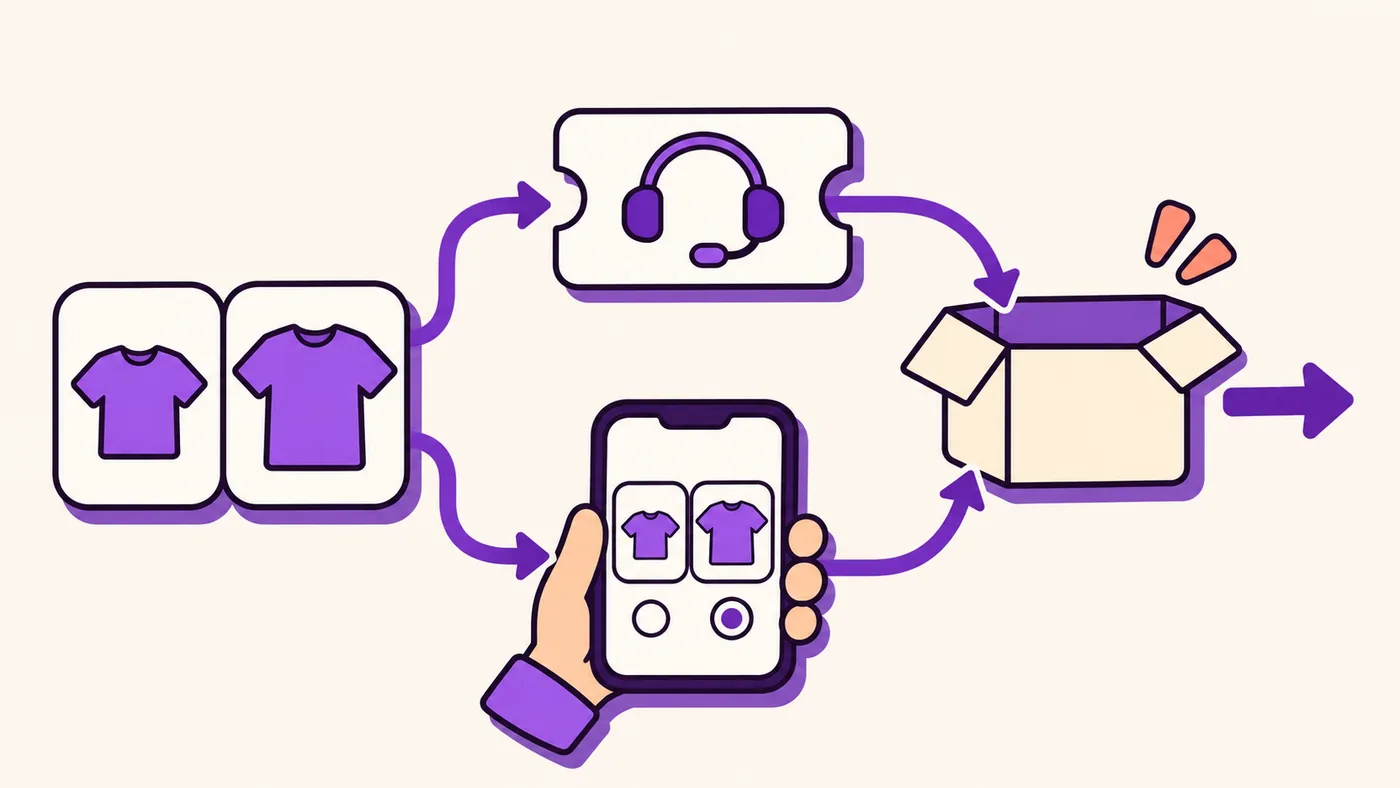
Shopify’s order-edit API stages supported changes before committing them to the order. Address, note and tag changes use a separate route. Shopify’s fulfilled-item rules prohibit removing fulfilled items or changing their quantities, while allowing discounts on fulfilled and unfulfilled items. An API capability does not mean every helpdesk exposes it: ask your agency to confirm each supported action and its payment outcome.
Shopify changes still need a warehouse handoff
If the change lands in Shopify after the warehouse has downloaded the order, stop the pick first.
Gorgias warns that its AI cancellation and address actions change Shopify without automatically updating the 3PL, a third-party logistics warehouse that picks and ships orders. Shopify also warns that fulfillment apps might miss order edits.
Before permitting changes while an order is waiting to ship, the fulfillment owner must establish what blocks warehouse import, what refreshes a previously imported order and who can stop picking after release, with a named escalation owner when the warehouse has already accepted the original version.
Use that handoff as an acceptance condition for both agent-assisted and customer edits. The guide to changes when a 3PL is already picking covers the exception path.
Revize lets customers edit Shopify orders before fulfillment
Revize puts customer editing on the Shopify order status page, so the customer changes an eligible order before fulfillment, inside the merchant-set window. In Revize’s dataset of 10 million+ orders, 92.2% of post-purchase edits are completed by the customer with no support agent, and the median edit lands 4.6 minutes after checkout (Revize, 2026).
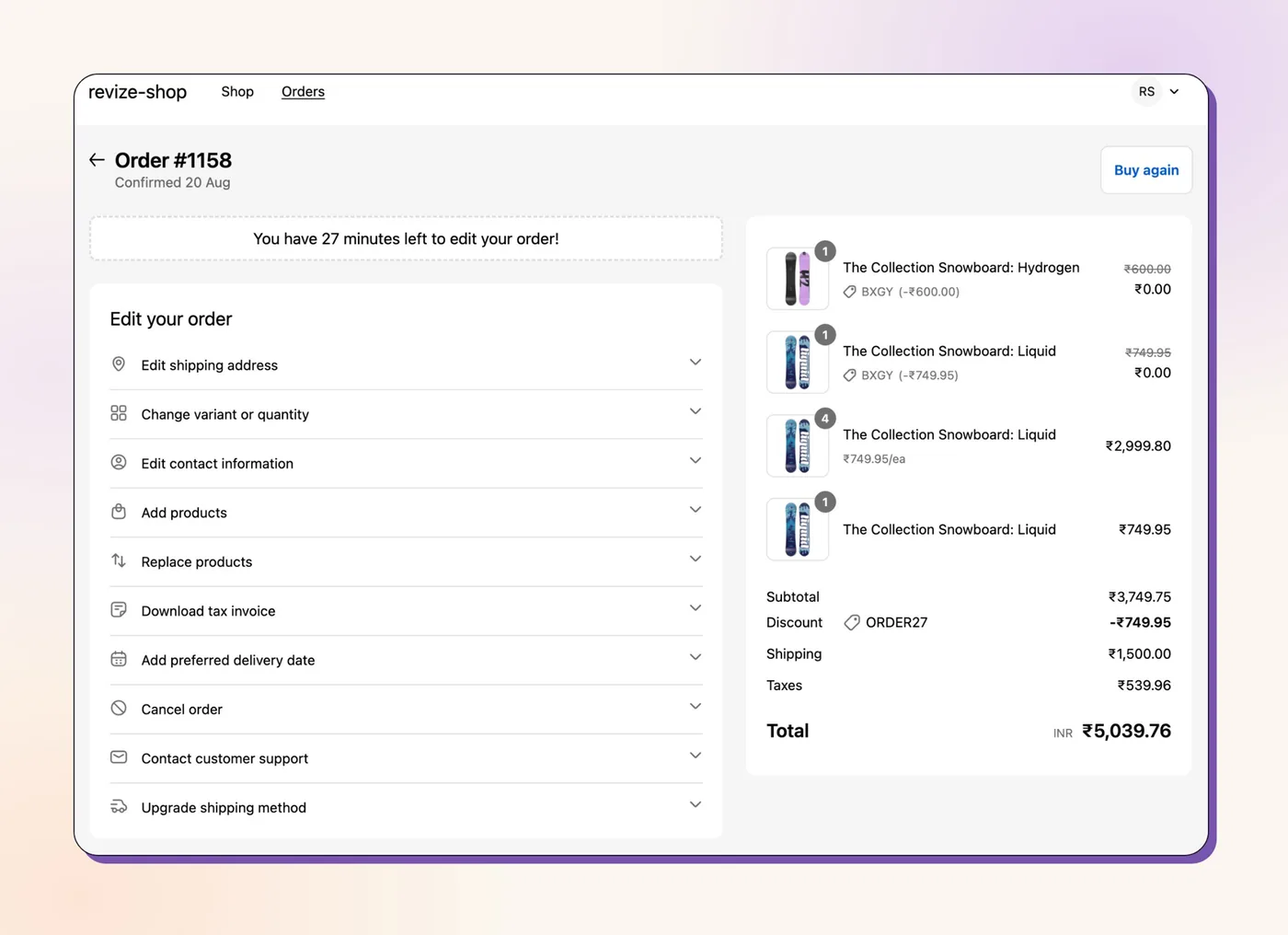
The merchant chooses the permitted changes. Revize supports variant and quantity changes, shipping-address changes and eligible automatic cancellations. A swap validates live inventory first, and an out-of-stock variant cannot be added to the edited order. Route routine requests through that portal; reserve disputed instructions or warehouse-release exceptions for a person.
Set the deadline under Order Editing → Editing policy → Edit deadline, following the edit-window settings. Under Order Editing → Editing policy → Fulfillment while editing, the Hold orders mode places a fulfillment hold during the editing window and releases it when editing closes. The store-wide Until fulfillment deadline does not place a hold.
Money follows the changed total. Revize’s settlement flow presents Pay now, Refund or Confirm for an increase, decrease or unchanged total. Pay now sends the customer to Shopify checkout to pay only the difference. Refunds follow the merchant’s policy: original payment method, or store credit on Pro and above. No refunds blocks value-reducing edits and removes cancellation. Orders with unpaid additions remain held until payment is confirmed, except cash-on-delivery orders.
A warehouse must respect the release method. Revize documents manual payment capture for systems that ignore holds: systems that wait for Paid status do not download the order while payment stays Authorized. Its release-tag option depends on the warehouse being configured to wait for the tag. Use the customer order-editing setup guide to connect the portal policy to that release decision.

Revize connects portal support tickets to Gorgias
On Pro and above, Revize automatically creates a corresponding Gorgias ticket when a customer submits a support request from their order in the Revize portal. On Pro and above, when a customer raises a support ticket from their order in the Revize portal, the Gorgias integration creates the same ticket in Gorgias automatically, with the order number, topic and message.
Revize does not add an order editor inside Gorgias. The customer makes the change in the Revize portal, and Gorgias receives a ticket only when the customer asks for help.
For Pro support tickets, the merchant notification email includes the customer’s name, email and phone, links to the Shopify order and customer profile, the selected topic and the free-text message, so the agent can inspect the purchase alongside the request before deciding whether warehouse intervention is needed.
Revize also provides the Shopify Flow Support ticket created trigger, passing order details and updated values. Use it to start your configured escalation workflow. Keep a named support owner for requests that require warehouse intervention.
Chatbots can request cancellation through Revize Pro
On Pro and above, a configured Gorgias or Zendesk chatbot workflow can request cancellation through Revize’s Public Cancellation API after enablement by Revize support. On Pro and above, with enablement handled by Revize support, the chatbot workflow can send that request through Revize’s Public Cancellation API. The API enforces the same edit window, blocking tags and refund policy as the portal, and its documentation covers the endpoint and request details.
It only cancels. A chatbot connection should distinguish SUCCESS from refusal states before telling the customer an order is cancelled. In particular, the documented responses include ORDER_FULFILLED for fulfilled orders and NOT_EDITABLE for locked orders.
Roll out self-service before expanding agent automation
Begin a Shopify self-service rollout by identifying routine order-change requests, defining eligibility and testing the warehouse handoff.
- Choose the self-serve changes. Assign routine size, address, quantity and eligible cancellation requests to the portal. Shipping address (30.2%) and full cancellation (24.3%) are the two largest edit types in Revize’s dataset (Revize, 2026). Write down the exceptions a human must handle.
- Set the edit window. Work backward from the first warehouse action that makes a correction difficult. Choose a deadline and the release method the fulfillment team will enforce.
- Prove the warehouse handoff. Run an address correction and quantity change through the actual connection before picking begins, then inspect the warehouse record and confirm who can intervene if the imported order still contains the original address or quantity.
- Route exceptions to support. Assign ownership for expired windows and disputed changes. With Pro support tickets, use the documented Gorgias handoff or your configured Flow workflow.
- Separate human approval from autonomous actions. Record which chatbot actions require approval. For a Revize cancellation integration, handle refusal responses before sending a success message.
- Measure tickets avoided. Compare order-change tickets per order before and after launch alongside completed self-serve edits. Report AI-resolved conversations separately from changes completed without a conversation.
For an agency handover, put those decisions in the post-purchase order-editing playbook. Then give support ownership of the exception queue.
If a dedicated customer-editing portal fits your workflow, evaluate Revize against the edit-window, payment and warehouse checks in this guide.
Frequently asked questions
Can Gorgias edit a Shopify order?
Gorgias documents an existing-order editor in its Shopify widget, but its human-agent documentation does not list the editor’s line-item, quantity or variant controls. Its documented restrictions exclude archived orders, orders older than 60 days and orders in a different currency from the store currency. A draft newly created in Gorgias cannot subsequently be edited there.
Can Zendesk edit a Shopify order?
Zendesk confirms refunds and cancellations in the ticket. Enable those actions in the Shopify Support sidebar configuration. Existing-order quantity, variant and shipping-address editing are not documented in the reviewed standard integration, so scope agent permissions to the confirmed actions.
Can an AI support agent cancel an order?
Yes, when a cancellation action is configured. Gorgias documents AI cancellation of unfulfilled Shopify orders. Richpanel lets merchants choose Always allow or Require approval; Co-Pilot mode holds customer-visible actions for a person. Revize’s Public Cancellation API, available on Pro and above with support enablement, offers another cancellation route under the portal’s edit window, blocking tags and refund policy.
Do helpdesk edits reach my 3PL?
Warehouse receipt depends on the connection. If an app misses an edit, Shopify warns that a removed item could still ship. Require evidence of the revised warehouse pick record before closing that exception ticket.
What should stay with human agents?
Humans should handle disputes and warehouse-release decisions. Revize’s Pro support-ticket settings can keep Contact Support available after the editing deadline. Keep that escalation path visible when customer editing has closed.