
On this page
Published by Revize, a Shopify order-editing app. It explains native Shopify workflows and selected app options.
Shopify customer size changes before fulfillment
Revize lets Shopify customers change an unfulfilled item’s size on the existing order, subject to stock availability, merchant permissions and the editing window. Say a customer ordered a medium and needs a large. The item is still unfulfilled. With Revize, the customer can select an available replacement variant on the existing order while the merchant’s editing window remains open.
OrderEditing.com and Cleverific also document pre-fulfillment variant swaps; see how the three apps compare.
The customer’s deadline matters alongside the fulfillment state. Revize hides its editing portal when the window expires, the order is fulfilled or cancelled, or restrictions exclude it, as described in the customer portal documentation.
Choose the workflow from the item’s current state:
| Order state | Who changes the size | Operational requirement |
|---|---|---|
| Unfulfilled and inside the permitted editing window | Customer through Revize | Variant changes must be enabled, and the replacement must be available for the delivery address. |
| Requests support handles by hand, including after the customer’s window has closed | Merchant through Shopify admin | The order must remain eligible; support removes the original variant, adds the replacement and handles any balance or refund. |
| Delivered to the customer | Merchant through Shopify returns and exchanges | The customer needs a return process and replacement fulfillment under the store’s policy. |
Shopify’s return and exchange workflow lets the merchant create a return and add exchange items after delivery. Use the Shopify exchange workflow guide when writing support’s handoff for delivered items.
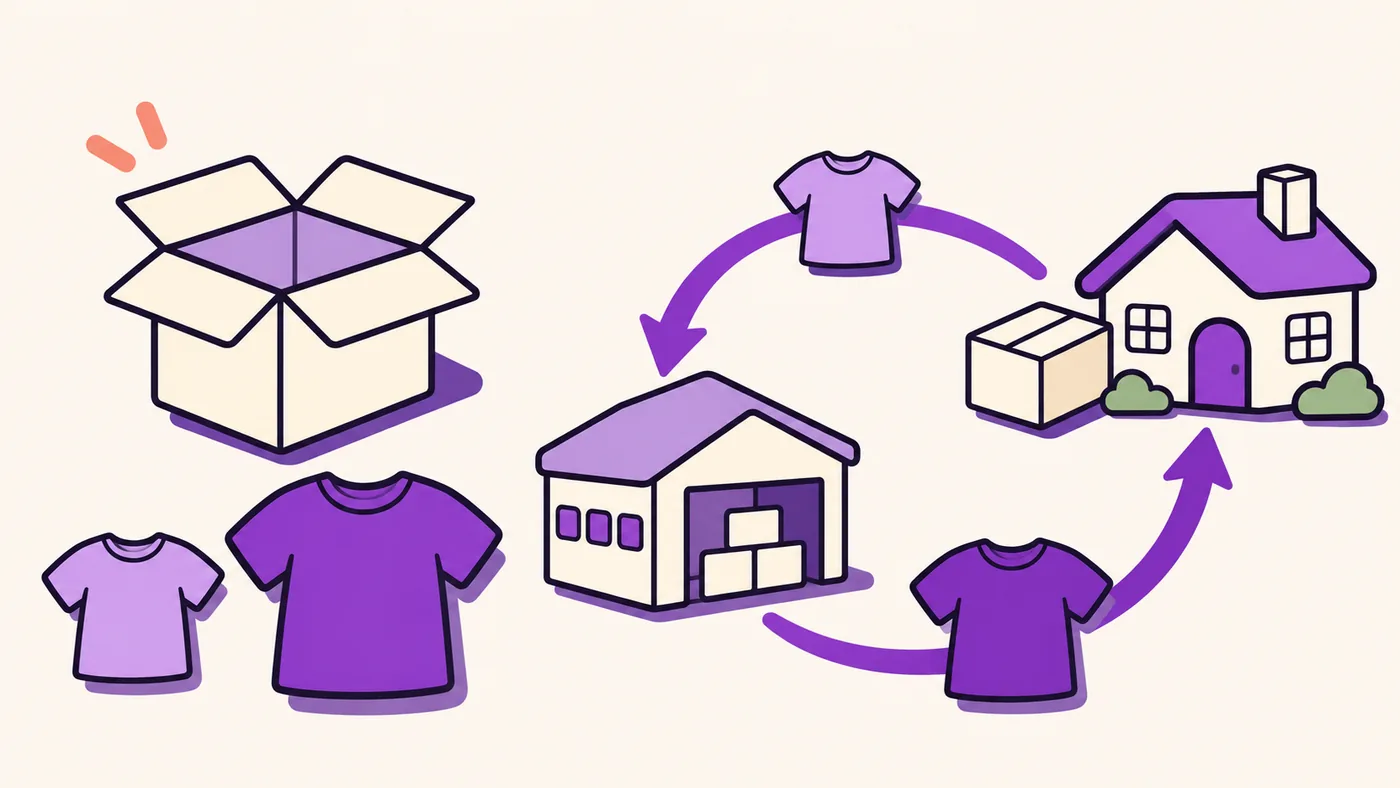
Staff swaps in Shopify admin
A support-handled size correction uses Shopify admin’s remove-and-add workflow. Support owns the correction.
Use these desktop steps:
- Open Orders in Shopify admin and select the order.
- Click Edit.
- Remove the original item with ×. Leave Restock units selected when the units should return to their original location.
- Click Product, select the replacement variant and click Done. If that variant already appears on the order, increase its existing quantity instead.
- Review the revised items and total, then click Update order.
- Collect any additional balance or issue the refund owed. Updating the order does not automatically issue a refund.
Check eligibility before promising the correction. Shopify’s order-editing considerations state that fulfilled items cannot be removed or have their quantities adjusted.
The merchant must also account for the warehouse’s fulfillment request, which can close the editing opportunity before shipment. Set that cutoff before giving customers access to the size selector.
Enable Shopify customer size changes
In Revize, the merchant controls the size selector under Order Editing → Customer edits, on the Order Editing page in the app sidebar. Variant changes are available from Free. Replacing an item with a completely different product requires Pro.
Configure the customer flow in this order:
- Follow the Revize Quickstart. In Settings → Checkout → Customize, add Revize Customer Portal and Revize Notifications to the Order status page, and Revize Order Edit Message to the Thank you page.
- Open Order Editing → Customer edits and turn on Change variant or quantity.
- Select that feature, then enable Allow modify product variants under Product edit permissions. Leave Allow modify product quantity off if customers should only switch variants. Click Save.
Quantity changes are optional. The separate permissions let the merchant offer size corrections without also allowing customers to change how many units they bought.
The customer opens Change variant or quantity on the order status page and clicks Edit beside the item. Revize displays that product’s variant options and the effect on the total. The pending change includes an Undo control before confirmation, as shown in the variant-editing documentation.
Revize checks live inventory at the warehouse or fulfillment location serving the customer’s delivery zone. A size can remain unavailable to that customer even when another location outside the zone has stock.
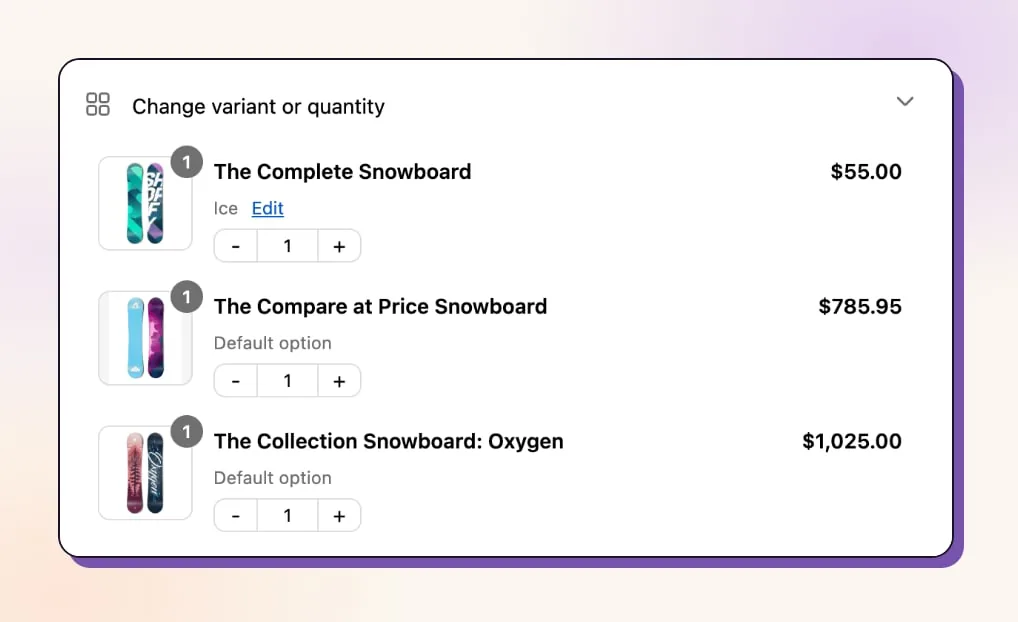
Use the customer order-editing setup guide to configure the other corrections your store permits alongside size changes.
Settle the revised order total
After a size change in Revize, the revised order total determines whether the customer sees Pay now, Refund or Confirm, subject to the merchant’s refund policy. Revize’s payment and refund controls use Pay now for an increase, Refund for a permitted decrease and Confirm when the total stays unchanged.
Shopify processes payments and refunds. For a higher-priced variant, Pay now takes the customer to Shopify checkout to pay only the difference. The portal shows the additional amount and updated total before confirmation. The variant change stays on the existing order.
For a lower total, the merchant’s policy under Order Editing → Editing policy → Refunds determines the outcome. Original payment method refunds the difference through Shopify. Store credit requires Pro.
Under No refunds, a customer can pick a cheaper variant only if the final total stays at or above the original total. Available stock and time remaining do not override that payment condition.
Choose the refund policy before opening the portal. A later policy change applies going forward; an order already mid-edit keeps the policy active when that customer started.
Install Revize to give customers the variant selector and settlement flow, then configure the refund policy for the changes your store permits.
Check discounts and free gifts
For a Shopify size swap, the final order total determines the payment or refund outcome, so customers should check any discount changes alongside the replacement variant’s price. The listed variant price does not settle the payment outcome on its own.
On Pro, Revize recalculates the store’s existing discounts against the edited order. Product eligibility is one of its checks. Revize notifies the customer when an edit invalidates a discount.
For a product-restricted promotion, assess the replacement’s eligibility before describing a same-price size swap as an unchanged-total edit.
Keep the admin workflow’s limits in view too. Shopify states that some discounts do not recalculate after native order edits. Native shipping methods and rates also do not recalculate.
Revize’s discount, shipping and tax recalculation are Pro capabilities. Free-plan variant permissions do not include those recalculation features.
Free gifts stay locked. Revize’s customer portal displays a notice explaining that free gifts cannot be edited. Enabling paid-item size changes does not make a promotional gift editable.
Close editing before warehouse picking
In Shopify’s app-based fulfillment workflow, requesting fulfillment prevents further order edits, including size swaps, before the parcel ships. In Shopify’s app-based fulfillment-service workflow, requesting fulfillment prevents further order edits. After the service accepts the request, it can reject a cancellation request.
Set Revize’s deadline under Order Editing → Editing policy → Edit deadline. Time-based windows are available from Free. Scheduled cutoffs require Pro, as described in the edit-window documentation.
The customer sees the remaining time through the portal’s live countdown.
For a time-based window, select Hold orders under Order Editing → Editing policy → Fulfillment while editing. This processing mode places a Shopify fulfillment hold during editing. Revize releases the hold when the window closes, subject to payment settlement.
The store-wide Until fulfillment deadline does not place a fulfillment hold. Do not assume that selecting this deadline also pauses the warehouse.
Some systems ignore holds. Revize’s fulfillment integration guidance describes manual payment capture for systems that filter orders by payment status. Payment remains Authorized during the window, and Revize captures it when editing closes.
A 3PL (a third-party logistics warehouse) may instead need release-tag coordination. With Skip hold, a release tag only signals that the order can proceed, so the warehouse must filter for that tag before picking or it can start while the customer is still editing.
Use the 3PL already-picking guide to establish the warehouse handoff before opening customer size changes.
Test the size-swap flow before launch
Before enabling customer size swaps through Revize, test stock restrictions, payment and refund outcomes, and whether the warehouse receives the confirmed replacement variant. Give the merchant, support and warehouse a shared acceptance sequence:
- Have the merchant run a same-price swap and an unavailable-size selection through the customer portal.
- Have support follow a higher-priced change through Pay now and a lower-priced change through the chosen refund policy.
- Have the warehouse compare the confirmed variant with its pick record when the order is released.
- Give support a separate process for requests after warehouse acceptance and after delivery.
Open customer size changes when the warehouse’s released pick record contains the confirmed variant and the payment outcome matches the portal.
Frequently asked questions
Can customers change their size on Shopify without an app?
As of November 2026, Shopify’s customer-account customization guidance describes no native self-service size swap and points merchants to apps for order editing. Support can make an eligible swap in Shopify admin. Revize adds the customer-facing size selector.
Can I lock one product while allowing other items to change?
A product-tag restriction locks only the matching line item. Apply a tag to the product in Shopify, then add the same tag under Settings → Order editing → Editing restrictions → Product tags, in the Order editing tab on Revize’s Settings page. This blocks that item’s variant changes, quantity changes and removal.
Other items remain editable. This Settings → Order editing tab is separate from the Order Editing page used for feature permissions. Use the product edit restrictions guide to define exclusions.
Does an unpaid size change hold a cash-on-delivery order?
Cash-on-delivery orders are an exception to Revize’s additional-payment holds. The unpaid-balance hold does not protect these orders. Include the revised amount in the warehouse handoff before releasing the replacement size.
Can customers request an exchange through Shopify self-serve returns?
Customers can request a return. Shopify’s self-serve returns do not accept exchange requests.
The merchant can add eligible exchange items in admin. Shopify’s return workflow does not reserve exchange inventory until the return is processed.
Can customers swap a Recharge subscription variant?
Revize support configures subscription order editing. With Revize’s Recharge integration connected, a variant swap also updates the customer’s Recharge subscription. The merchant decides which changes customers can make.
Without a connected subscription integration, a Shopify customer changing size after an order updates the current order only. Future-shipment variants must be changed through the subscription app’s portal.